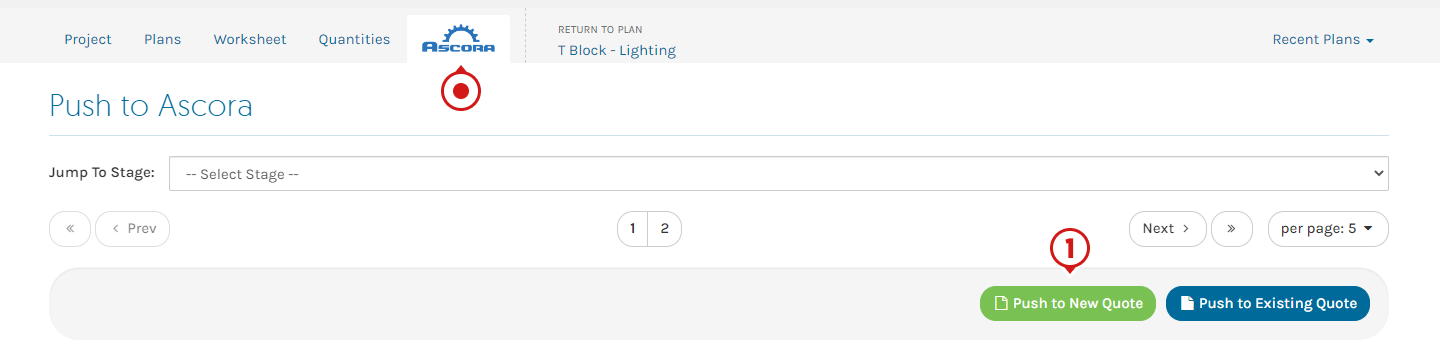
Stages in Groundplan become Sections in Ascora. Push your Quantities to a new Ascora Sections Quote.
⚠️ Pricing Method
All quotes created from Groundplan will produce a Sections Quote in Ascora.

- From the Ascora tab, click Push to New Quote
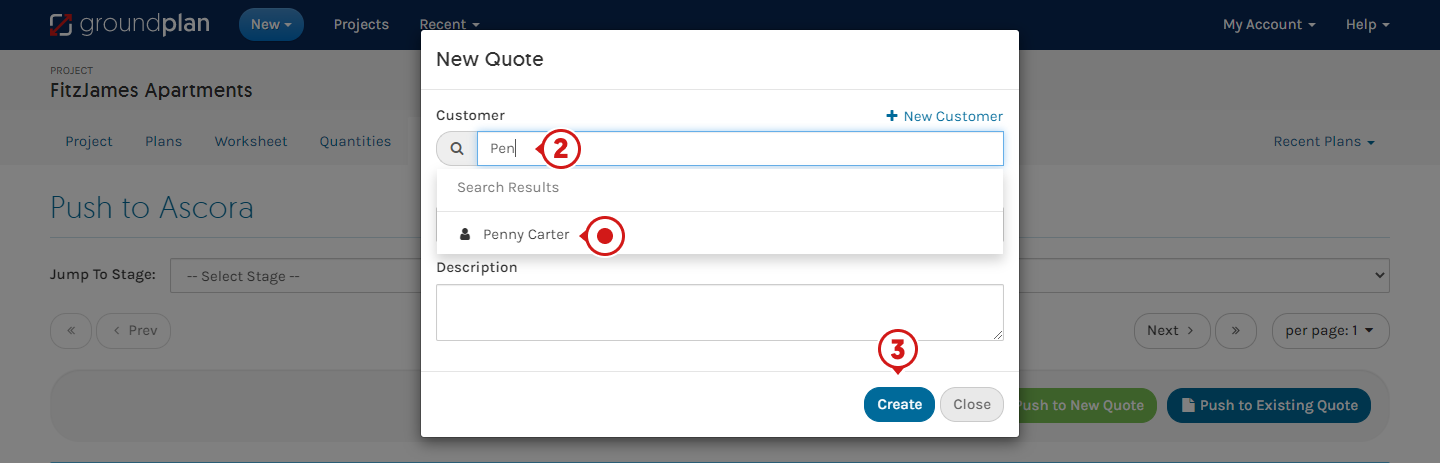
- Enter first 3 letters of Customer / Site Customer to begin your search and select the result
Alternatively Click +New Customer to create
(Optional) Enter Quote Name / Description
- Click Create
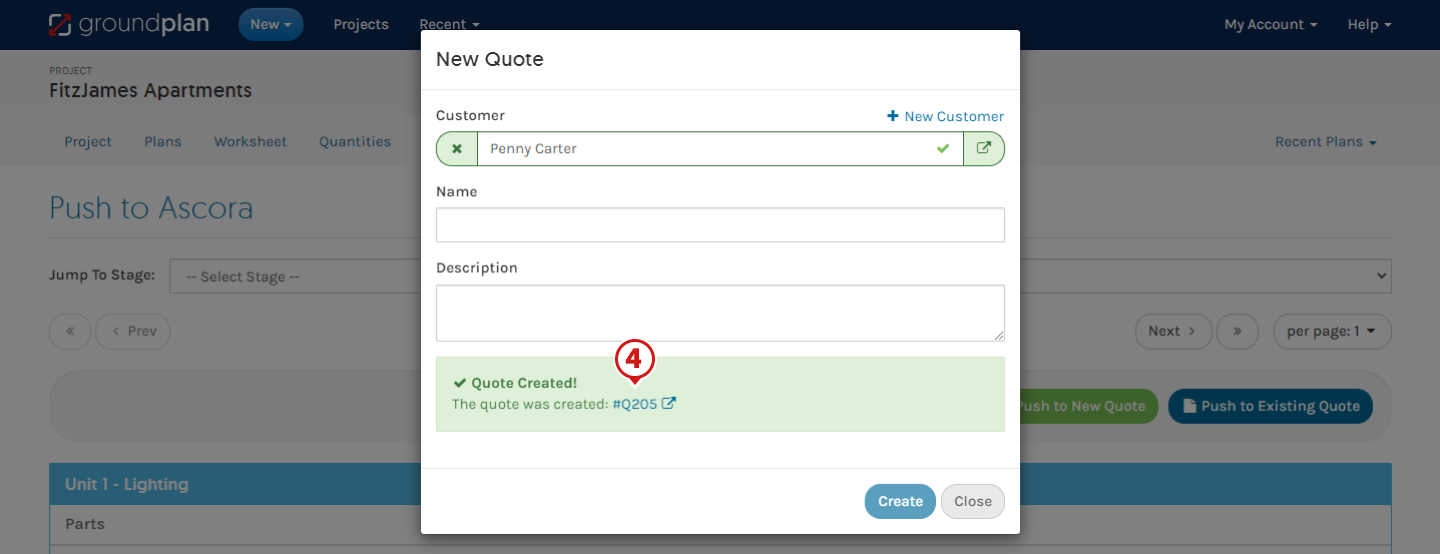
- Click Quote number to view Quote in Ascora
FAQs
Q: Can I create a Fixed Price / Time and Materials Quote within Groundplan?
A: No. Quantities pushed from Groundplan will only create a Sections Quote within Ascora.
Q: Why aren't my products listed in the same order in Ascora that they were on the Worksheet tab?
A: Due to the restrictions of the current Integration API, the order of items on the Supplies and Labour tab will always import Ascora Kits first then Ascora Inventory followed by Once-off Items. You are then able to re-order the items when in Ascora.
Got a question?
Submit an Idea 💡 Go to Ideas Portal