Ascora’s Trip View provides a detailed breakdown of all recorded trips for a selected asset on a specific day. This feature allows businesses to analyze travel patterns, monitor efficiency, and verify trip data to optimize fleet performance.
With Trip View, you can:
🚛 Track vehicle movements for any given day.
📊 Analyze key trip metrics such as total distance traveled, total trip time, and the number of trips taken.
📍 Visualize routes on an interactive map, with each trip displayed clearly for easy reference.
🔎 Zoom in for granular trip details and review individual trip segments.
This tool is ideal for verifying job visits, optimizing routes, and ensuring vehicles are being used efficiently. Whether managing a single vehicle or an entire fleet, Trip View provides the data needed to make informed business decisions and improve operational oversight.
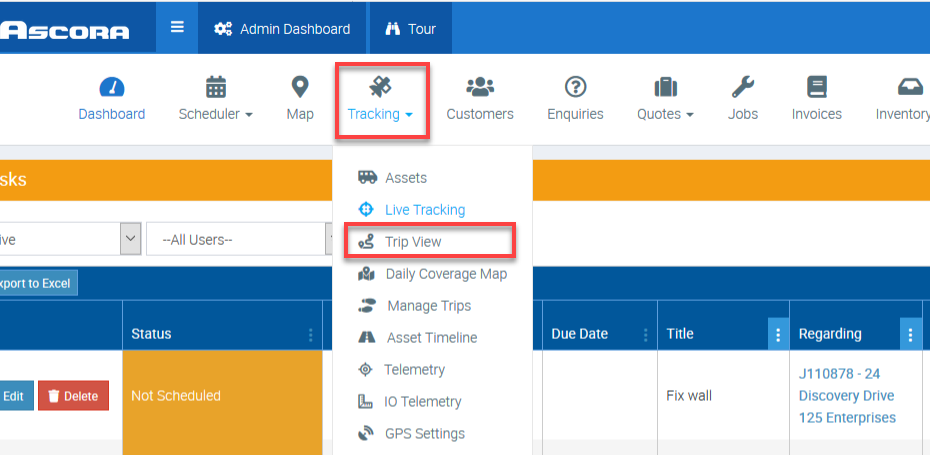
1. Go to Tracking → Trip View.
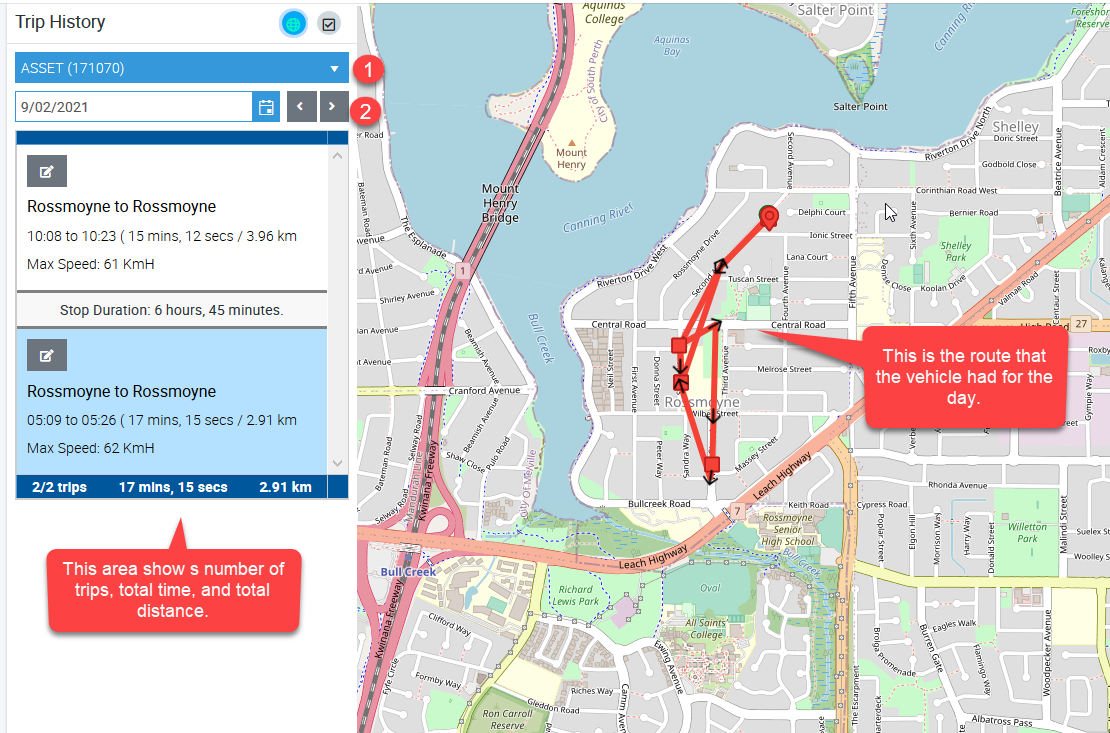
2. Select your GPS unit, and select the date then the associated data will be displayed.
In this example, we selected asset (171070)which had two trips on 9 February and we can see the trip view in the map area represented by the red line.
Got a question?
Submit an Idea 💡 Go to Ideas Portal