The Dashboard serves as your command center in Ascora, providing a real-time overview of key business activities and performance metrics. From tracking tasks and monitoring time usage to reviewing job profitability and user licenses, the dashboard ensures you have immediate access to essential data for informed decision-making.
- Task Management: Keep track of follow-ups, to-do lists, and assigned responsibilities, ensuring nothing falls through the cracks.
- Time & Job Summaries: Analyze time allocation trends and review financial performance to optimize workflows.
- User Licenses & Retentions: Stay ahead of license expirations and manage outstanding retention invoices seamlessly.
📽 Watch the video guide ⤵
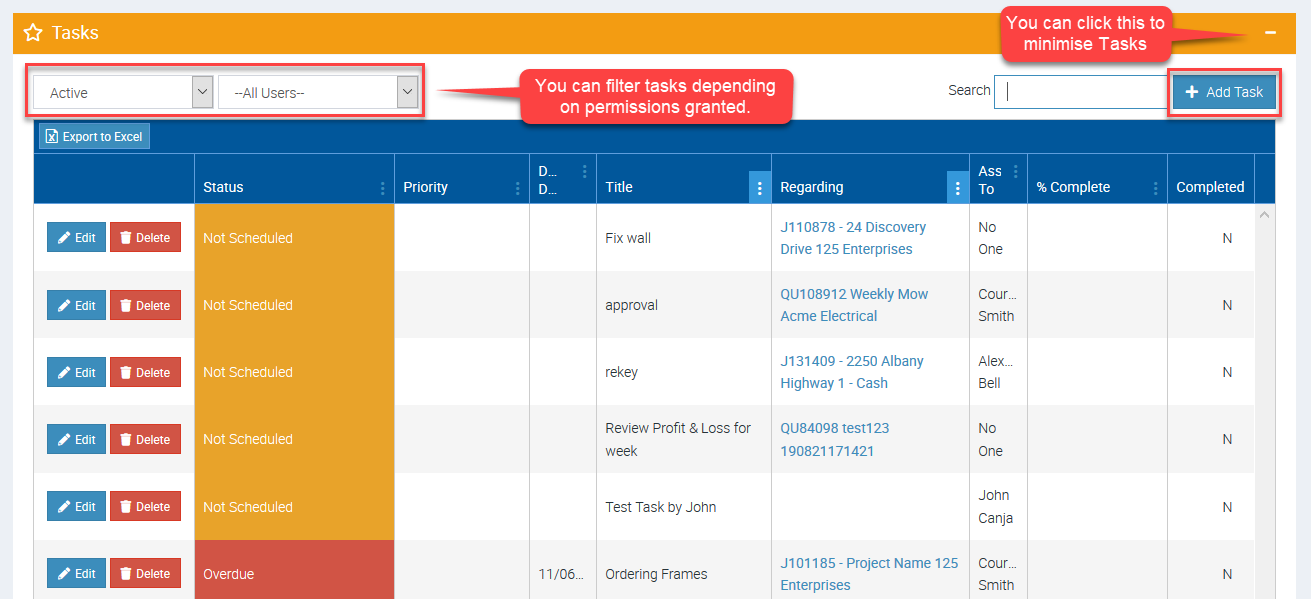
Tasks
This is where you can see your follow ups or to do lists which are associated to jobs or quotes or completely independent. You can assign a task to a particular user, add notes, set completion date, etc.
- Tasks is visible both in Ascora web and in the mobile app.
- You can set permissions which allows a user to access tasks for other users.
- You can minimise the task view if not needed in your area.
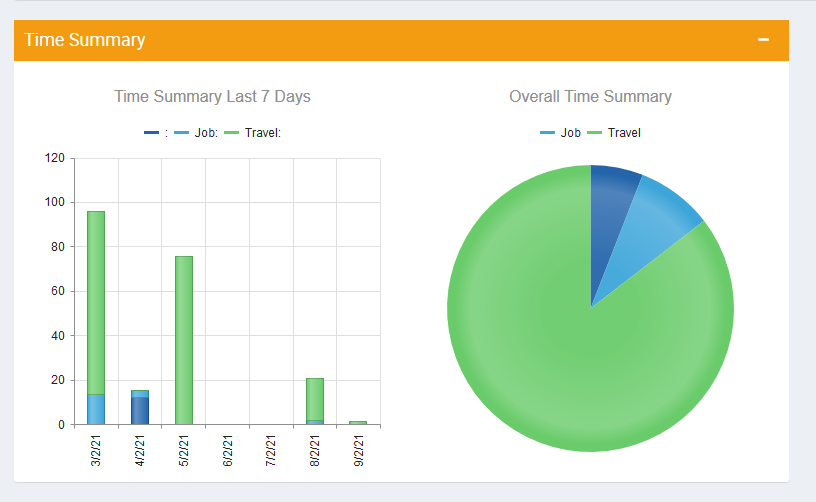
Time Summary
This gives you a summary of how time has been spent in the company for the last 7 days.
This is an area where you can immediately see if travel time has been spent and you might need to change the way you allocate jobs.
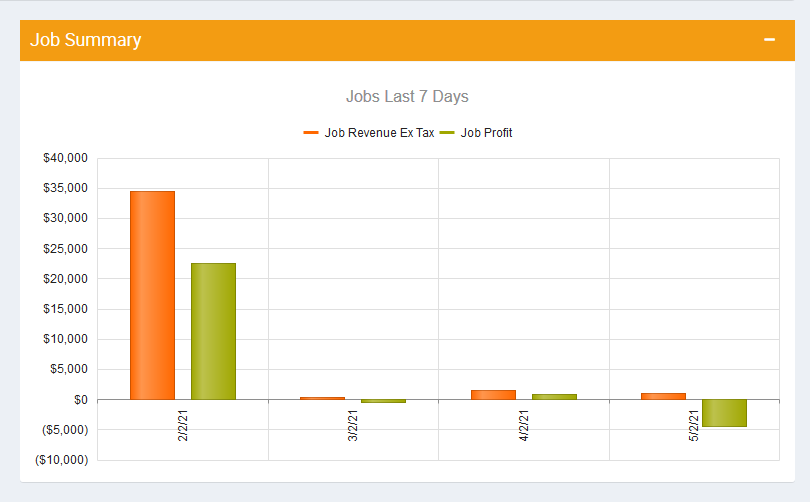
Job Summary
This area gives you an overview of the revenue and profit for the past 7 days.
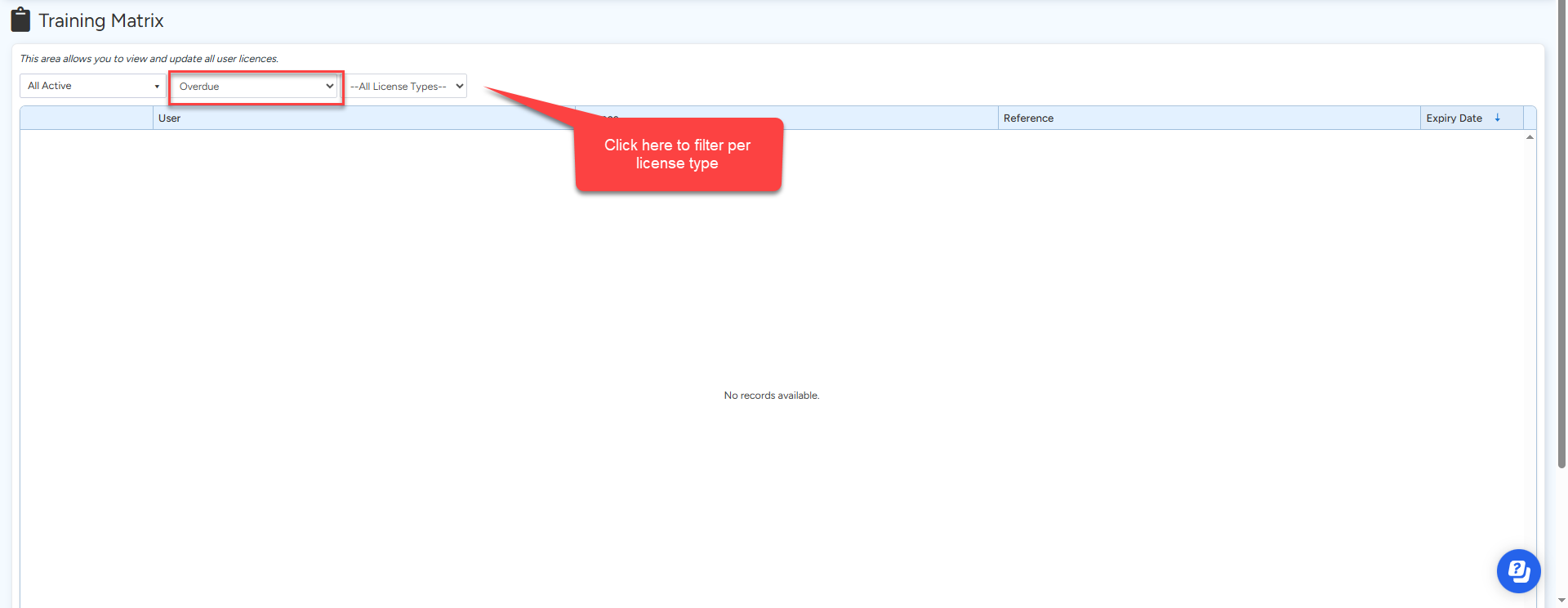
User Licenses
This area gives you an overview of which licenses are due to expire.
To learn more about licenses please see 💳 Working with Licenses for more information
Retentions Due
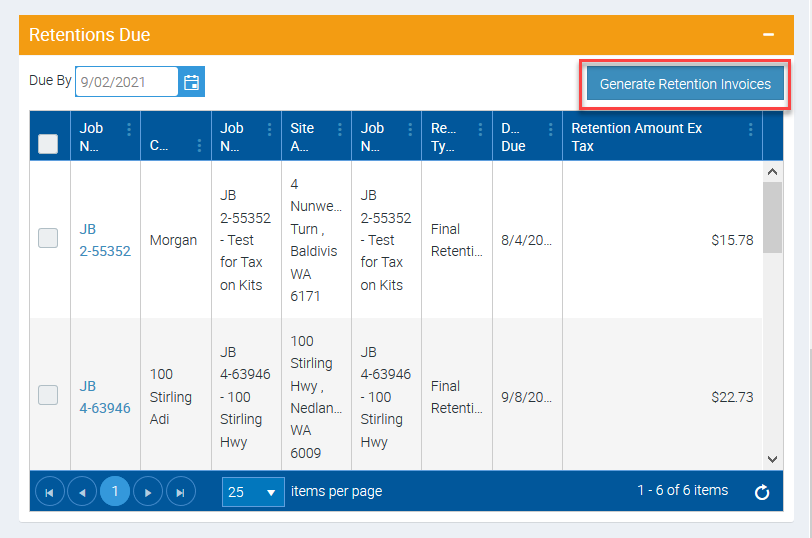
This is applicable if you have customers asking for retention on invoices. This helps you identify invoices that are due so you can do the necessary actions.
You can also generate Final Retention Invoices from this area by clicking the button Generate Retention Invoices.
To learn more about Retentions, please see 💷 Managing Retentions user guide.
Got a question?
Submit an Idea 💡 Go to Ideas Portal