In Ascora, users cannot be permanently deleted to preserve critical historical data related to completed jobs, invoices, and reporting. However, if a team member leaves or no longer requires access, you can deactivate their account to restrict all permissions while maintaining data integrity.
✅ Key Benefits of Deactivating Users Instead of Deleting Them:
- Ensures that past job records remain intact for reporting and tracking.
- Prevents accidental data loss that may impact business insights and audits.
- Allows for reactivation if the user returns to the system in the future.
How to Disable a User in Ascora:
🔹 Set a user to "Inactive" status to remove all permissions.
🔹 Disable Web and/or Mobile Access to ensure no further logins occur.
🔹 Filter and manage inactive users for better workforce organization.
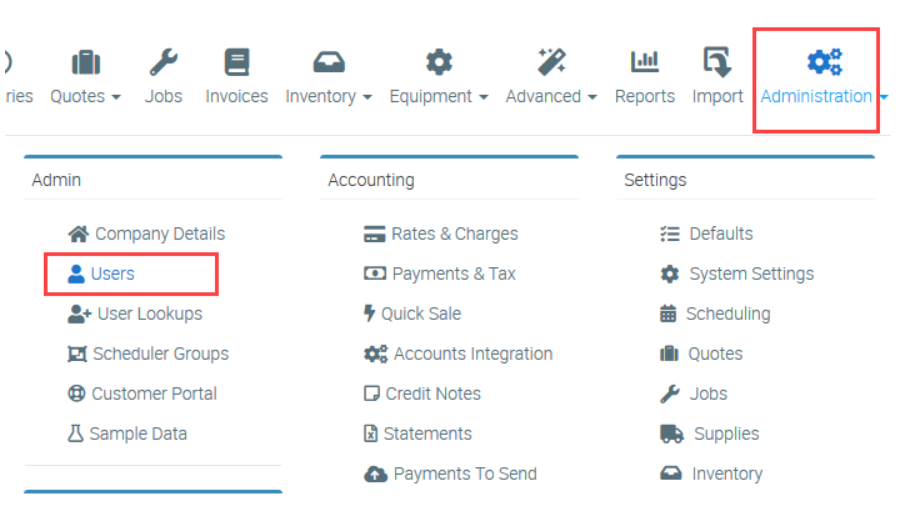
1. Go to Administration → Users.
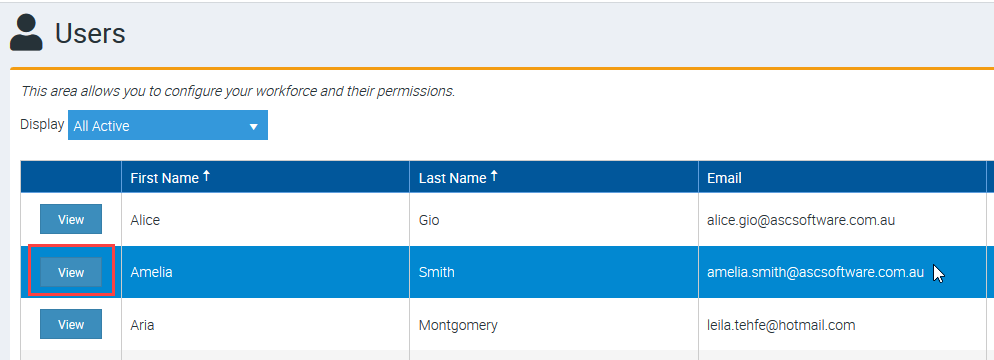
2. Click View beside the user name that you need to set as Inactive.
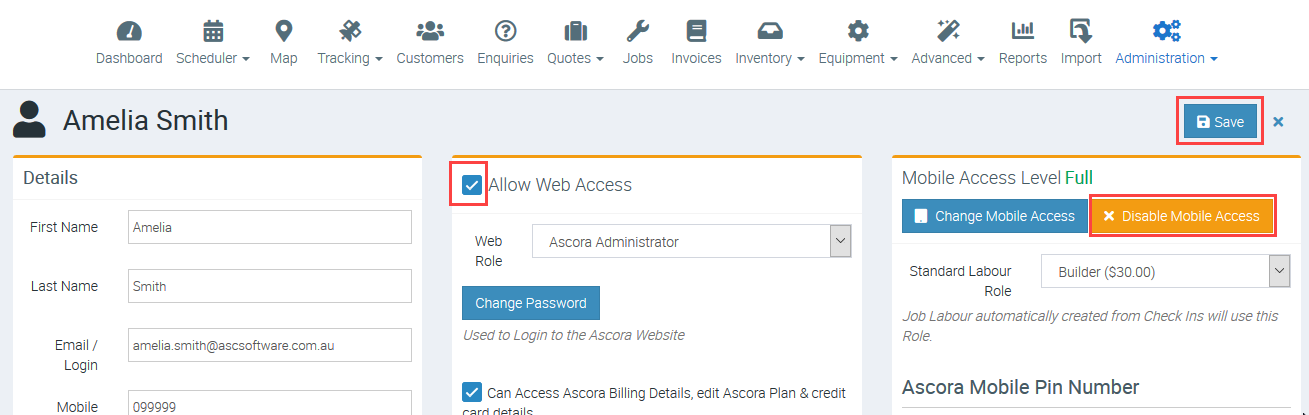
3. Untick the box beside Allow Web Access and if user has mobile access, click Disable Mobile Access button and once done, click Save.
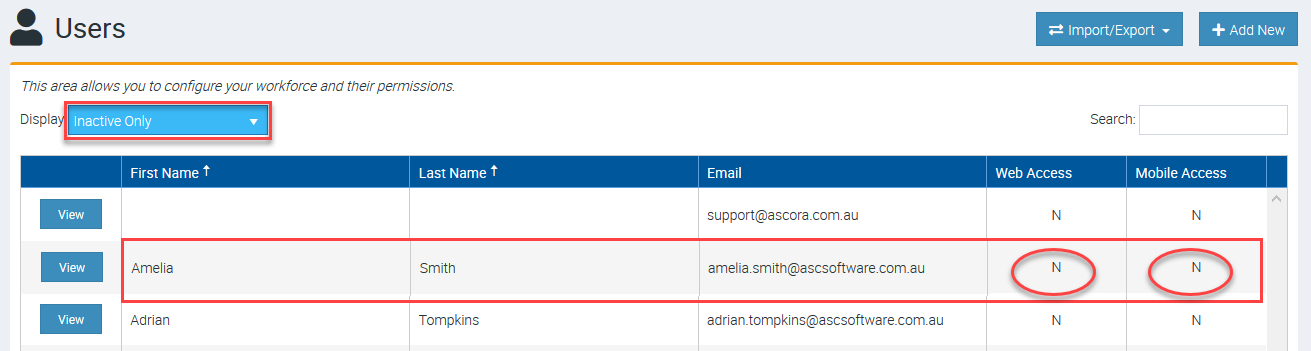
4. Filter the users and select Inactive and you can immediately see the user in the list with an indication of No Web Access and No Mobile Access.
Got a question?
Submit an Idea 💡 Go to Ideas Portal