In Ascora, you can streamline your quoting process by using pre-defined Quote Templates. Instead of building each quote from scratch, simply select the appropriate template—complete with default items, descriptions, and pricing—and Ascora will generate the quote automatically.
You can then make any final adjustments, such as adding supplies or updating labor costs, before sending it to your customer. This approach helps maintain consistency and saves time for frequently repeated quote scenarios.
When you have job templates set up, you are able to create a quote from one of the templates.
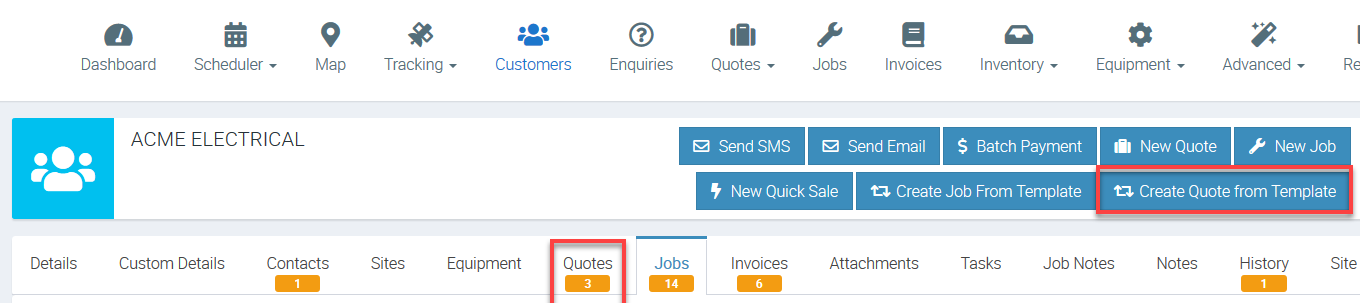
1. Go to Customers tab.

2. Click Quotes and then click Create Quote From Template.
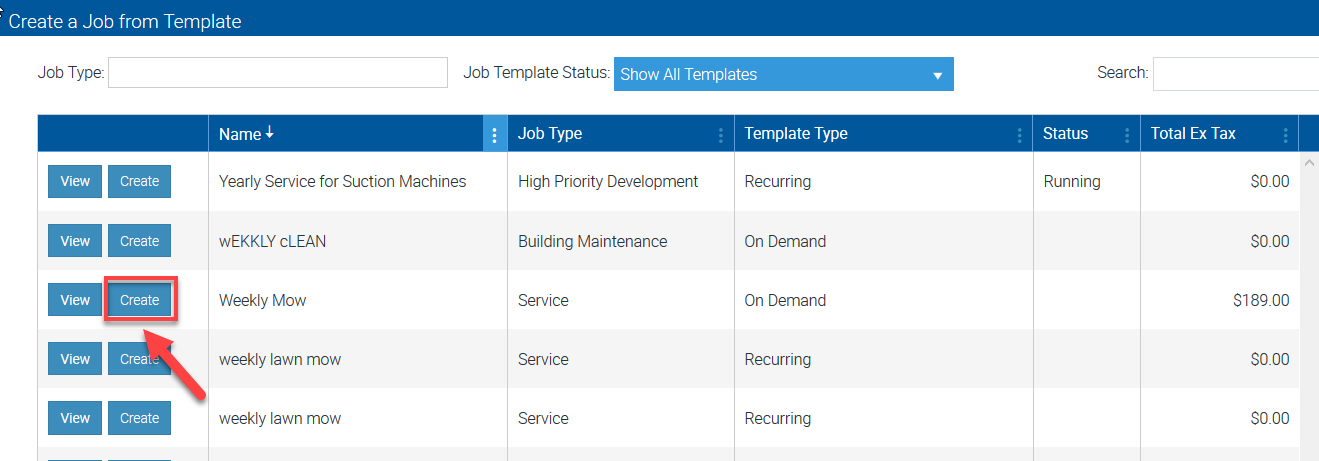
3. Look for the template from the list and click Create button.
In this example, we are creating a quote from the template called Weekly Mow.
4. Wait for the system to create the quote and once done, you should see the main Quote screen where you can make amendments such as adding supplies and adding labour if necessary.

Got a question?
Submit an Idea 💡 Go to Ideas Portal