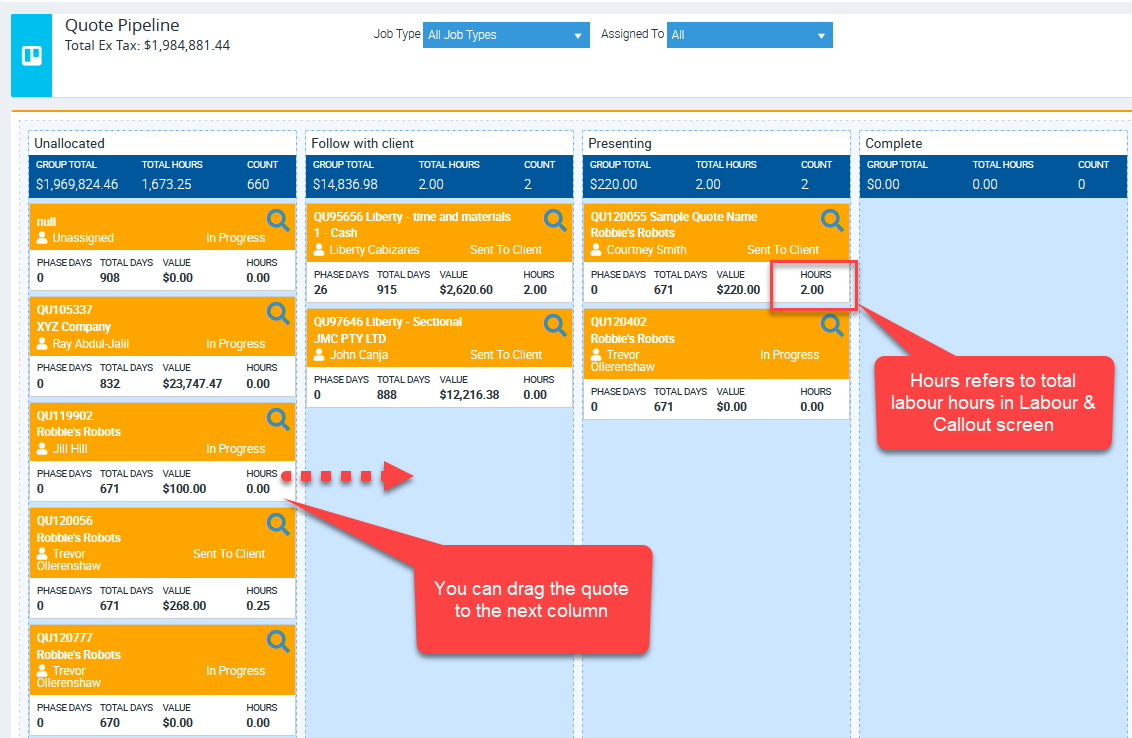
The Quote Pipeline in Ascora empowers you to define a structured and customizable process for managing quotes before they are marked as won or lost. This feature allows you to track, organize, and follow up on quotes effectively, ensuring no opportunities slip through the cracks. Whether your process involves multiple follow-ups or specific steps, the Quote Pipeline helps you stay on top of your quoting workflow with ease.
With the Quote Pipeline, you can:
- Define custom phases for your quote process, such as "Initial Follow-Up" or "Pending Decision."
- Track the duration of quotes in each phase to identify bottlenecks or delays.
- Move quotes seamlessly through different stages to reflect their progress.
- Gain a clear overview of your quote values at each stage of the pipeline.
This guide will walk you through setting up and managing your Quote Pipeline, enabling you to create a repeatable and efficient sales process tailored to your business needs.
📽 Watch the video guide ⤵
1. Start by clicking Quotes → Quote Pipeline.

2. Each quote generated in Ascora will automatically appear on the first column as indicated in the print screen below. This will give you the total value of the quotes you have generated to date under each phase. Further break down below shows:
- Phase days: The number of days this quote has stayed in this phase
- Total days: The number of days this quote has stayed in the system since it was created
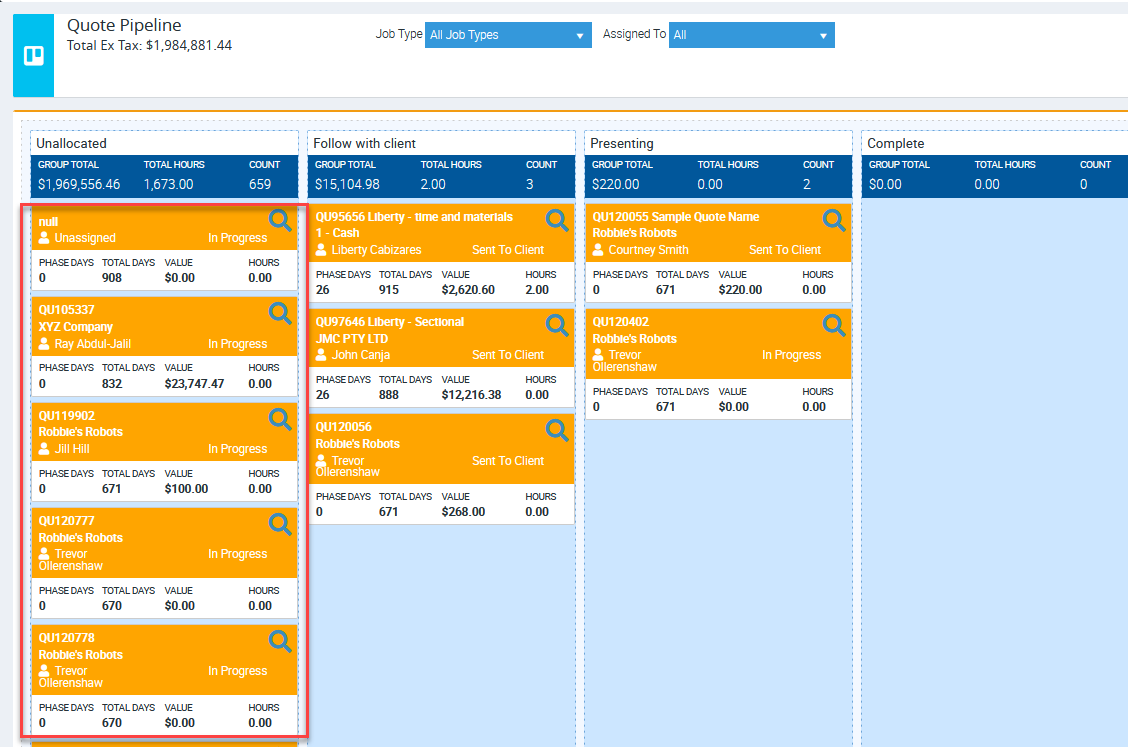
3. Add a new quote pipeline phase by selecting Add Quote Pipeline Phase

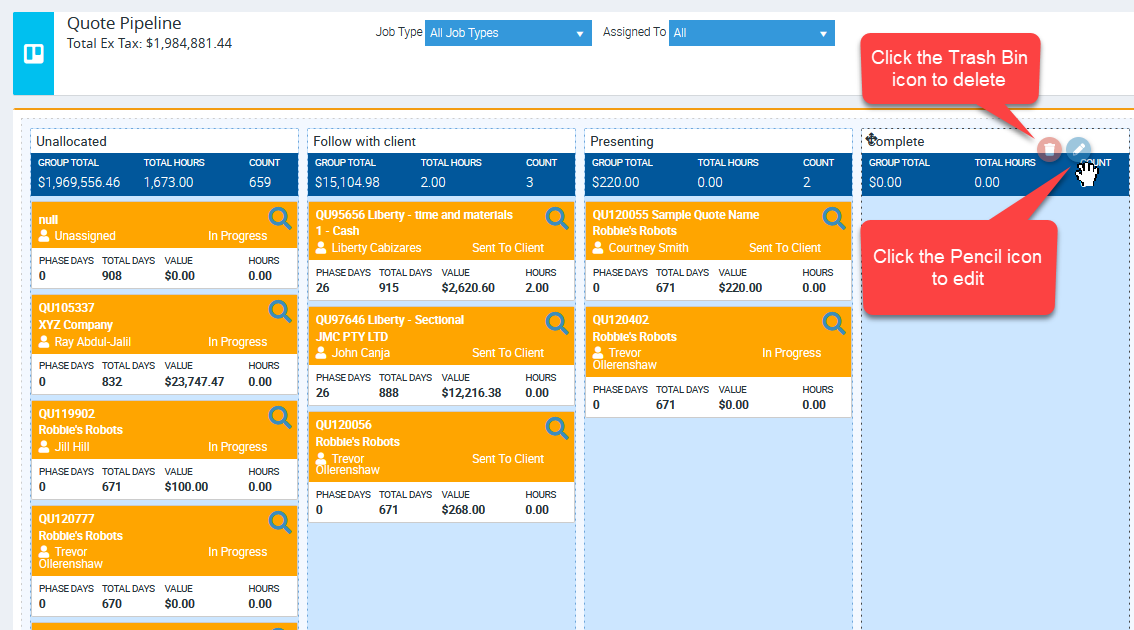
4. Rename your quote pipeline phases based on your quote process. When you placed your mouse on the right-hand side of each column, the edit and delete icon will appear.
5. Once you have done your first follow up, drag the quote to the next column as needed for the next phase of action in your follow up quote process.