Managing multiple invoices efficiently is essential for maintaining a smooth billing process. Ascora allows you to download and email multiple invoices in one action, saving time and ensuring all financial records are sent and stored correctly.
Why Use Bulk Invoice Management?
- Saves Time: Process multiple invoices at once instead of handling them individually.
- Ensures Accuracy: Use predefined invoice templates to maintain consistency in customer communication.
- Improves Cash Flow Management: Quickly send outstanding invoices to encourage prompt payment.
- Enhances Customer Experience: Ensures customers receive clear and professional invoices without delays.
By following these steps, you can streamline your invoicing process, reduce administrative workload, and ensure timely billing for your business.
Choose the Invoices Icon from the Top Menu and filter the Invoices List to find the Invoices you wish to download.

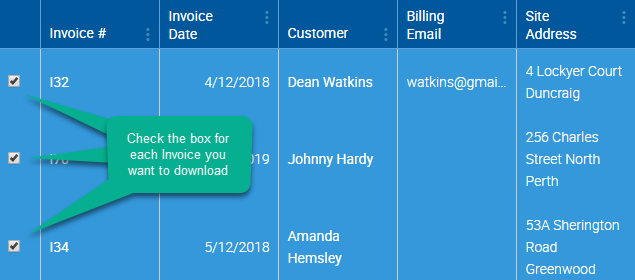
Select the Invoices you wish to download or email by checking the box next to each Invoice number in the list.
To Download the Invoices, click the Download Invoices button. The Invoices will be downloaded as one PDF file, with each Invoice using the Invoice Template that has been assigned to it on the Invoice Details screen.
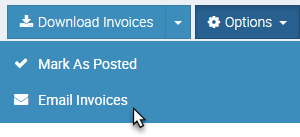
To Email the Invoices, click the Options button and choose Email Invoices from the dropdown menu. The invoices will be emailed to their respective customers using the specified email and Invoice Templates.
Got a question?
Submit an Idea 💡 Go to Ideas Portal