Once Integrated, begin using Ascora Inventory Supplies and Kits to Count and Measure Lengths or Areas on Plans.
Once-off Item: Use this option if the item doesn't exist in Ascora Inventory (becomes a Write In Item)
Inventory Supply: Choose individual items from Ascora Inventory Supply
Inventory Kit: Select groups of Supplies, known as Kits in Ascora
Measurement Choices
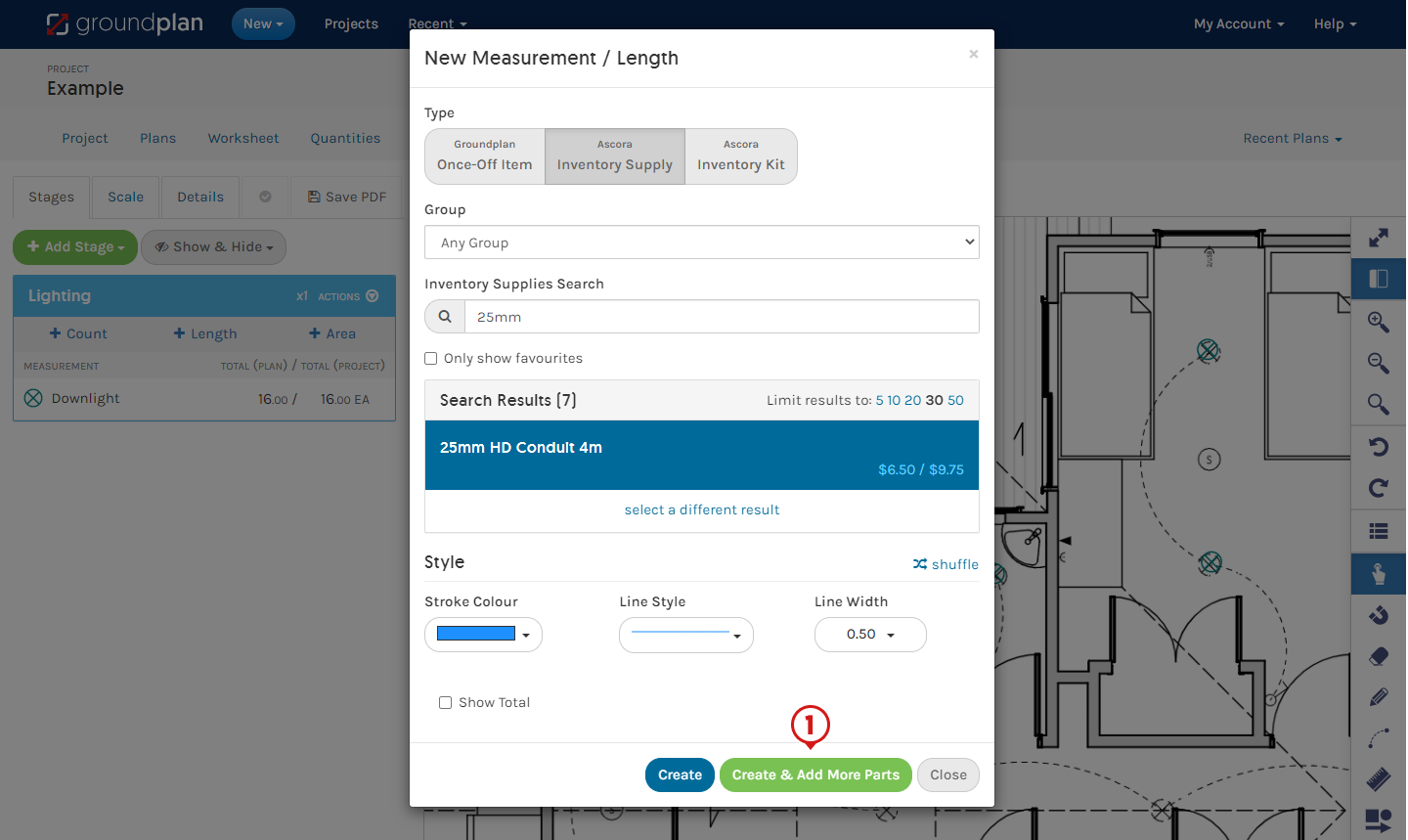
- Select a Measurement Part Type
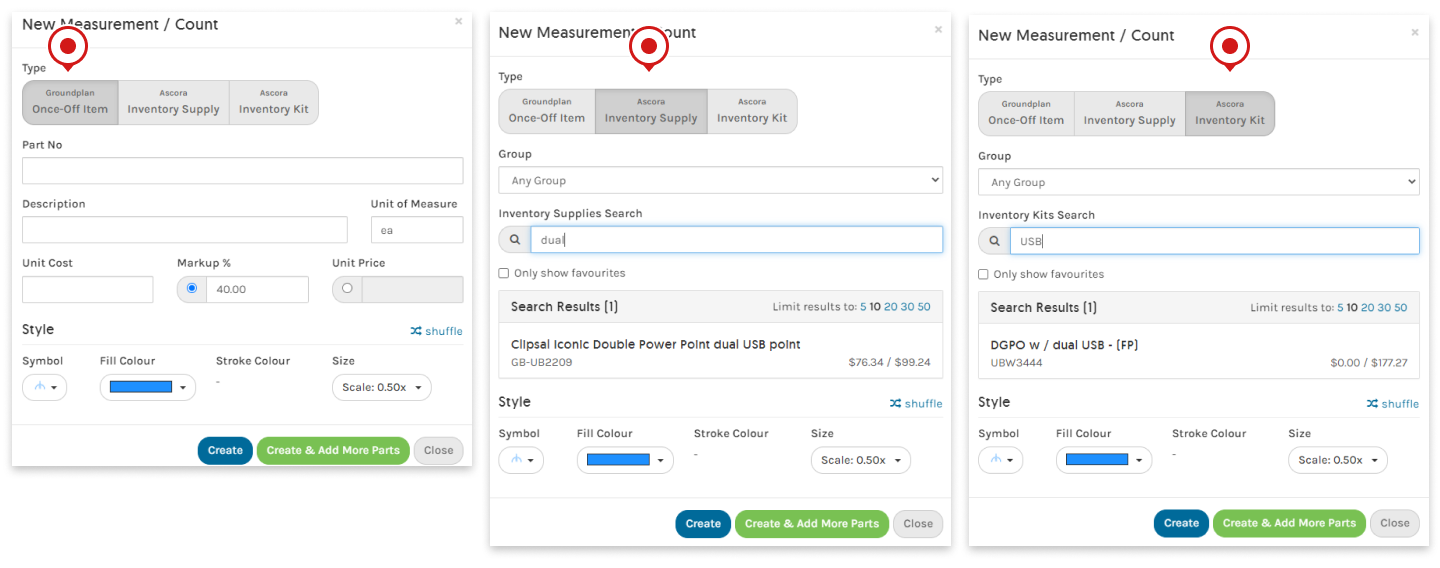
- Complete the remaining fields
| Groundplan Once-Off Item | Inventory Supply | Inventory Kit | |
|---|---|---|---|
| Group | N/A | Optional to select | Optional to select |
| Inventory Supply or Kit Search | N/A | Type 3 letters to begin | Type 3 letters to begin |
| Search Results | N/A | Click to Select result | Click to Select result |
| Part No | Optional | N/A | N/A |
| Description | Required | N/A | N/A |
| Unit of Measure | Required | N/A | N/A |
| Unit Cost | Optional | N/A | N/A |
| Markup % | Optional | N/A | N/A |
| Unit Price | Optional | N/A | N/A |
| Style Options | Optional | Optional | Optional |
- Click Create If additional Parts and Labour are required, click Create & Add More Parts
More information on Once-off Items can be found in the following articles:
Adding Parts and Labour to a Measurement
When a Count, Length or Area is created on a Plan, additional Parts and Labour can be quantified at the same time. Parts can be added at the time of creation or after the Measurement is created.
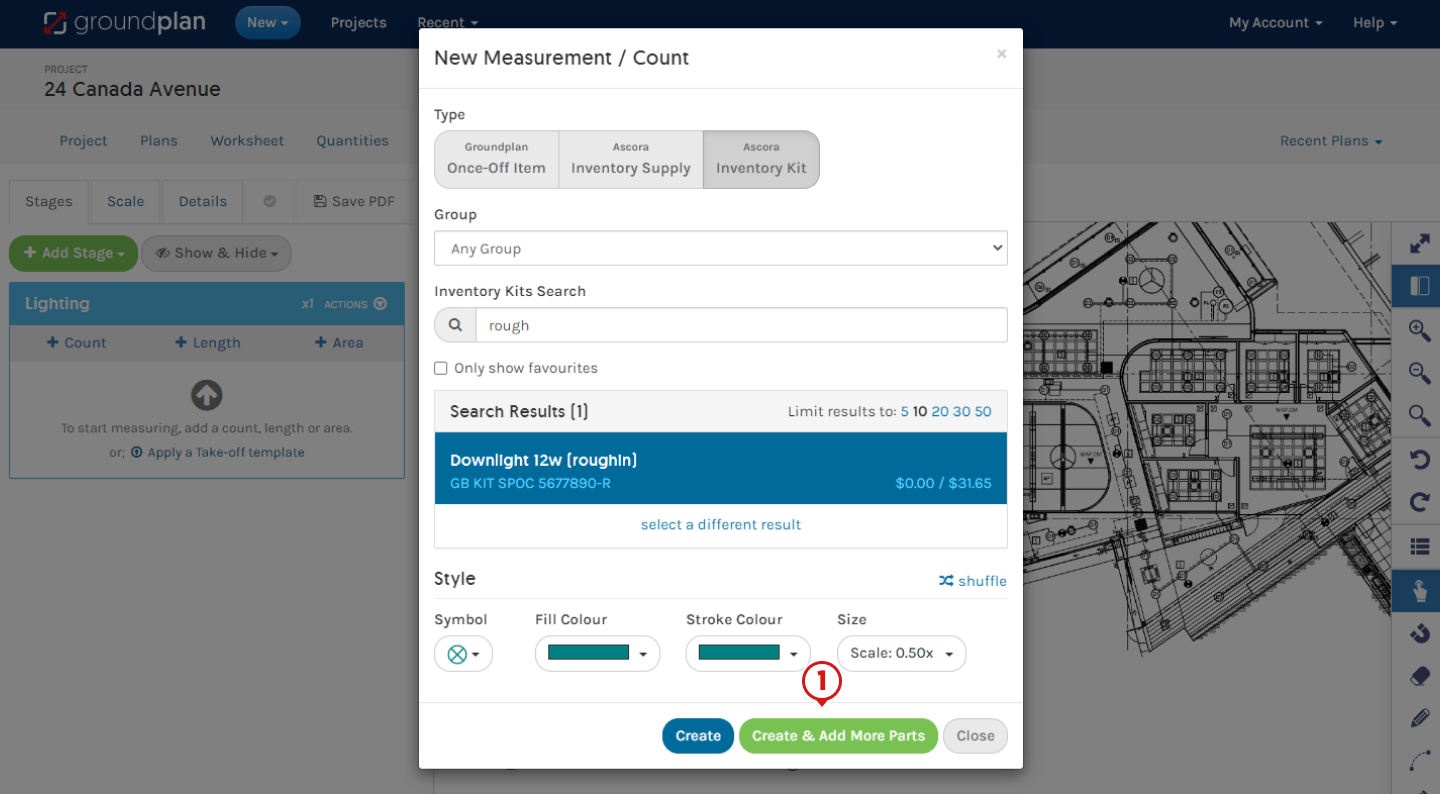
Adding Parts while Creating a Measurement
- Create Measurement and click Create & Add More Parts
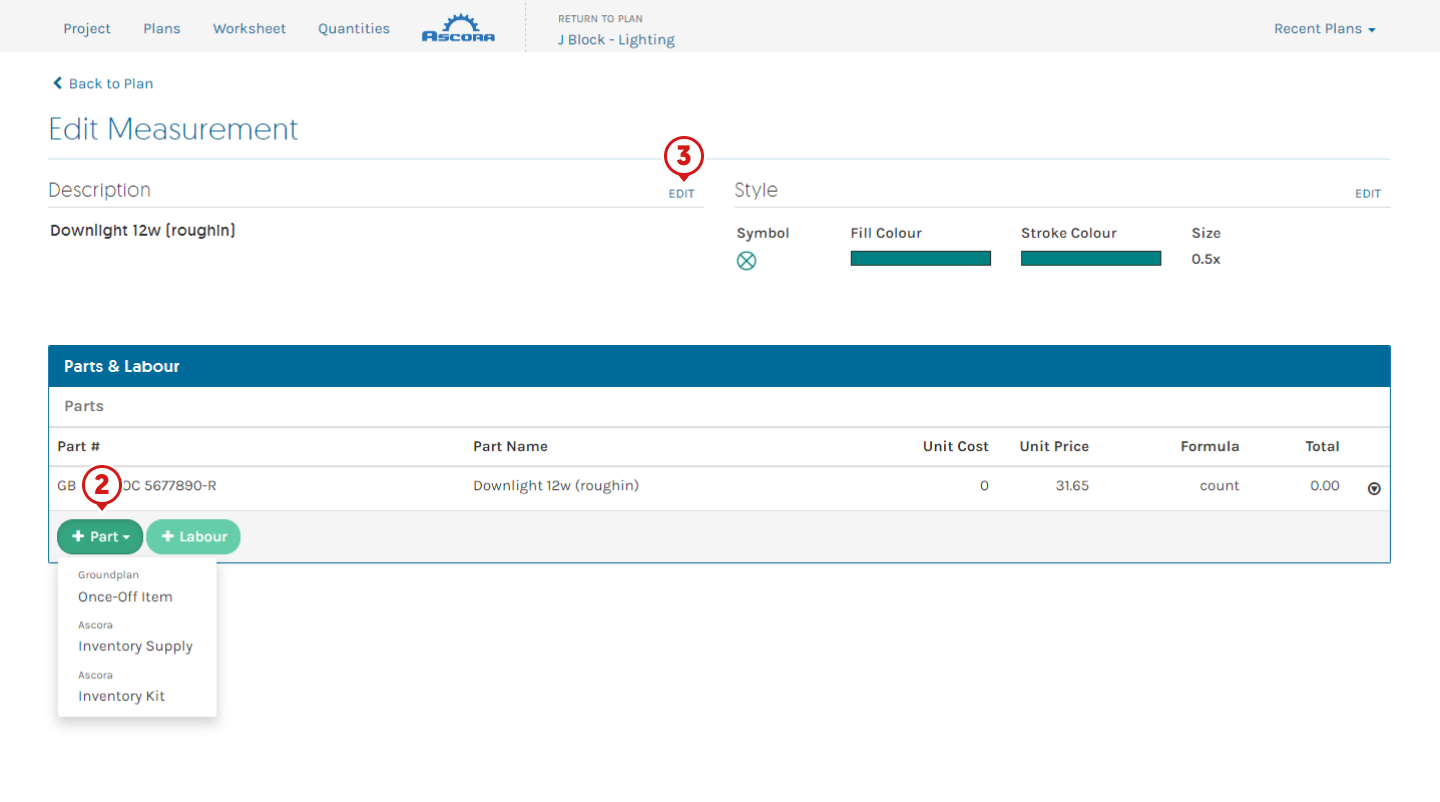
- Click +Part, select Measurement Part Type and complete
- (If required) Click Edit and rename Measurement
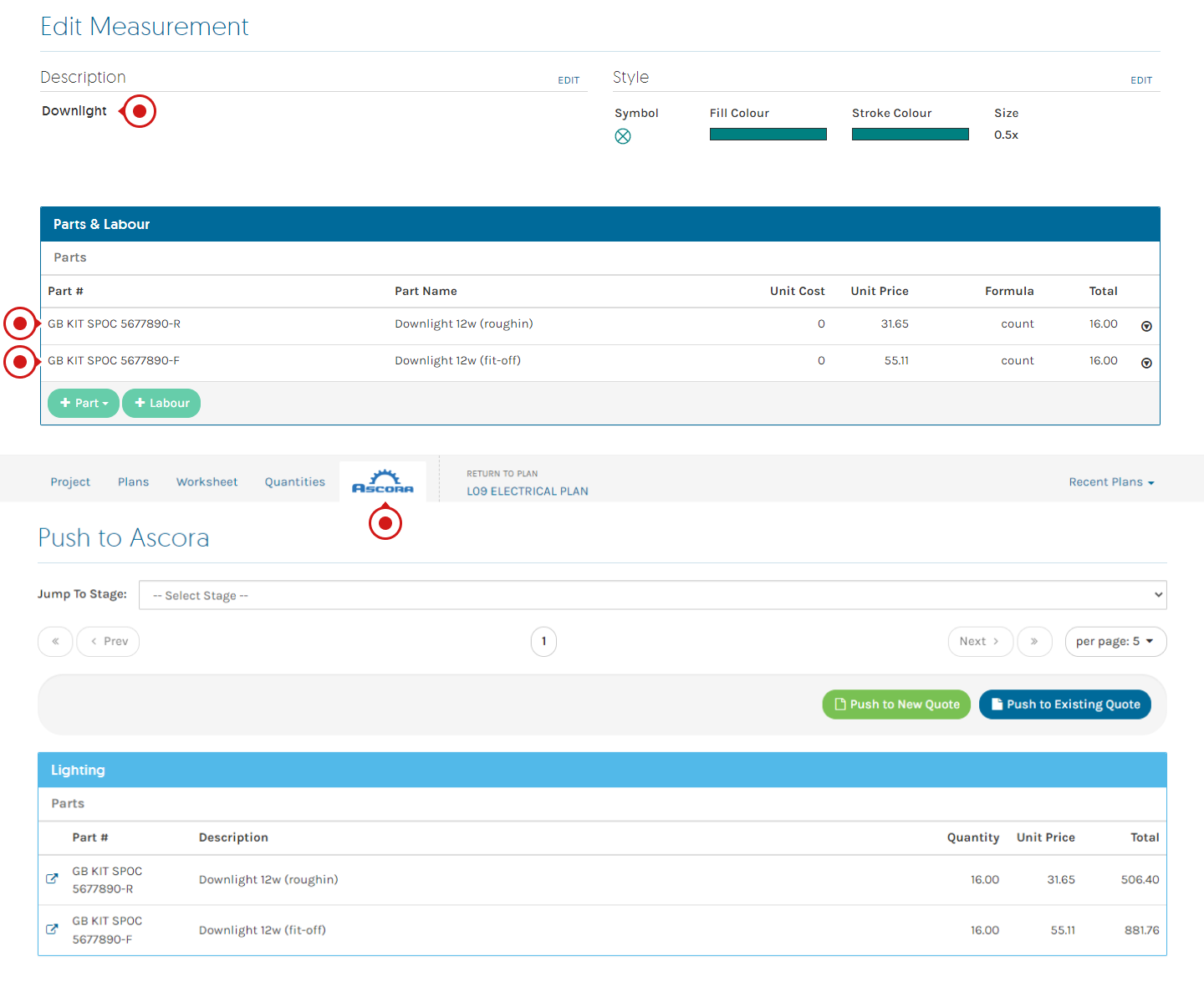
Explanation: The Measurement is counting a downlight on the Plan but quantifying rough-in and fit-off Inventory Kits to push to a Quote at the same time.
Adding Labour on Creation
⚠️ Labour Lines
Labour added within Groundplan will be sent to Ascora as an Inventory Supply Item and will not pick up Labour costs in Ascora.
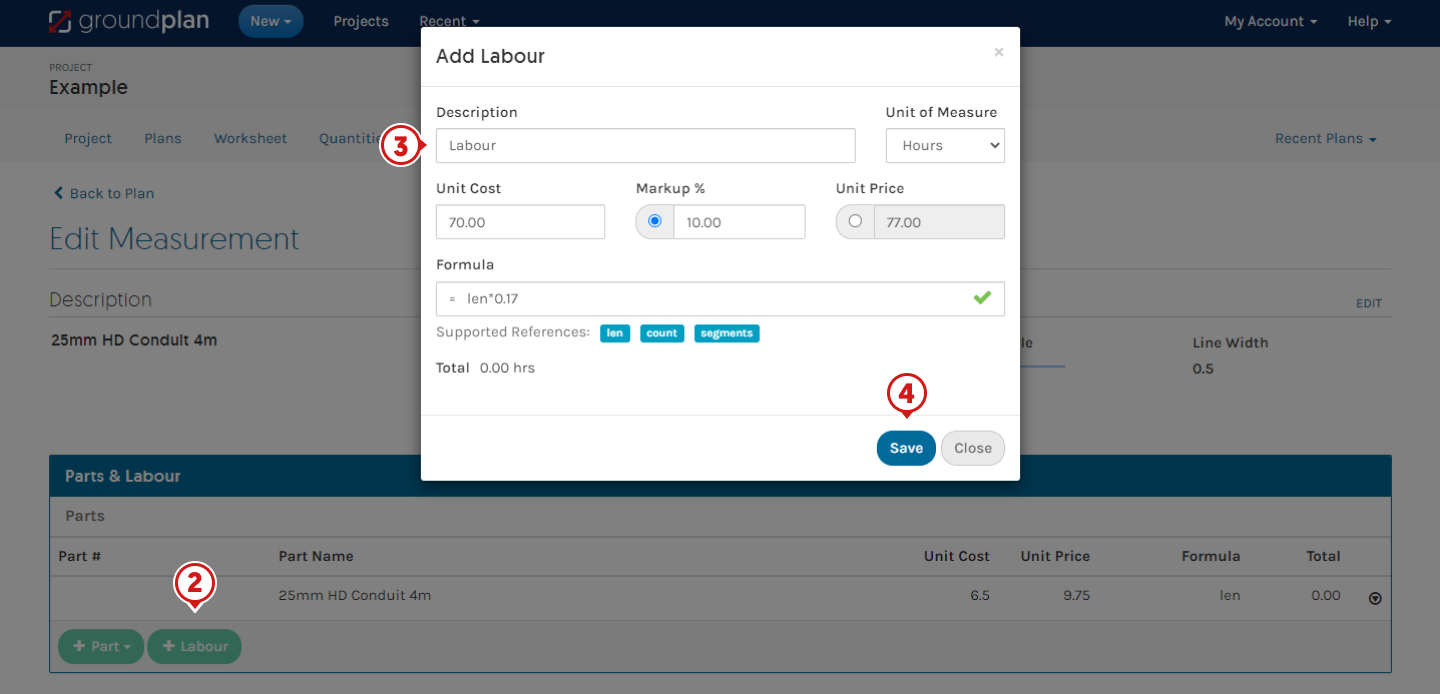
- Create Measurement and click Create & Add More Parts
- Click +Labour
- Complete Description
(Optional fields - Unit of Measure, Unit Cost, Markup %, Unit Price, Formula)
- Click Save
FAQs
Q: Can I create Ascora Kits within Groundplan?
A: No. Having multiple Inventory Supply Items as Parts will not create a Kit in Ascora. They will push to Ascora as single Inventory Supply Items. Kits must be built in Ascora.
Q: I have used the same Ascora Kit under multiple Groundplan Measurements, why can I only see it once in my Ascora Quote?
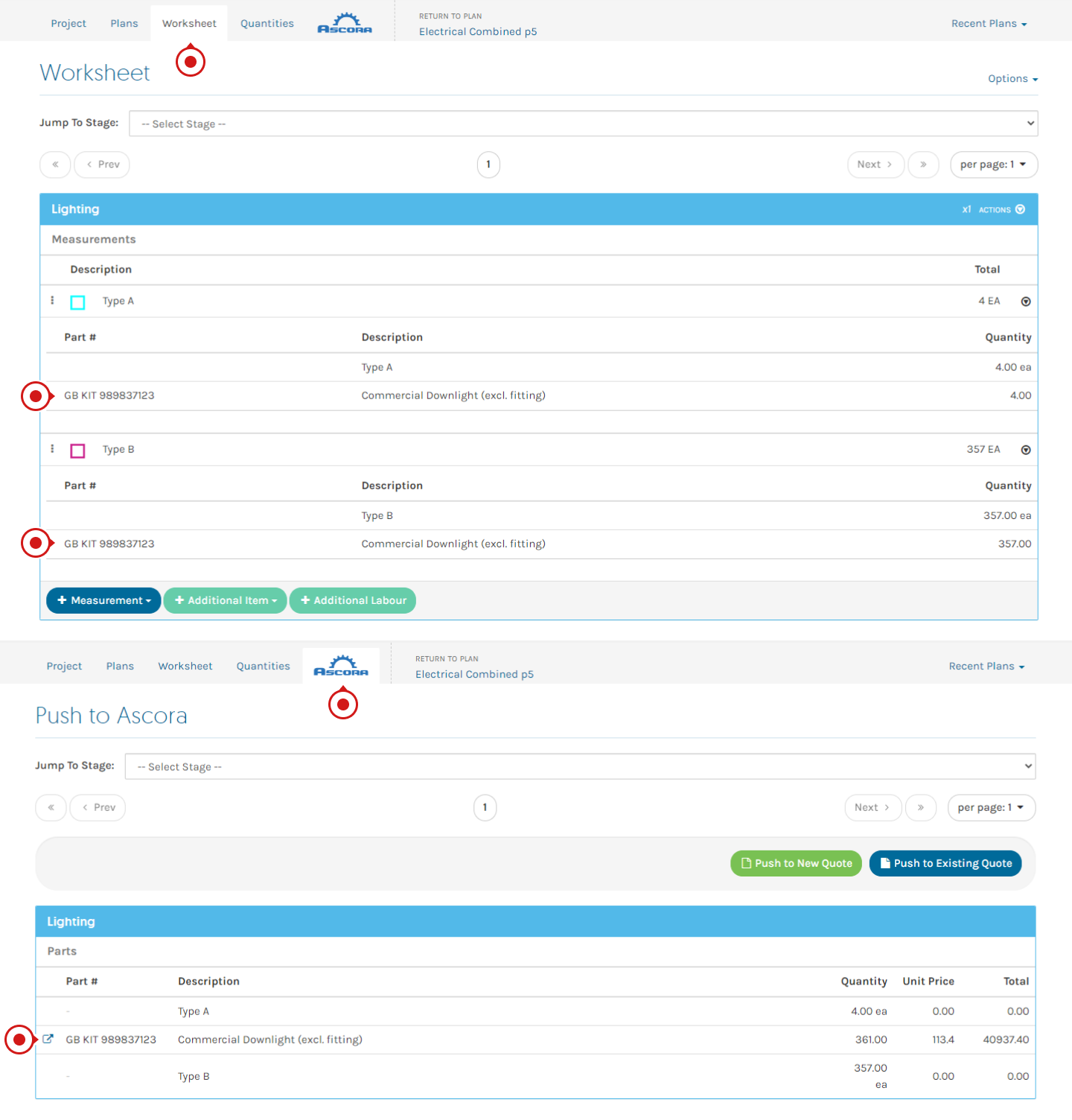
A: They have Grouped together. The same Inventory Supply and/or Kit appearing under multiple Measurements in the same Stage will Group together on the Ascora tab and when pushing to a Quote.
For example: Using a commercial downlight kit (including cable and labour allowance) under two Measurements in the same Stage will Group together:
Got a question?
Submit an Idea 💡 Go to Ideas Portal