Ascora’s GPS tracking system offers seamless vehicle and asset monitoring, directly integrating with your Ascora Web Portal. Whether you’re purchasing a GPS tracker from Ascora or a partner, these units come fully equipped with a SIM card and data plan, ensuring real-time tracking and trip history recording.
Once installed in a vehicle’s OBD port, the tracker automatically logs trip data, allowing businesses to monitor locations, review trip details, and optimize fleet operations.
With Ascora’s tracking features, you can:
✅ View live GPS locations for vehicles and assets.
✅ Analyze trip history with detailed route tracking.
✅ Access key tracking insights such as daily coverage, telemetry, and geofencing.
This guide will help you understand how to install, configure, and manage your GPS trackers, ensuring accurate data collection and efficient fleet operations.
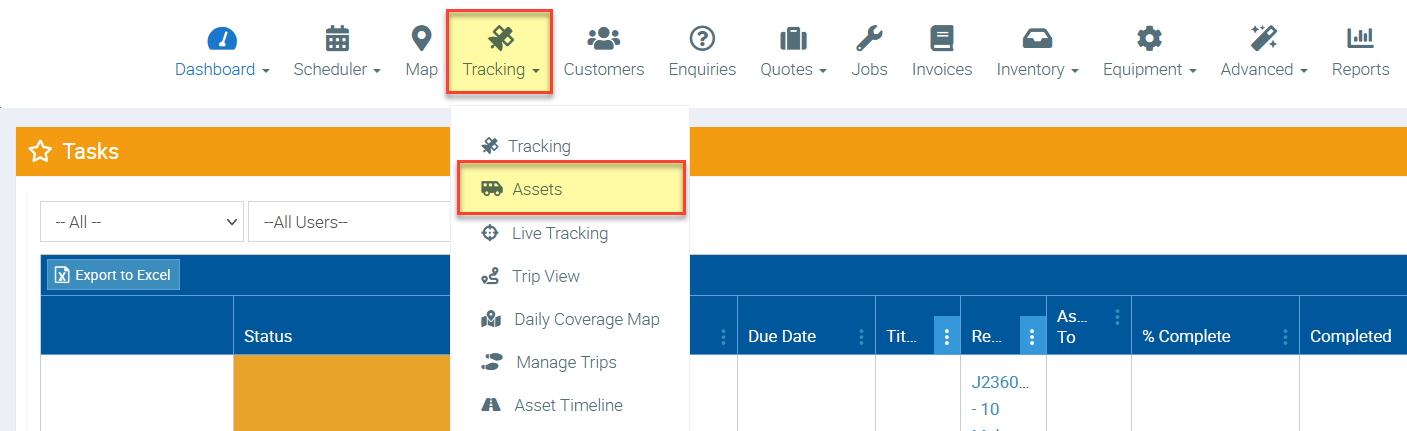
Each of the units will appear as an Asset under the Tracking menu in your Ascora. These will initially all be added with temporary names, like Asset 1, Asset 2, which can then be adjusted depending upon preference.
Your GPS units will plug into the OBD Port in the vehicles. This port is usually located just under the driver's steering wheel. After being plugged in the unit will come to life and you'll see a faint blue pulsing light. After that each of the trips from the vehicle will be tracked.
A few key areas to check out:
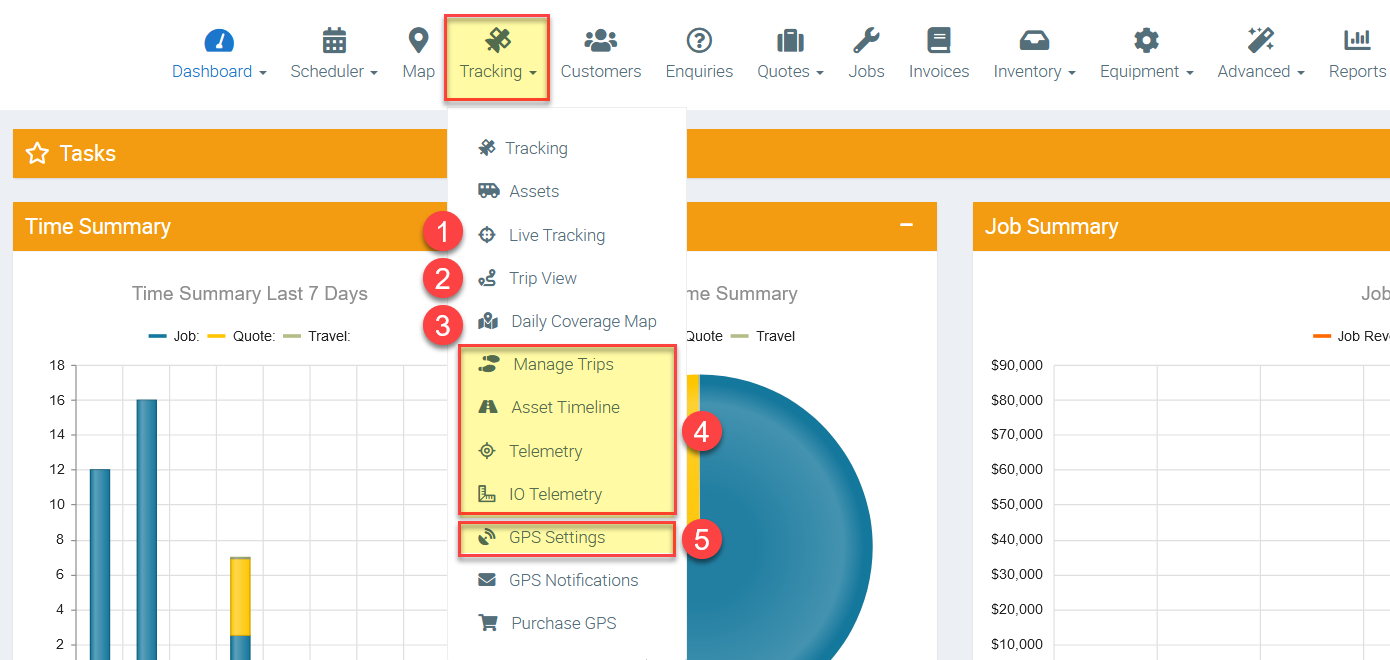
1. Live Tracking: Monitor Vehicles and Assets in Real Time
The Live Tracking feature allows you to see the exact location of all your tracked assets in real time. This is especially useful for:
✅ Dispatching: Quickly assign the closest available vehicle to a job.
✅ Route Optimization: Identify the best routes to reduce fuel consumption and travel time.
✅ Driver Safety & Security: Monitor vehicles to ensure safe driving behavior and prevent unauthorized use.
✅ Fleet Visibility: Keep track of all moving and stationary assets at a glance.
2. Trip View: Analyze Individual Trips
The Trip View feature provides a detailed breakdown of trips for each vehicle or asset, allowing you to:
🚗 Review daily routes taken by each vehicle.
📍 Check timestamps for every start, stop, and movement.
⏳ Monitor stop durations to ensure time efficiency at job sites.
🔄 Identify inefficient routes and improve scheduling.
3. Daily Coverage: Get an Overview of Fleet Movements
The Daily Coverage report consolidates all trips for all tracked assets on a given day, providing a high-level overview of fleet activity. This feature helps businesses:
📅 Track productivity by reviewing how many jobs or deliveries were completed.
🚛 Monitor fleet efficiency by identifying high-mileage or excessive idling.
🔄 Identify movement patterns and optimize daily scheduling.
🗺️ Spot potential unauthorized use or deviations from planned routes.
4. Managing Trips, Asset Timeline & Telemetry: In-Depth Trip Data
Ascora’s GPS tracking system logs extensive raw trip data, providing deeper insights into vehicle usage and performance.
📊 Manage Trips: Allows manual review and categorization of trip records.
📍 Asset Timeline: Provides a timestamped history of all asset movements and activities.
🛰️ Telemetry Data: Captures additional vehicle metrics such as speed, acceleration, braking, and idling times.
5. GPS Settings: Customization & Advanced Features
The GPS Settings section allows users to fine-tune tracking parameters for more precise data collection and automation.
⚙️ Default Analog Mappings: Configure custom analog readings for monitoring temperature, fuel levels, or other sensor data.
📡 Default Digital Mappings: Set up digital inputs such as engine on/off detection, door open/close status, or PTO engagement.
🚧 Geofences: Define specific areas (e.g., job sites, depots, restricted zones) and receive alerts when vehicles enter or exit these areas.
Got a question?
Submit an Idea 💡 Go to Ideas Portal