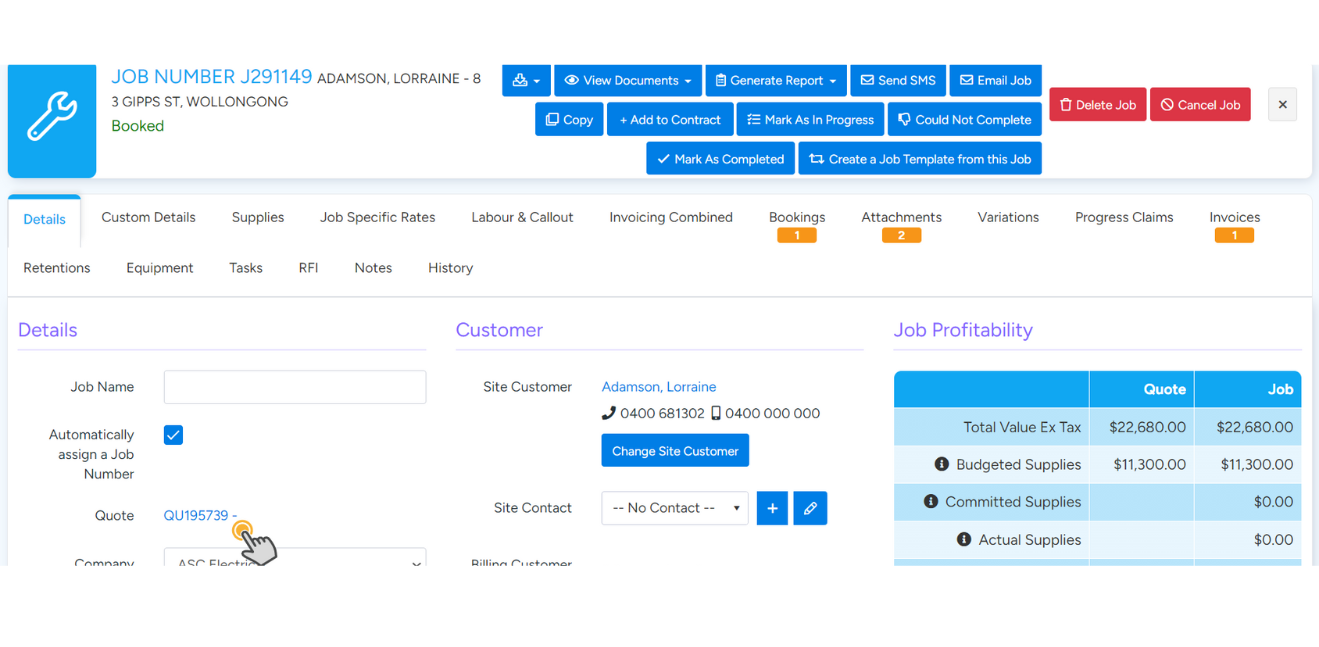
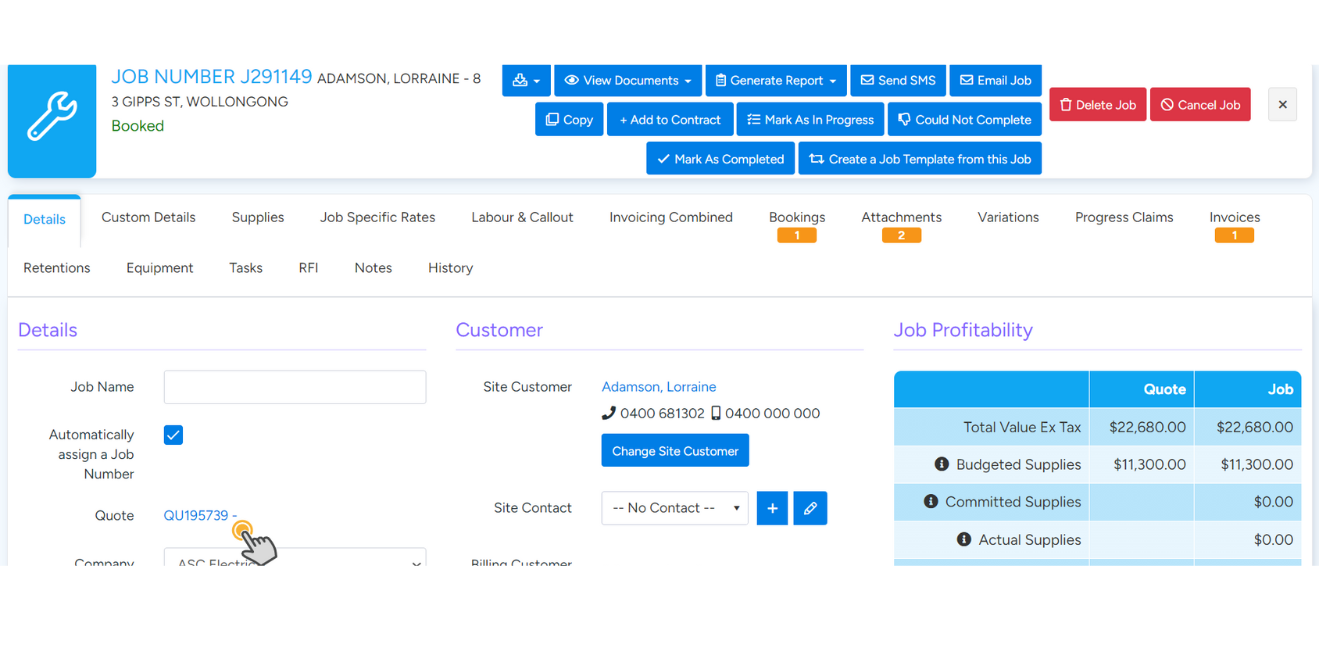
Step 1: From within the job, select the associated quote.
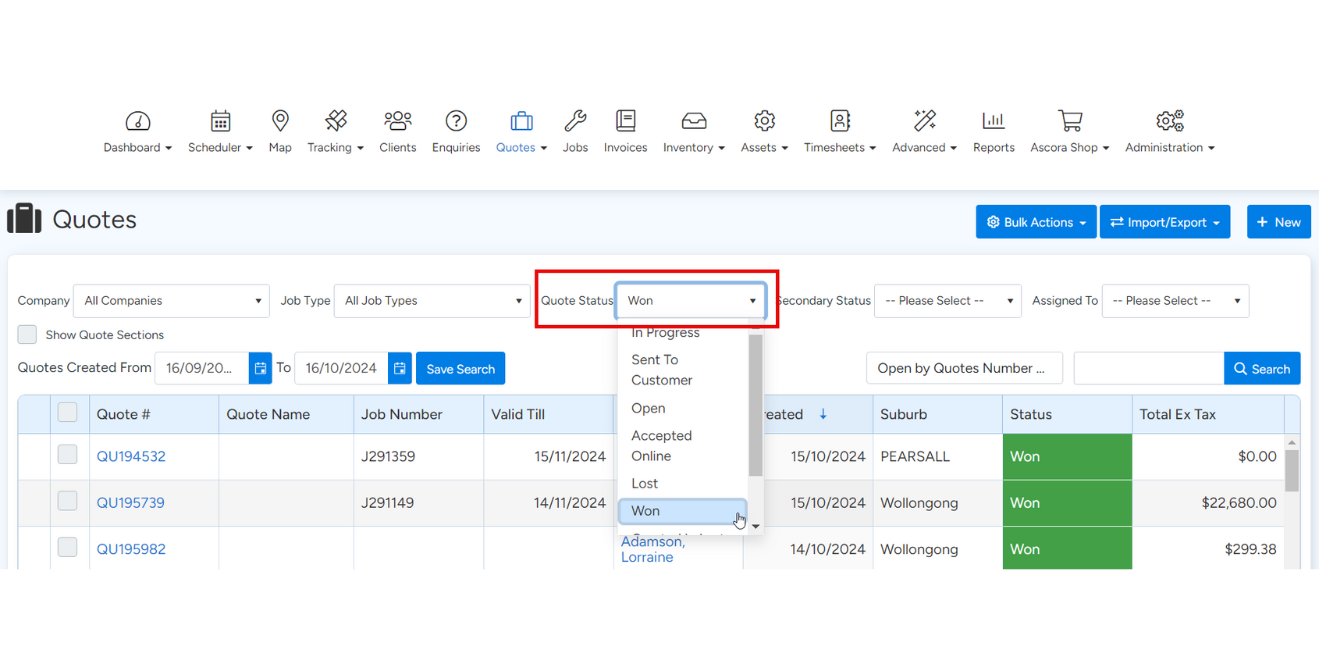
Alternatively, open the Quotes tab from the menu and filter down to Won Quotes to locate the required quote.
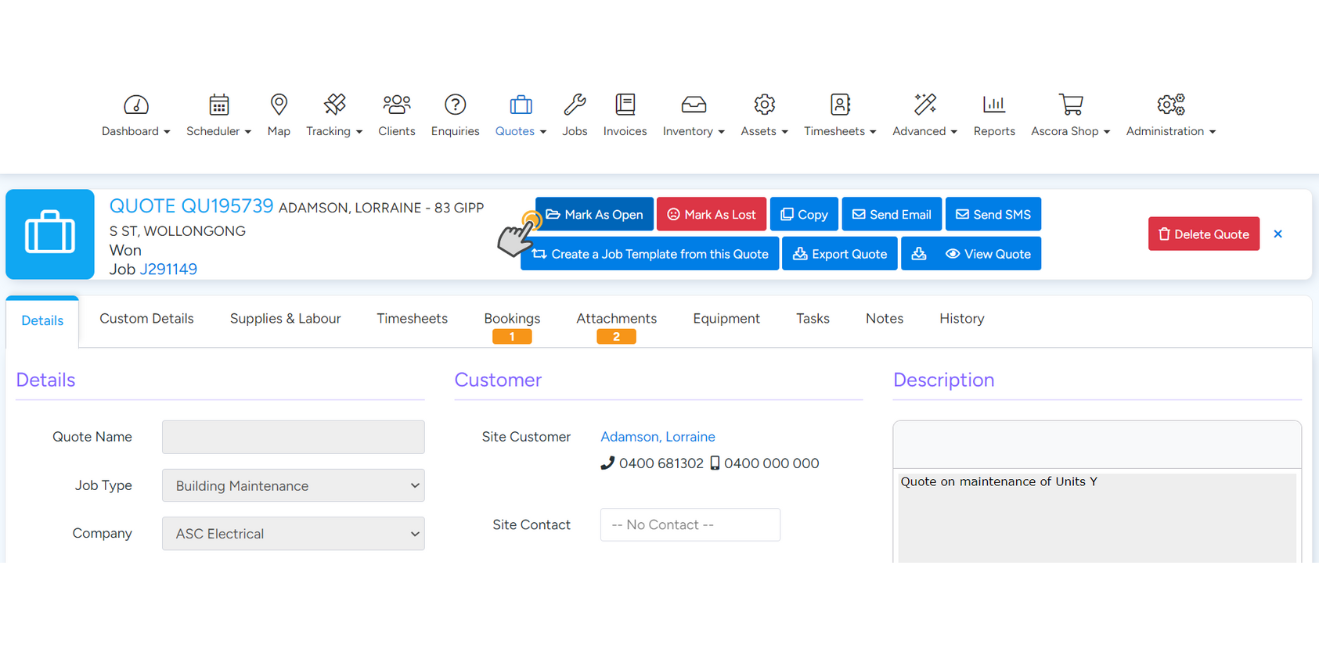
Step 2: Select “Mark as Open.”
Step 3: Make the necessary changes to the quote.
Step 4: Select “Convert to Job.”
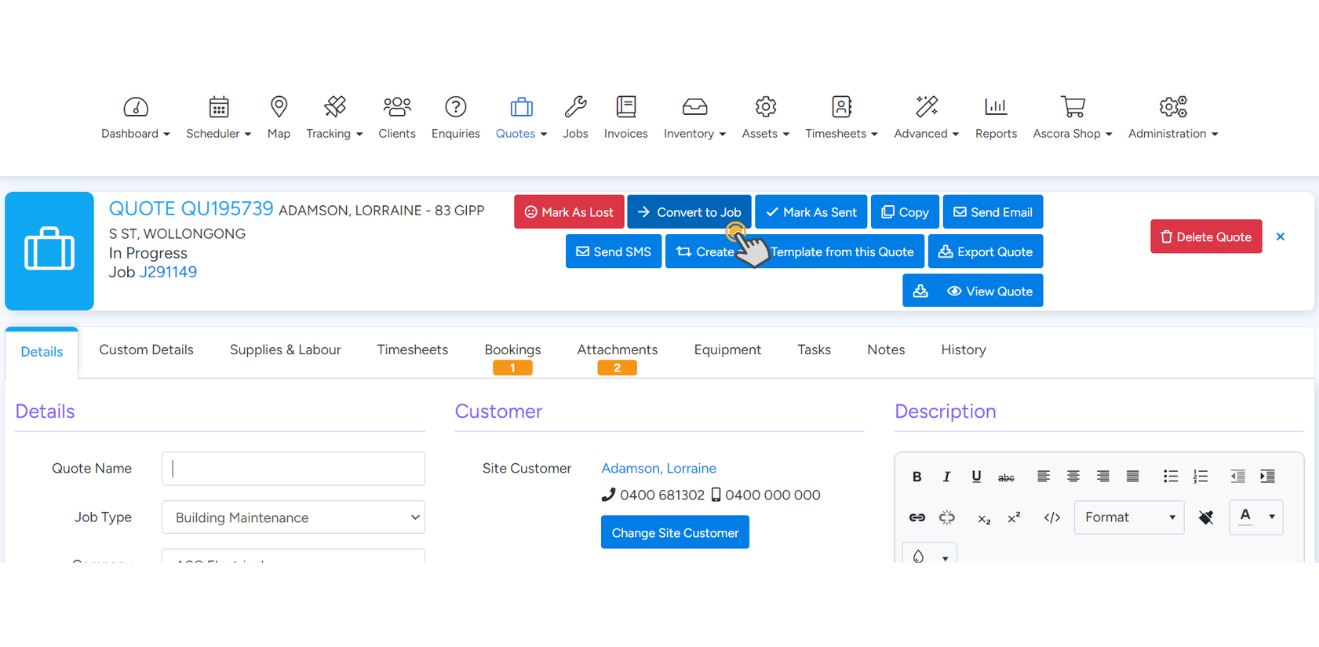
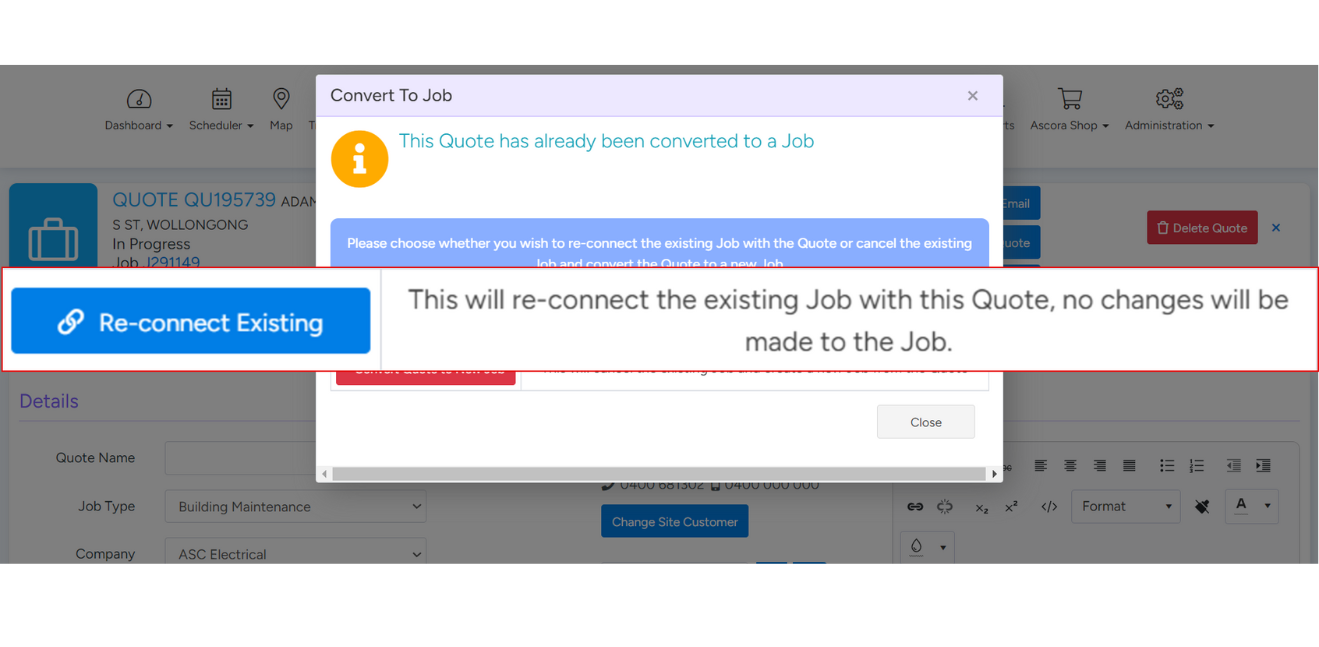
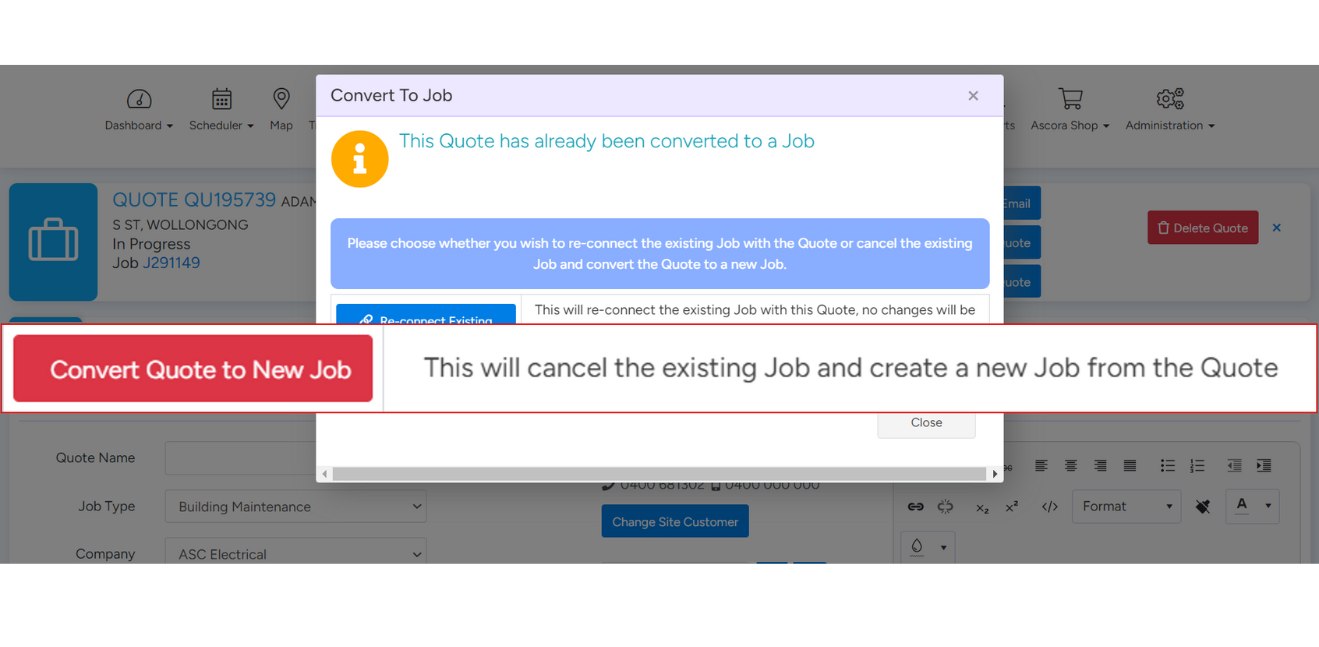
Step 5: Choose the option that best suits your needs:
- Option 1: Re-connect Existing – This will re-connect the existing job with the quote, and no changes will be made to the job.
- Option 2: Convert Quote to New Job – This will cancel the existing job and create a new one based on the quote.
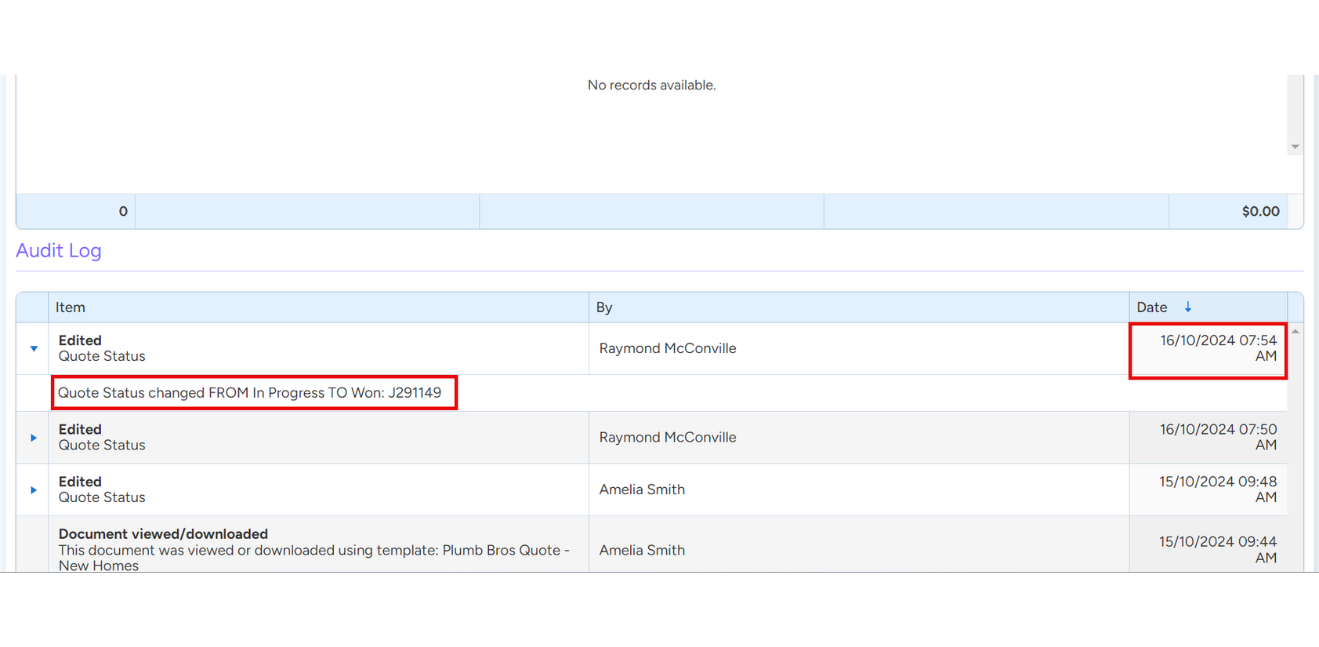
Example of a Quote Converted Using Option 1:
- Quote Audit Log: Status changed from in progress to won: J291149 on 16/10/2024 at 07:54 AM.
- Job Audit Log: Job created on 15/10/2024 at 09:48 AM.
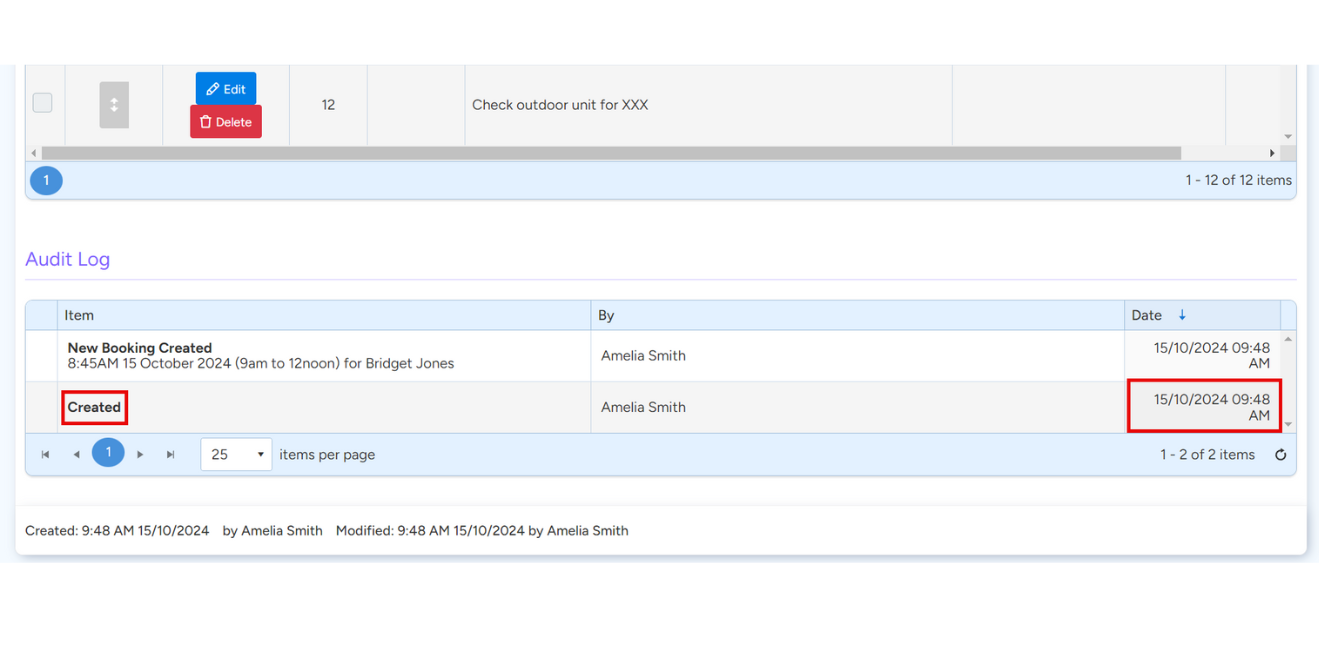
Since Option 1 was selected, the quote was converted without any changes to the existing job.
If Option 2 had been selected, both the status change and the creation date/time would match. This means the job would reflect all updates from the quote, but the original job would be marked as cancelled, and a new job would be created automatically.