Callout fees let you account for extra service-related costs—such as travel time or emergency responses—right on your quotes. By configuring callout fees in Administration → Rates & Charges, you can quickly add them whenever you create or edit a quote. This helps ensure that any additional expenses are accurately reflected and clearly communicated to your customers.
Follow the steps below to add and manage callout fees on your quotes, as well as instructions for creating new callout fee options if needed. This guide ensures you can easily include all relevant charges in one place, keeping quotes transparent and up-to-date.
➡ Adding a callout fee to a quote
➡ Creating or Adding a New Callout Fee
Adding a Callout Fee to a Quote
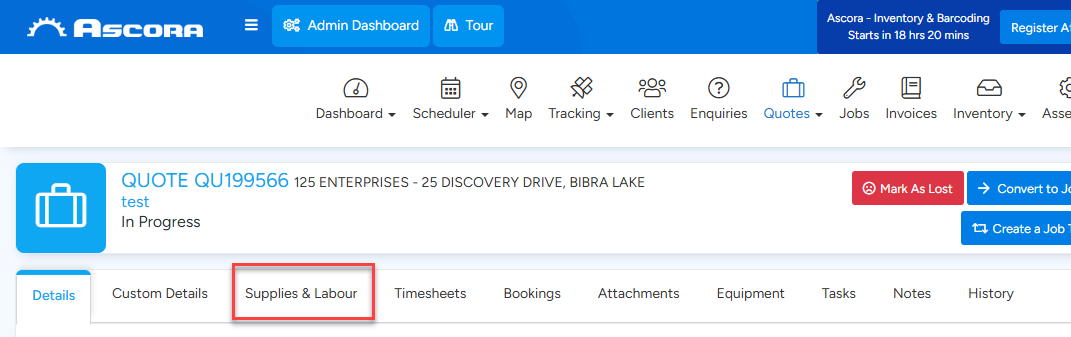
- Open the quote you want to update. On the Quote Card, select the Supplies & Labour tab and scroll down to the Callout Fees section.
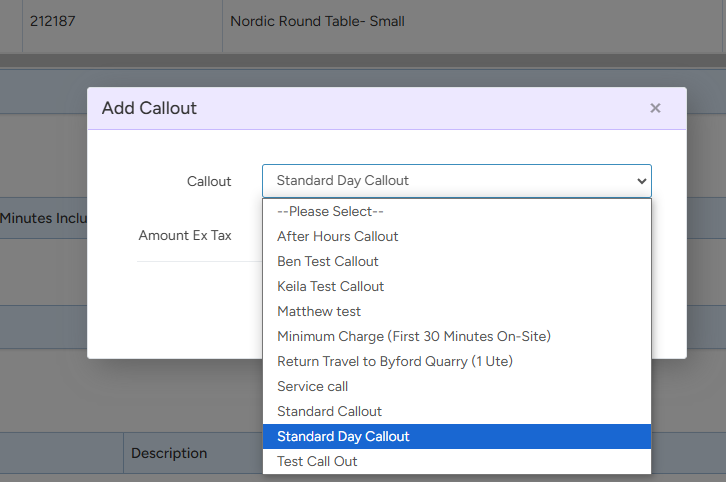
- Click the + Add Callout button. A pop-up window will appear for adding the callout fee.

- From the dropdown menu, select the appropriate Callout Type that applies to the quote. Once selected, click the Save button. The callout fee will now be added to the quote.
Creating or Adding a New Callout Fee
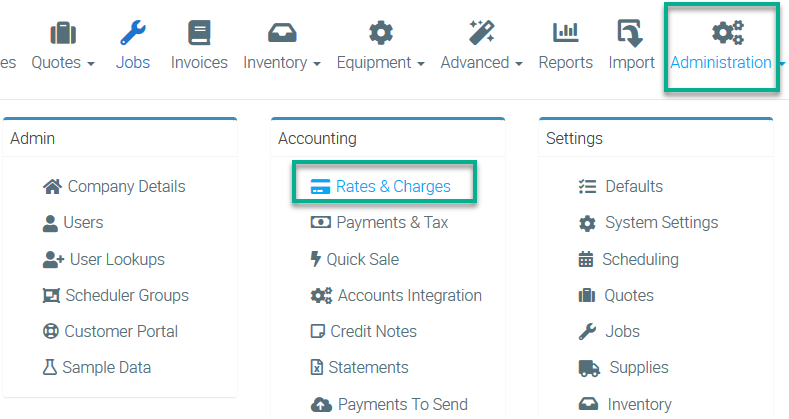
1. To create a new call out fee, go to Administration → Rates & Charges.
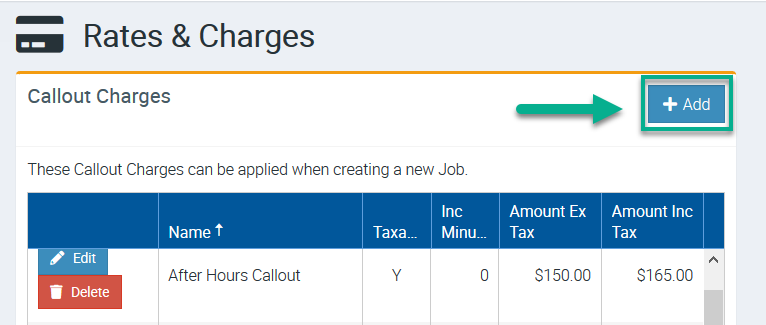
2. Click Add located in the Rates & Charges area.
3. Enter the Callout name, cost, amounts, and minutes.
Once ready to proceed, click Save.

Got a question?
Submit an Idea 💡 Go to Ideas Portal