The Map feature in Ascora offers a dynamic, real-time visualization of all job locations, helping you efficiently manage your workforce and optimize travel routes. Instead of relying on manual scheduling and scattered job details, the map consolidates everything into an easy-to-navigate interface, allowing you to:
- Quickly identify job locations and plan the most efficient routes for your team.
- Filter jobs by date, type, assigned user, or status to focus on relevant tasks.
- Improve response times by seeing which team members are closest to urgent jobs.
- Enhance job tracking by accessing job details directly from the map, reducing the need for back-and-forth navigation.
By leveraging the map’s features, you can streamline job allocation, minimize travel time, and improve overall operational efficiency.
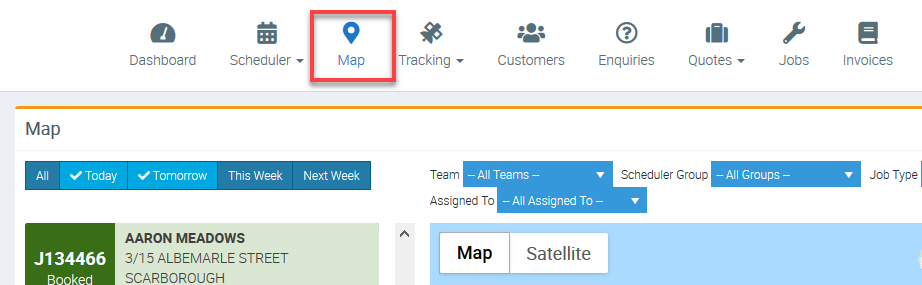
You can access Maps from the Main Menu and it's located right next to Scheduler.
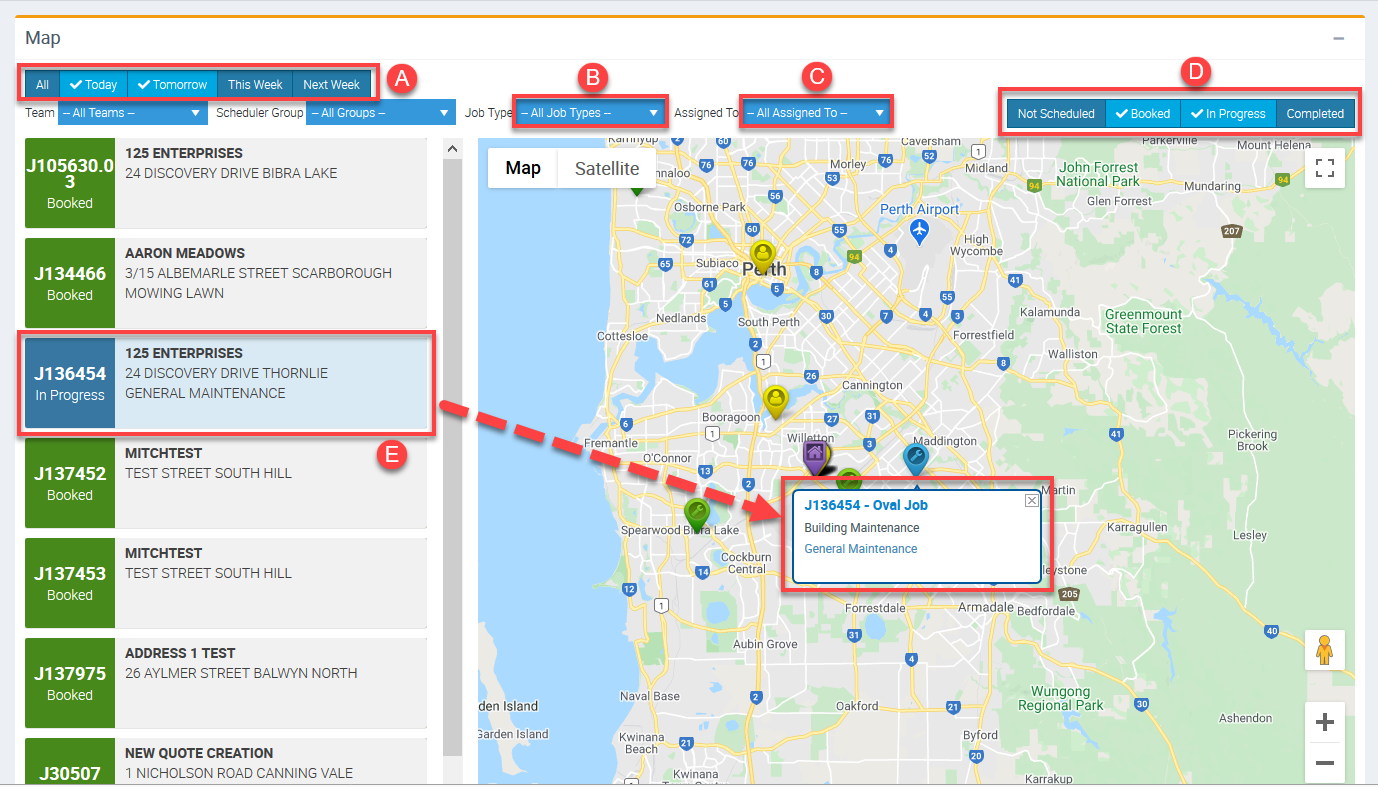
Map allows you to see an overview of the location of jobs and there's a few filters to select from.
A - Filter according to job dates either today, tomorrow, this week or next week.
B - Filter by Job Types
C - Filter by assigned user
D - Filter by status such as Not Scheduled, booked, In-progress, and completed
You can also click on the Job number and it displays more details of the corresponding job in the map area. See illustration E for test Job J136454.
Got a question?
Submit an Idea 💡 Go to Ideas Portal