Invoices are being pushed across to accounting package every 30 minutes interval but there might be some instances when you need to push invoices across to accounting package manually.
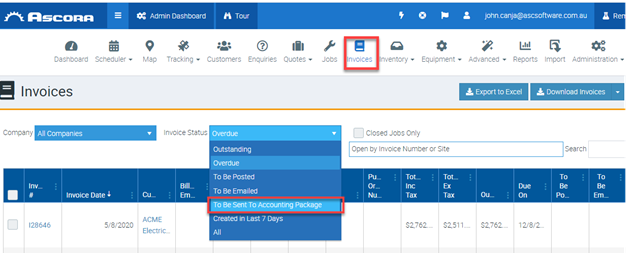
1. Log into your Ascora Web Portal and click on Invoices and then select invoice status To Be Sent To Accounting Package.
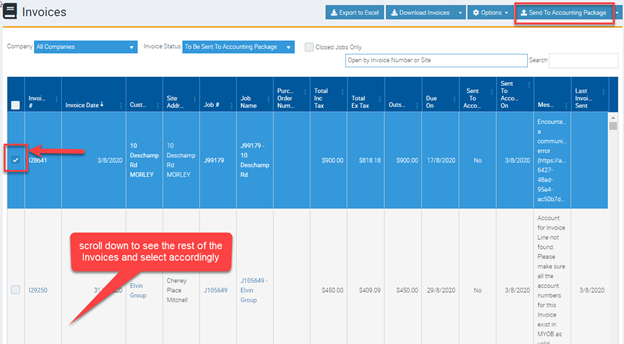
2. Select the Invoice by ticking the box on the left side and then click on Send To Accounting Package.
What if the Invoice Still did not Push Across to Your Accounting Package?
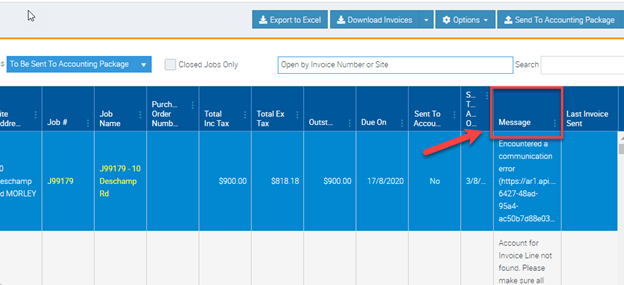
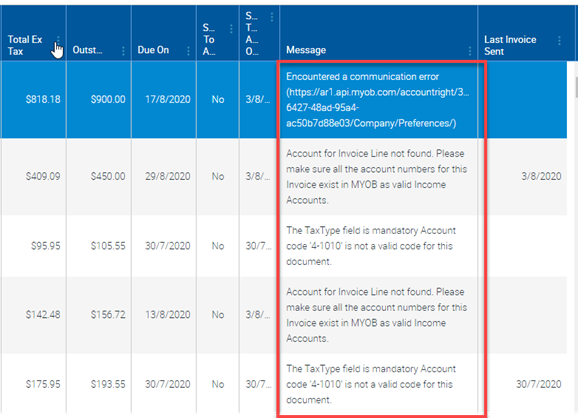
1. Check the message in the Message column and it will show the reason why it failed and help determine the actions required to rectify.
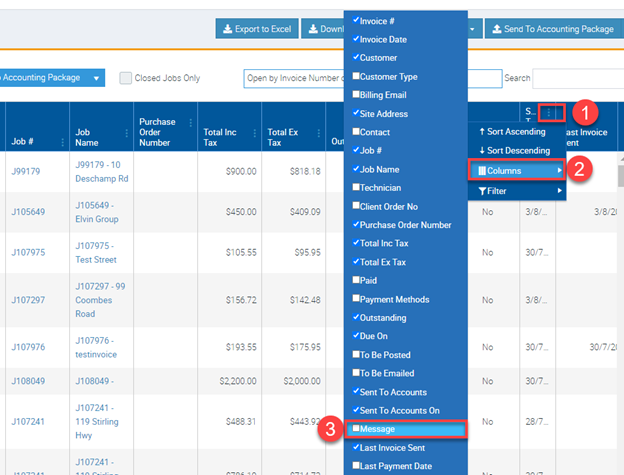
2. If Message column is not available, simply click on the 3 dots from any of the existing columns, select Columns, and then tick the box beside Message. After completing these steps, the Message column will already become visible.
3. Complete the necessary action based on the message that appears. Once corrected, repeat steps 1 and 2. If you require assistance, please contact Ascora Support team.
Sample messages are shown in the screenshot below.
Got a question?
Submit an Idea 💡 Go to Ideas Portal