If your emails are not sending, follow these steps to check your connection:
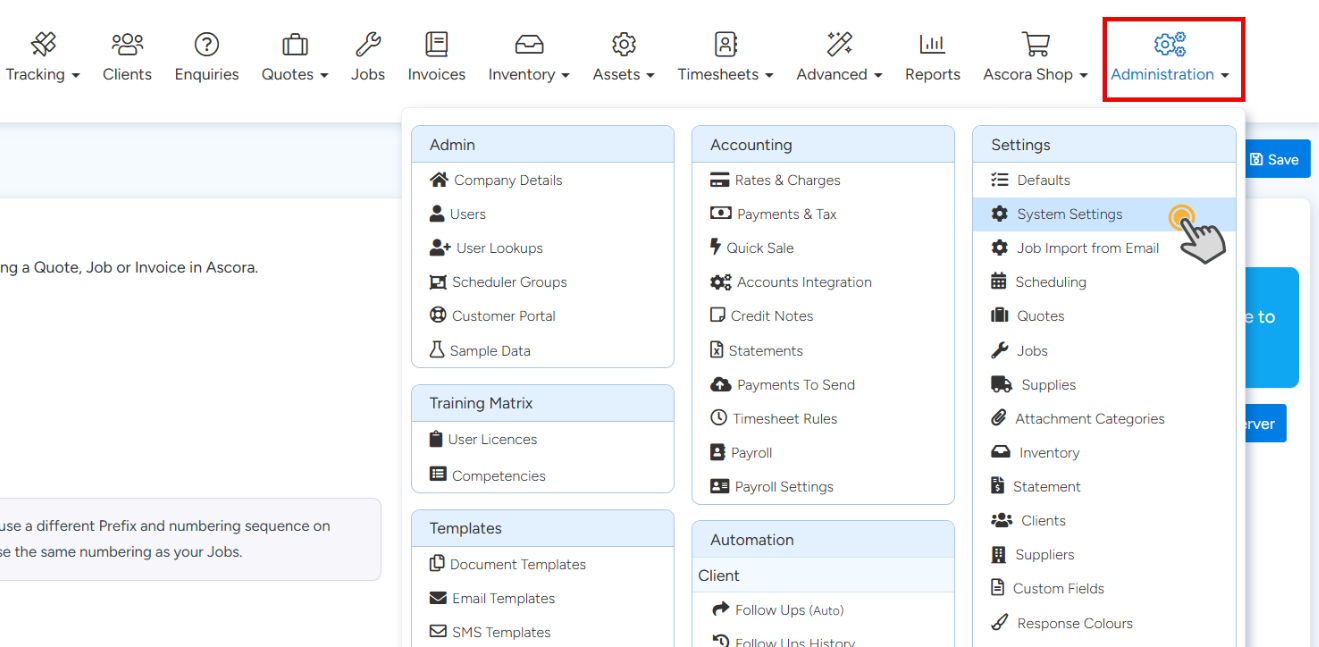
Got to Administration then System Settings
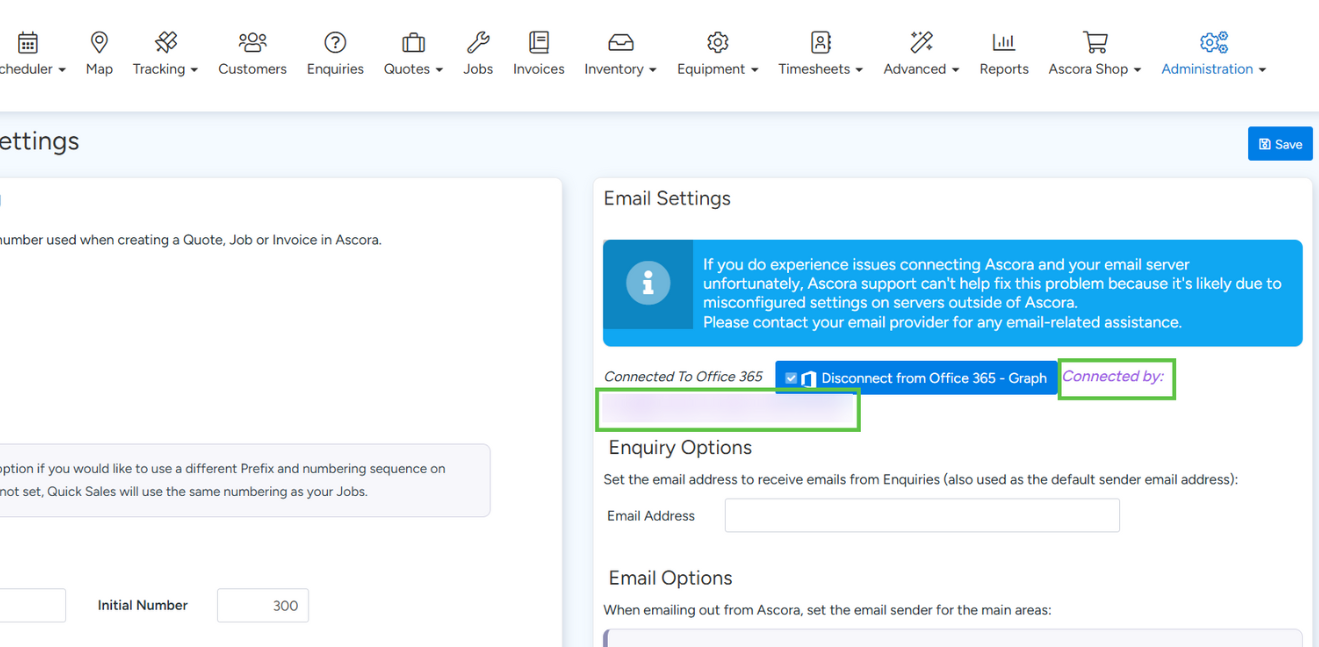
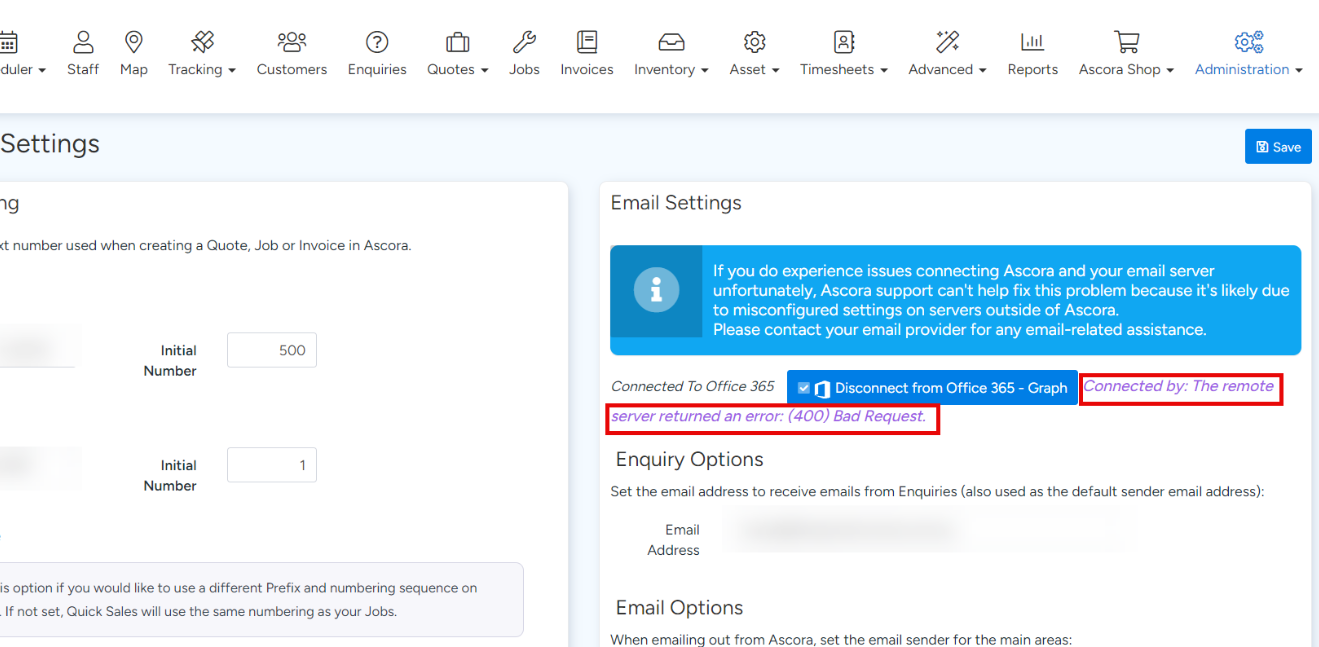
Confirm if you can see the message stating either "Connected by: Your Email Address" or "Connected by: The Remote server returned an error: (error message here)."
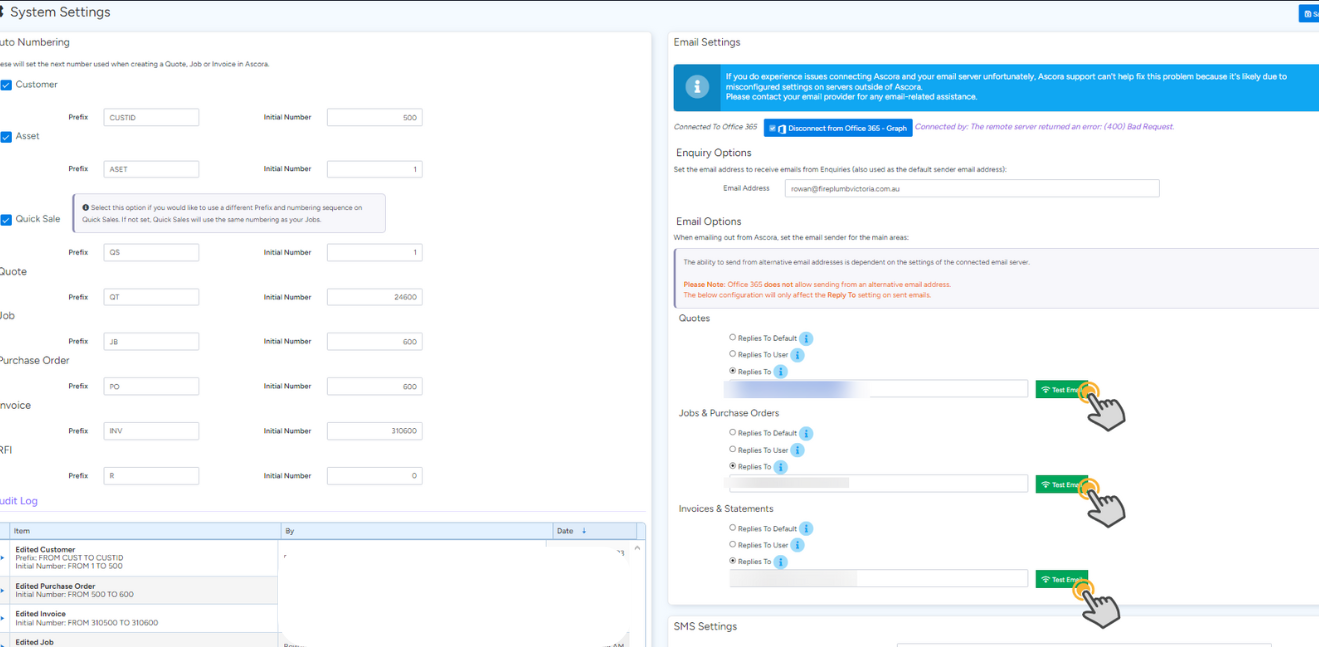
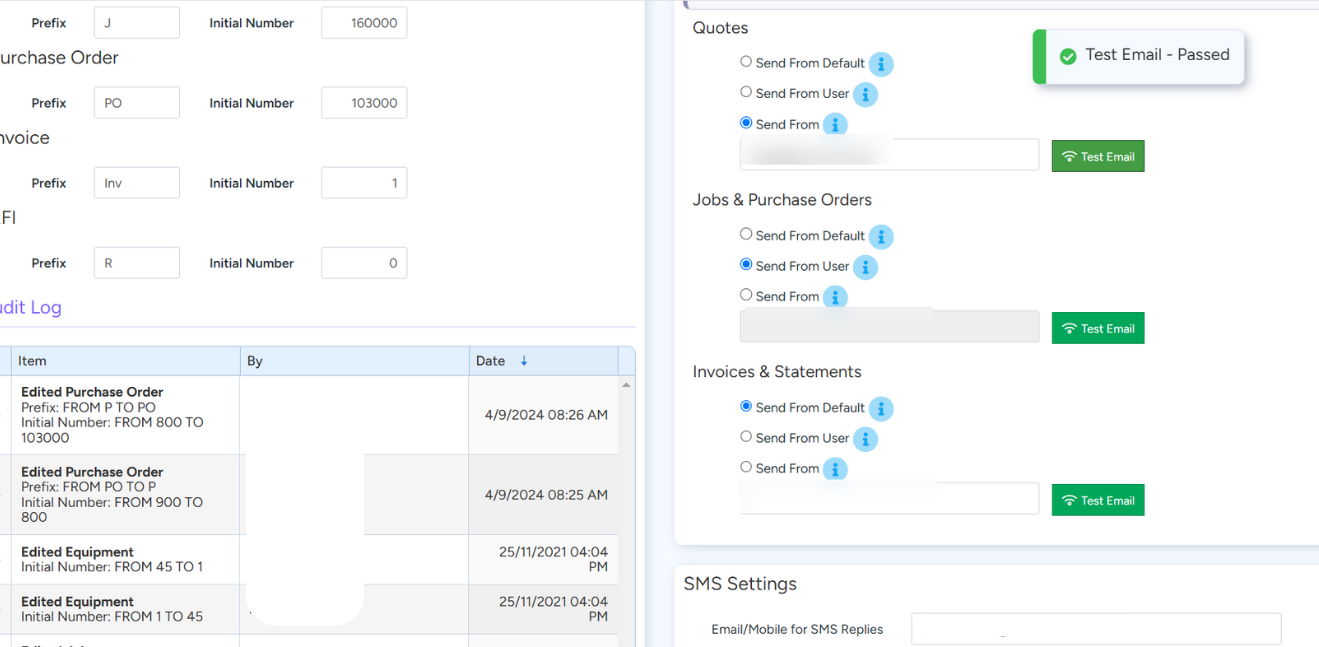
You can also use the Test Email buttons
Example of passed test
Example of failed test
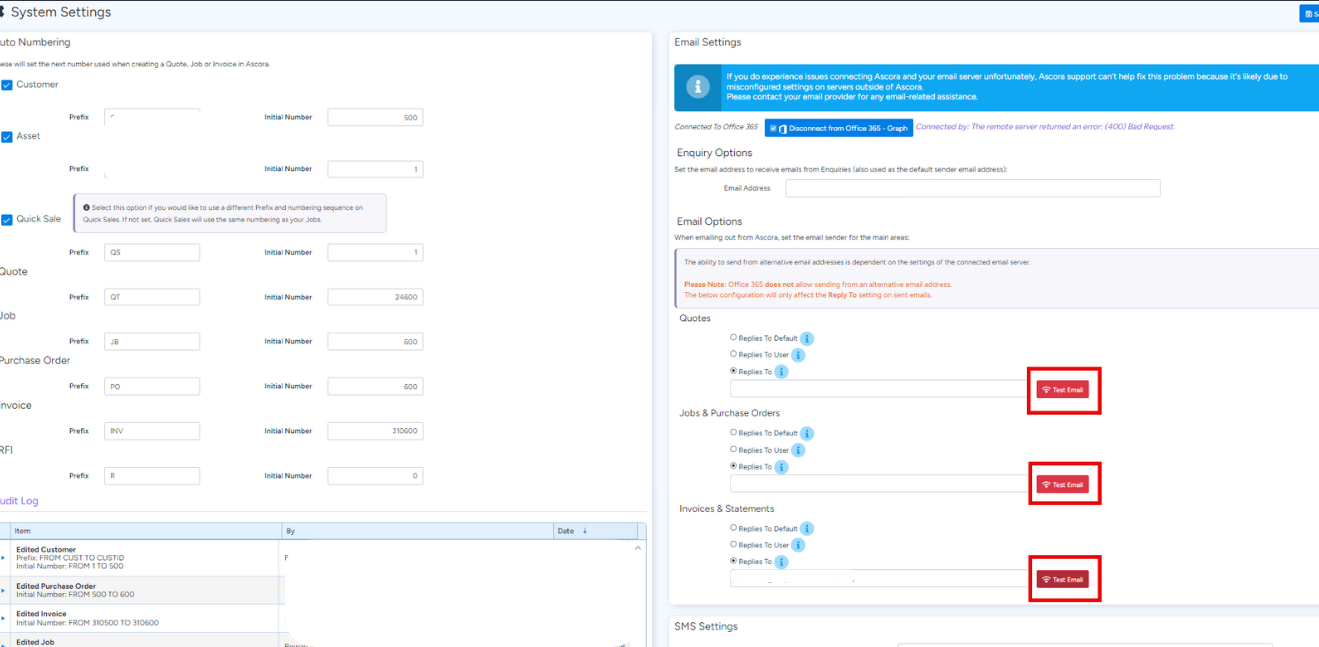
Connection Error or Failed Test
- First, try disconnecting and then reconnecting to your email server.
- Second, ensure that the email you are connected to is also listed in the Enquiry Options email address field.
- Third, if you are using multi-company, check that the email address shown on the Company Settings page is correct.
If you continue to experience issues connecting Ascora to your email server, please note that Ascora support cannot resolve this issue, as it is likely due to misconfigured settings on external servers. For any email-related assistance, please contact your email provider.
Got a question?
Submit an Idea 💡 Go to Ideas Portal