For Client Admin role, you can check the mobile app version as this is helpful in a scenario when one mobile user keeps experiencing issues like app crashing, some information not populating or anything similar.
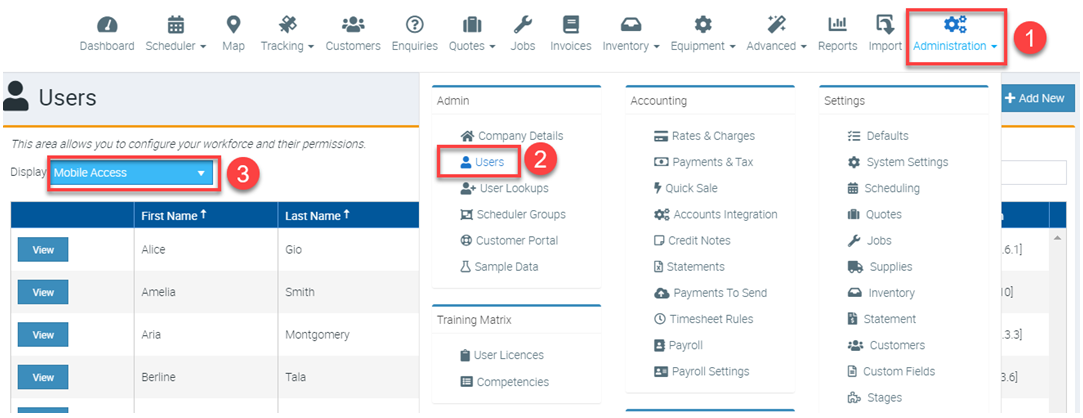
1. Start by clicking Administration → Users → and change the filter to Display Mobile Access.
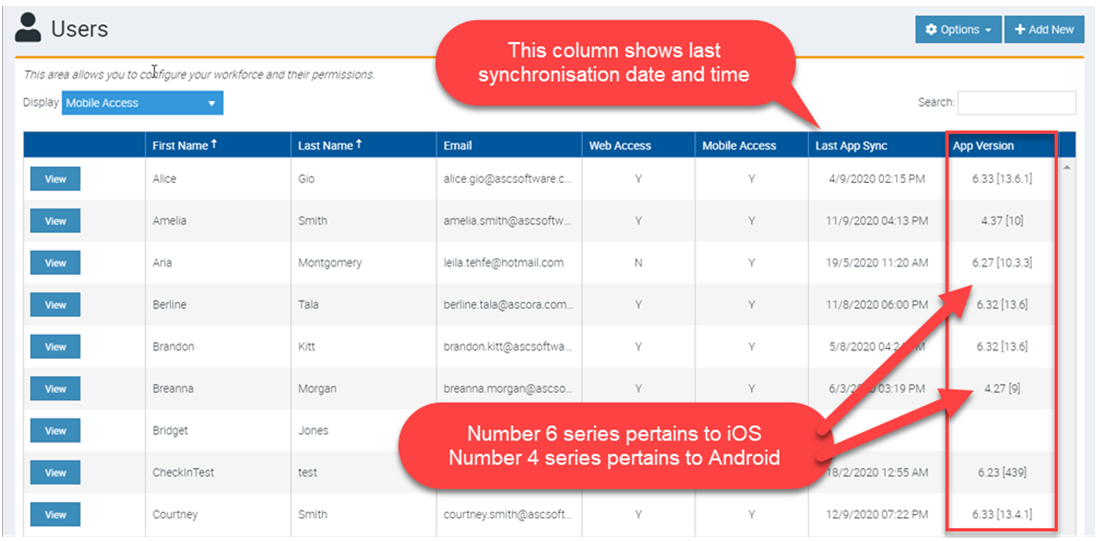
2. Check if the user is a few versions behind and you can tell by looking at the numbers. The 6 series pertains to iOS while 4 series pertains to Android.
For example, one user has app version 4.37 while other user has 4.27. This means the latter is using an older version which may explain why app is having an issue.
Got a question?
Submit an Idea 💡 Go to Ideas Portal