If you regularly perform similar types of work, Job Templates can save you time by pre-populating standard details such as supplies, labor items, and even pricing methods. Once you’ve set up your templates in Advanced → Job Templates, follow the steps below to create a new job from an existing template.
1. Click Jobs and then click + New then Create Job From Template.

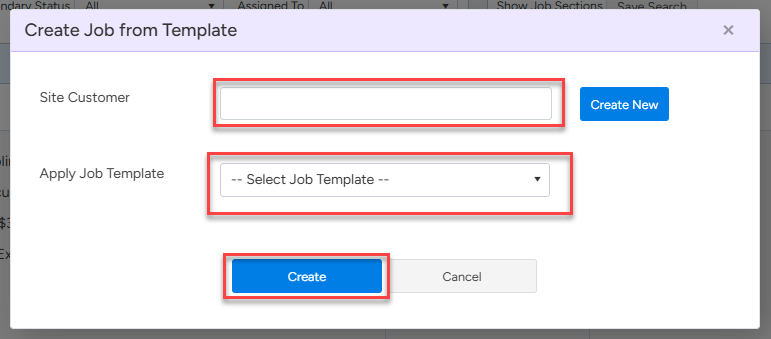
2. Search for your site Customer, then apply the job template and click create.
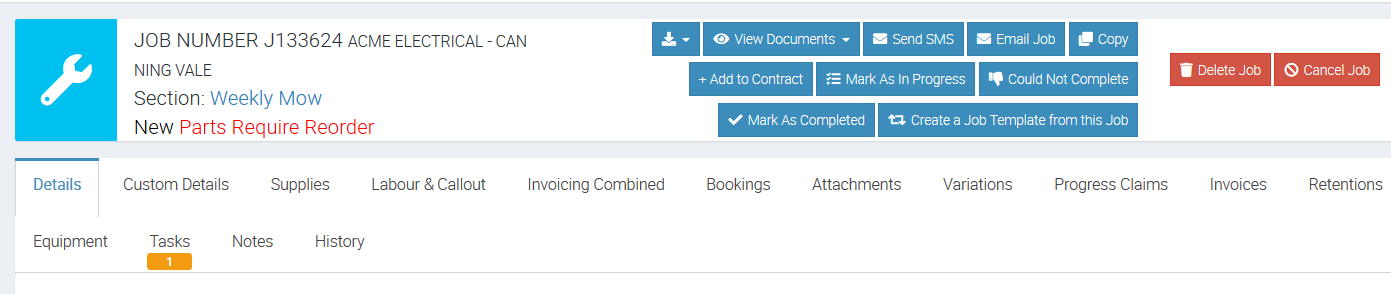
In this example, we are creating a job from the template called Weekly Mow.
3. Wait for the system to create the job and once done, you should see the main Job screen where you can make amendments such as adding supplies and adding labour if necessary.
That’s it! By leveraging job templates, you’ll ensure consistency across similar job types and reduce the time spent entering repetitive information.
Got a question?
Submit an Idea 💡 Go to Ideas Portal