The Ascora mobile app allows you to easily process payments on the go, ensuring seamless transactions while on-site. Before accepting payments, you'll need to set up your preferred payment gateway (Eway, Stripe, or Virtual Payment Client (MIGS)) in Administration → Payments & Tax → Real-Time Credit Card Payments.
Once the setup is complete, you can collect payments directly through the mobile app, helping to streamline your workflow and reduce outstanding invoices.
The guide below walks you through the process of accepting payments within the Ascora mobile app.
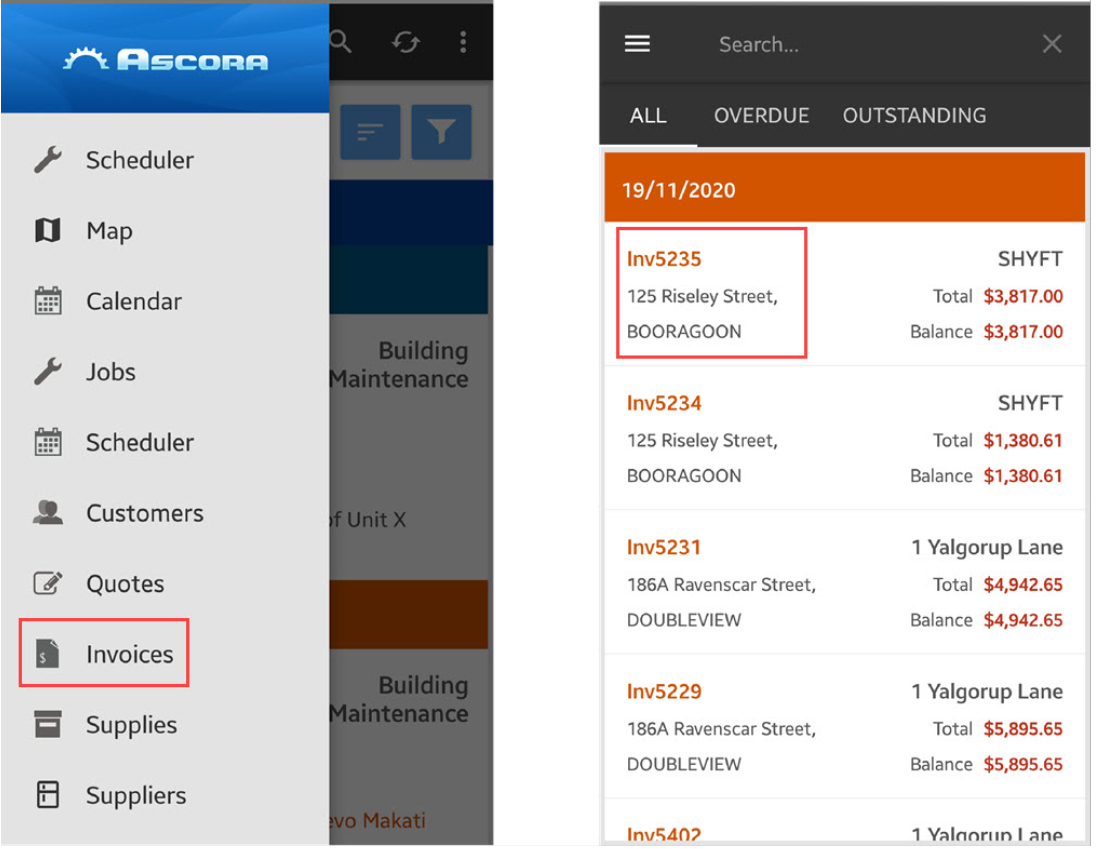
1. On your mobile app, Go to Invoices and look for outstanding invoice with payment that you need to process.
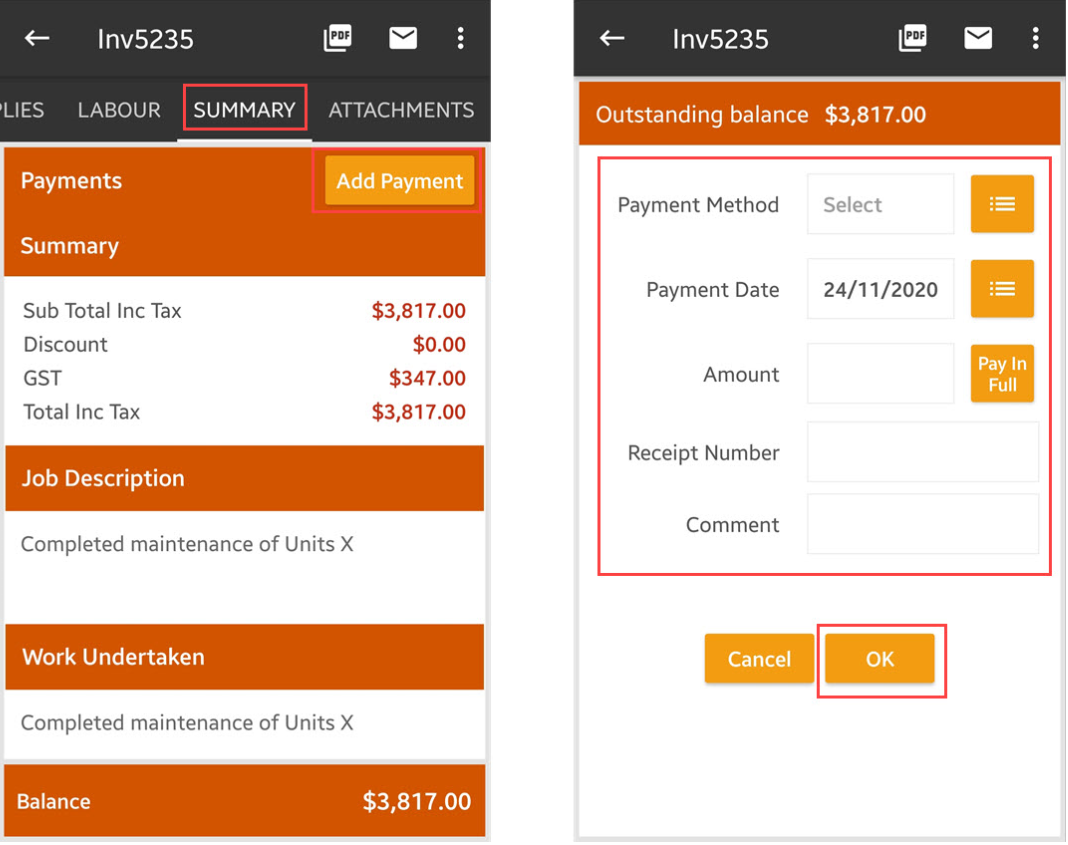
2. Tap Summary and then Add Payment. On the next screen, enter the payment details such as payment method, payment date and amount. Once done, tap OK.
Got a question?
Submit an Idea 💡 Go to Ideas Portal