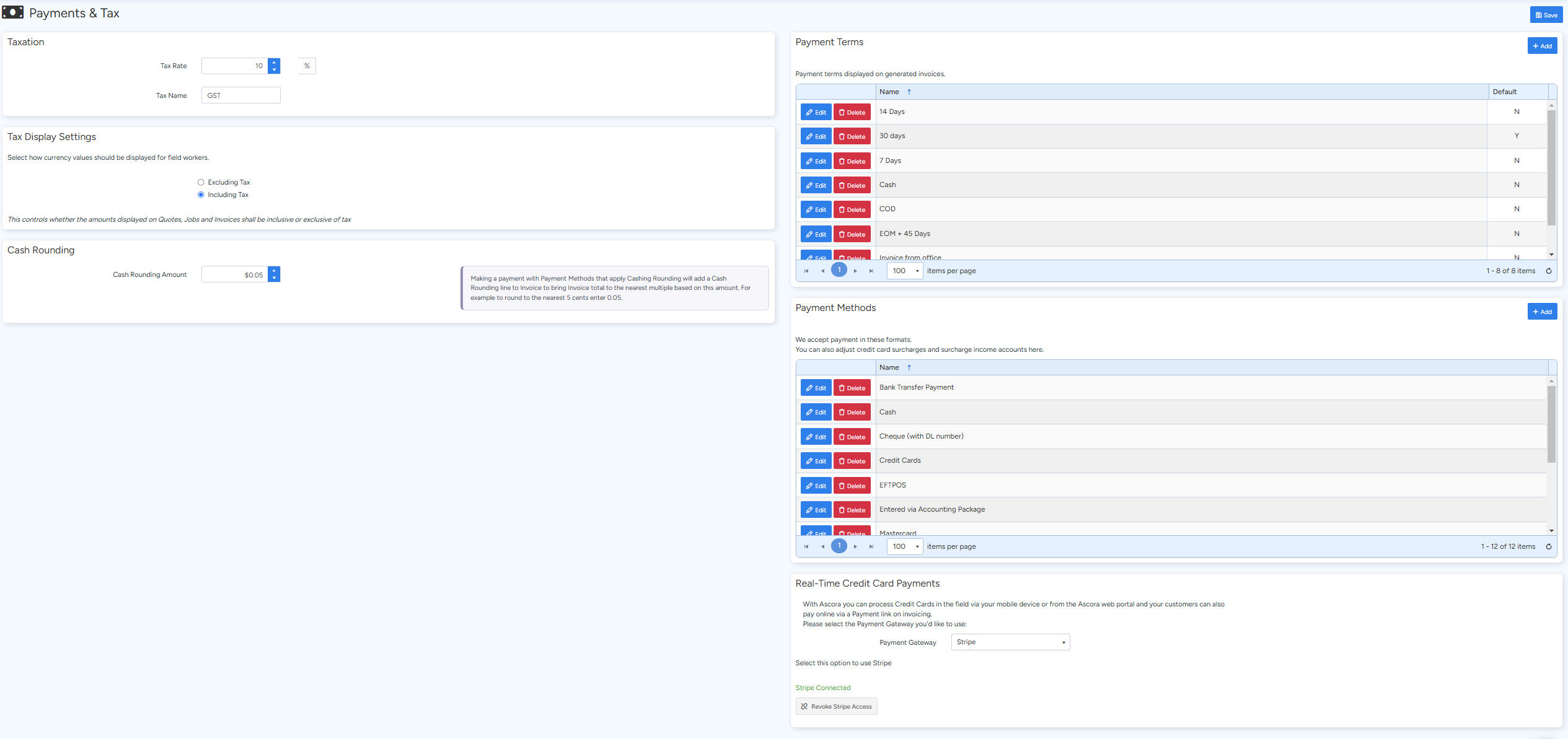
The Payments and Tax section in Ascora allows you to configure essential financial settings that affect how taxes, currency values, and payment methods are displayed and processed in your invoices and transactions.
In this section, you can:
- Set Tax Rates: Define your tax rate (e.g., GST at 10%) and adjust tax display options.
- Currency Display: Configure how currency values are shown to field workers.
- Cash Rounding: Enable cash rounding to adjust invoice totals to the nearest multiple (e.g., 0.05 to round to the nearest 5 cents). When enabled, a cash rounding line will be added automatically.
- Payment Terms: Specify payment terms that will appear on generated invoices.
- Payment Methods & Surcharges: Manage the payment methods you accept and adjust settings for credit card surcharges.
- Real-Time Payment Integration: Connect to payment gateways such as Stripe, eWay, or MIGS for immediate credit card payment processing.
📽 Watch the video guide ⤵
Steps to Configure Payments and Tax Settings
- Access Settings:
Navigate to Administration → Accounting → Payments and Tax from your Ascora Admin Dashboard.
- Configure Tax Rates:
Set your primary tax rate (e.g., GST 10%) and choose the display settings for tax on your documents.
- Set Currency Display Options:
Define how currency values are presented for field workers to ensure consistency across the system.
- Enable Cash Rounding:
- Tick the option for cash rounding if required.
- Enter the rounding value (e.g., 0.05 for rounding to the nearest 5 cents).Note: This will add a cash rounding line to the invoice when applicable.
- Define Payment Terms:
Input your preferred payment terms so they appear on invoices, ensuring clarity for your customers.
- Manage Payment Methods:
- Set up the payment methods you accept, including adjustments for credit card surcharges.
- Connect to real-time payment systems like Stripe, eWay, or MIGS to process credit card payments instantly.
Got a question?
Submit an Idea 💡 Go to Ideas Portal