The Stages section in Ascora allows you to define and manage the various stages of Jobs and Quotes. Using stages helps you track progress, streamline workflows, and maintain consistency across all projects. These stages can be customized to fit your business processes and provide better visibility into job statuses.
📽 Watch the video guide ⤵
Configuring Stages in Ascora
To access and update the Stages settings:
- Navigate to Administration → Stages.
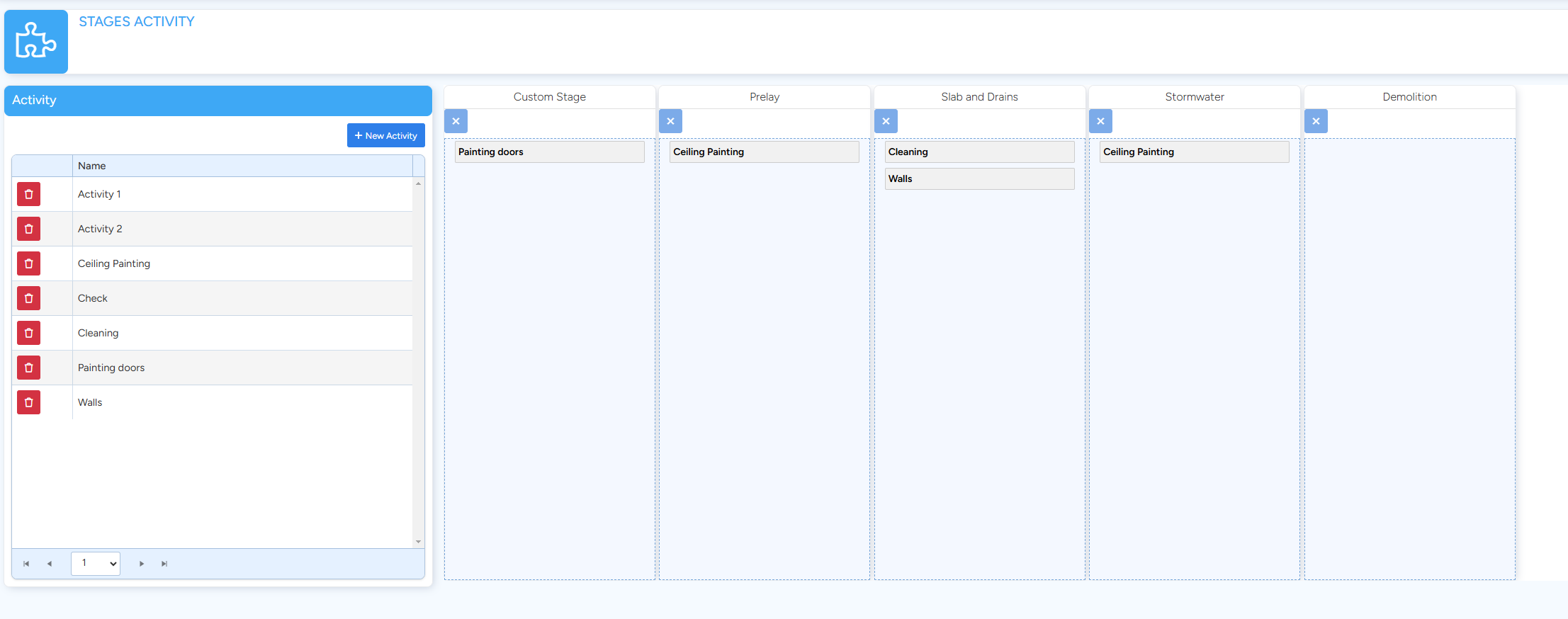
- Here, you can add new stages, edit existing ones, or delete stages that are no longer needed -
- Create new Activity
- Edit Activity Name (or delete the Activity with delete button)
- Select the Activity assigned to a Stage then click the Delete button on the Stage.
- To assign an Activity to a Stage, simply click and drag the Activity from the Activity list onto the desired Stage area.
Got a question?
Submit an Idea 💡 Go to Ideas Portal