📽 Watch the video guide ⤵
In Ascora, you are able to direct your revenue across different GL code based on your Job Type or if you’re tracking your supplies GL code.
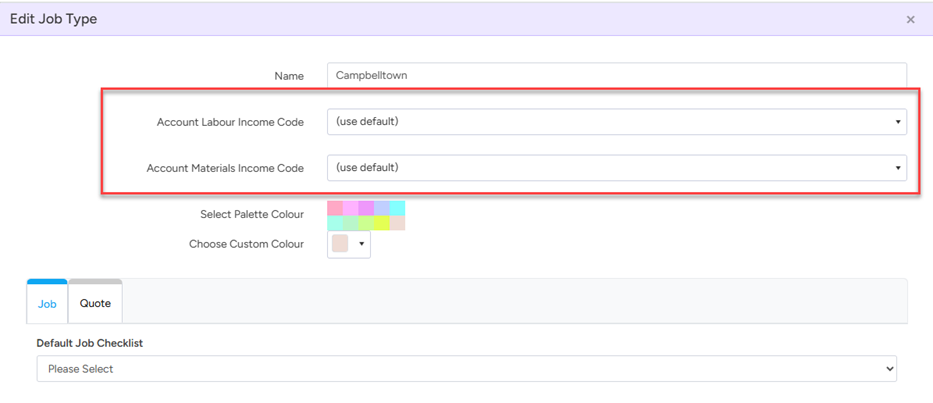
To direct your different Job Types to the different GL codes, you’ll be able to set this via Administration > Jobs > Job Area > Edit > Account labour income code OR Account Materials Income Code
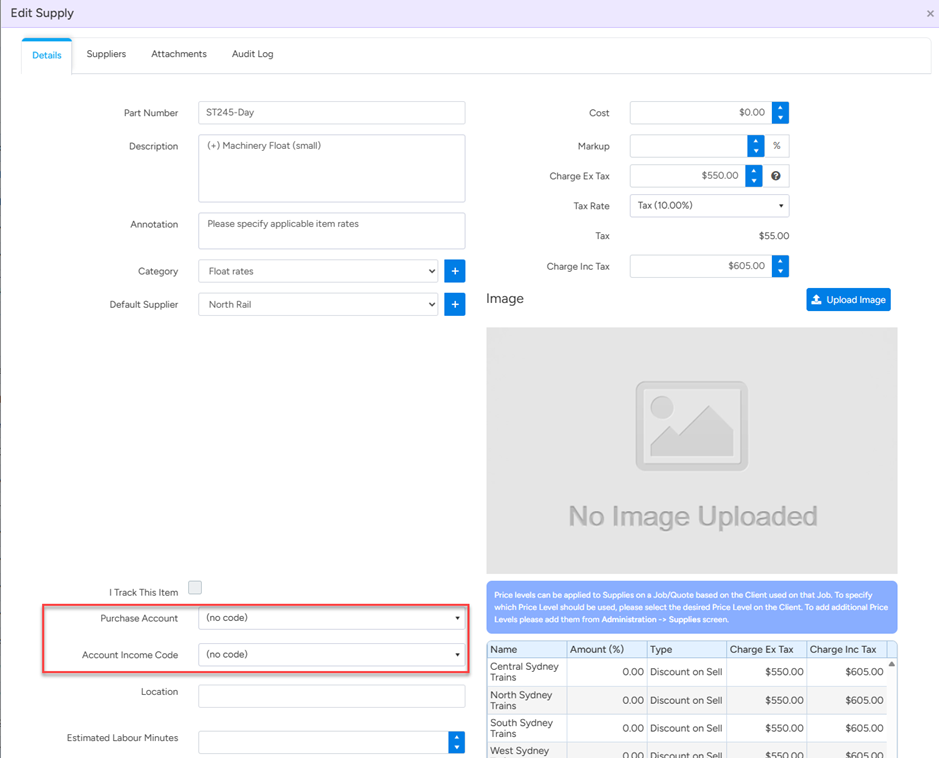
If you are tracking income based on Materials, you may set your specific GL to be pushed across via Inventory > Supplies > Select the relevant supply > Set income code
Most clients track only key items as part of supplies such as tractors or specific machineries income, if any for example, as tracking every single supply is normally unnecessary or can be daunting.
Got a question?
Submit an Idea 💡 Go to Ideas Portal