Keeping track of time spent on jobs is essential for accurate billing, payroll, and job costing. The Check In and Check Out feature in the Ascora iOS app allows you to log your work hours directly from your mobile device, ensuring precise tracking of labour costs. This simple process helps streamline record-keeping, improve accountability, and ensure accurate client invoicing. Follow the steps below to easily check in and out of jobs and review your logged hours.
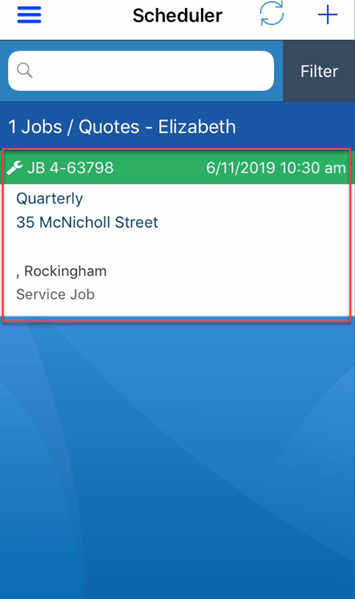
1. Log into your Ascora App and from here you will see the Jobs listed for the day.
2. Click on the Job you will need to Check In for.
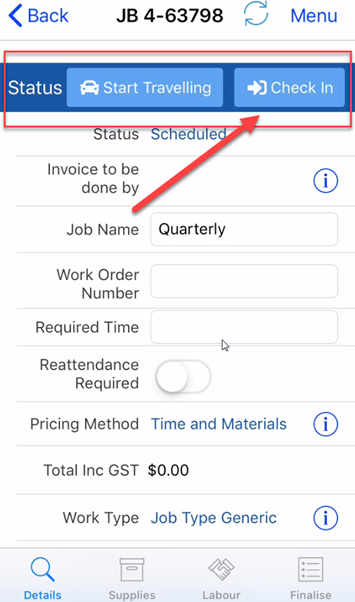
3. Once you click into the Job, scroll down the Details tab to the “Status” section.
4. You will see the Check In Touch the Check In button to Check In to the Job.
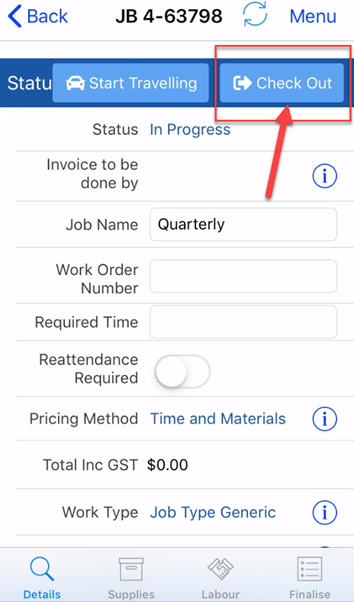
5. When you are ready to Check Out of the Job, press on Check Out. This can be found at the same place where Check In was on the Job Details tab.
6. To check that your Check In and Check Out function has worked correctly, you can touch the “Labour” tab and you will be able to see the Check In and Check Out times.
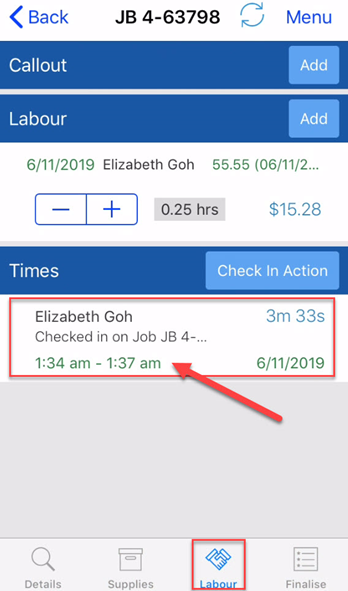
You have now successfully used the Check In and Check Out function of the App!
Got a question?
Submit an Idea 💡 Go to Ideas Portal