Keeping your Ascora mobile app updated is essential to ensuring smooth operation, accessing the latest features, and maintaining compatibility with system updates. Regular updates include performance improvements, bug fixes, and new functionality that enhance your experience and productivity.
By checking the current version of the Ascora app used by your team, you can:
✅ Ensure compatibility with the latest system improvements.
✅ Minimize technical issues by running the latest stable version.
✅ Access new features as soon as they’re released.
✅ Troubleshoot efficiently by confirming whether users are on outdated versions.
This guide walks you through checking the app version in Ascora Web, identifying the latest available update, and ensuring your team is using the most recent release.
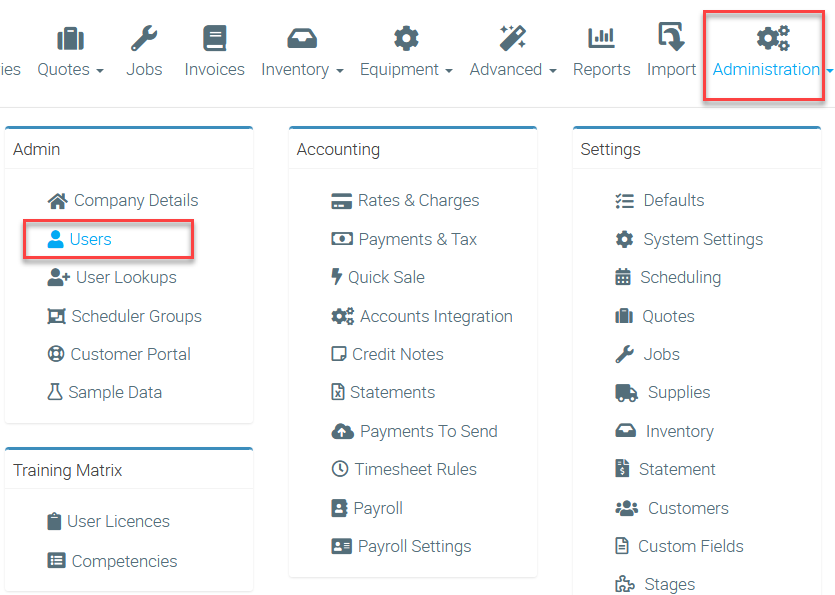
1. Go to Administration → Users.
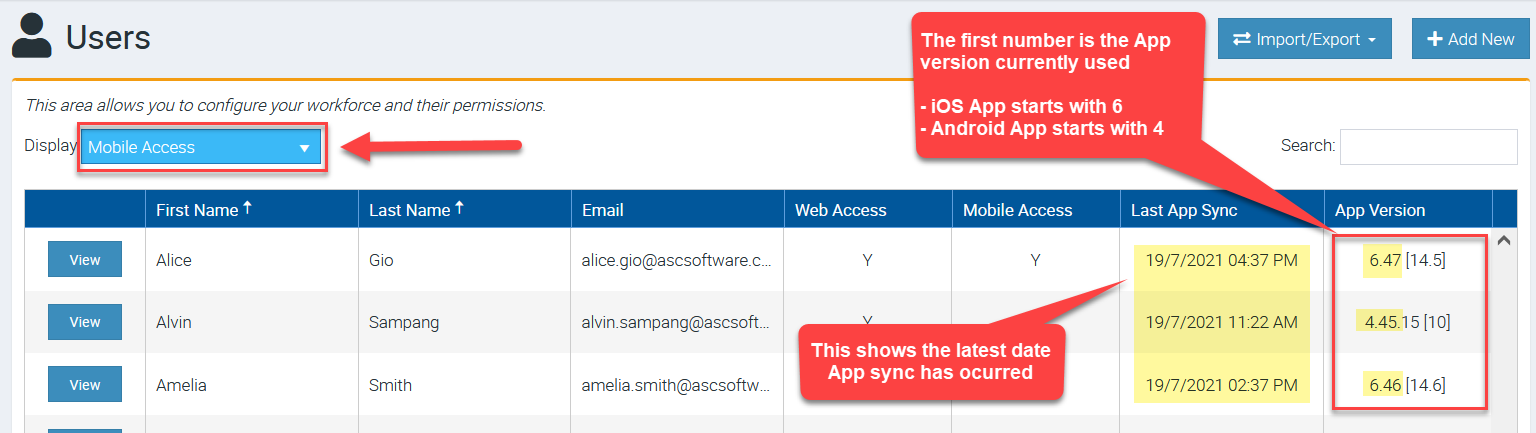
2. Change the display filter to Mobile Access and check column App Version where it displays the current version being used.
- iOS App always starts with number 6 and in this example, it's version 6.47 and the number increases as we continue to build newer versions (e.g. 6.48, 6.49,6.50, etc)
- Android App always starts with number 4 and in this example, it's version 4.45 and the number increases as we continue to build newer versions (e.g. 4.46, 4.47, 4.48 etc)
How to tell which version is the latest?
Newest versions are announced in the Release Notes section in Ascora.
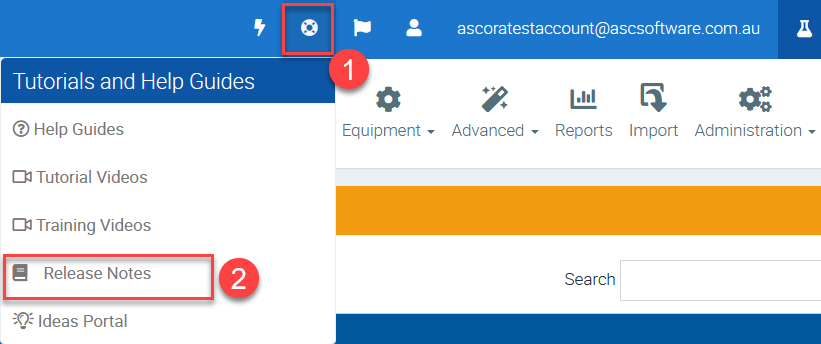
1. Click the circle which is one of the icons on the left side of your email address and select Release Notes.
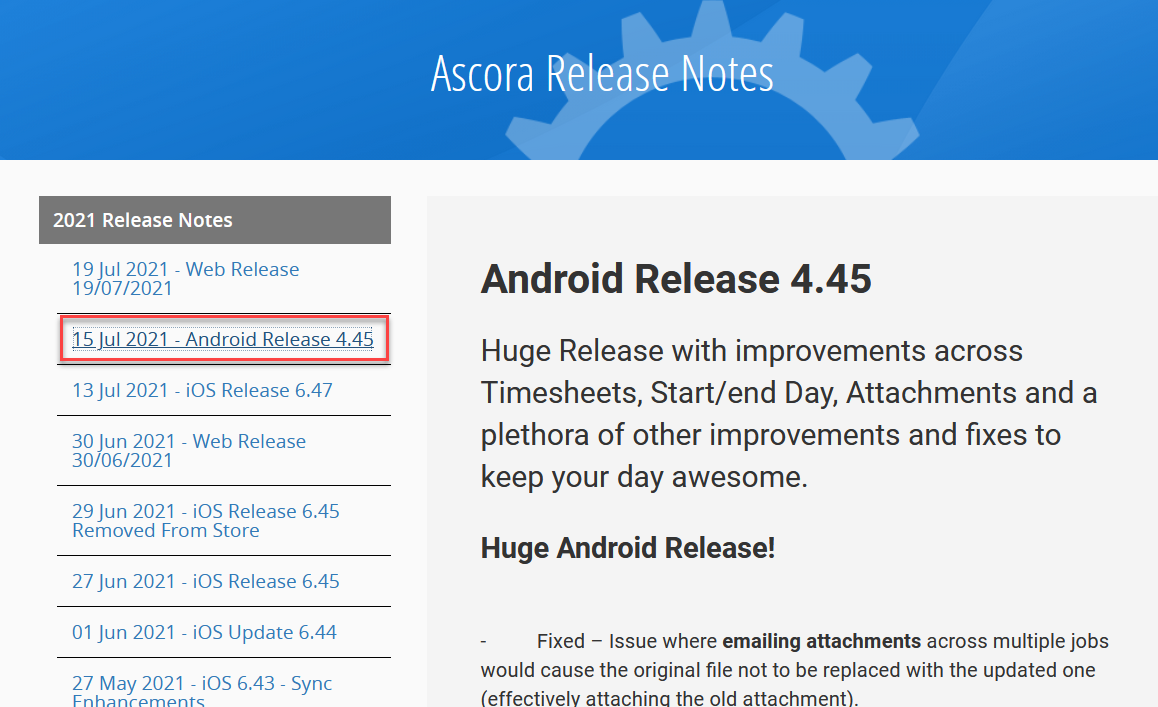
2. You'll be redirected to the Release Notes page where you can click on the title to display more information.
In this example we clicked 15 Jul 2021 - Android Release 4.45 where it displays more information about it.
Got a question?
Submit an Idea 💡 Go to Ideas Portal