Ascora allows you to display your job and quote bookings in external calendar applications such as Google Calendar, iPhone Calendar, and Outlook Calendar. This ensures your team stays up to date with scheduled work without needing to log in to Ascora.
📌 Important Notes:
- This is a one-way sync – your external calendar will display Ascora bookings, but changes must be made in Ascora and will reflect in the connected calendar.
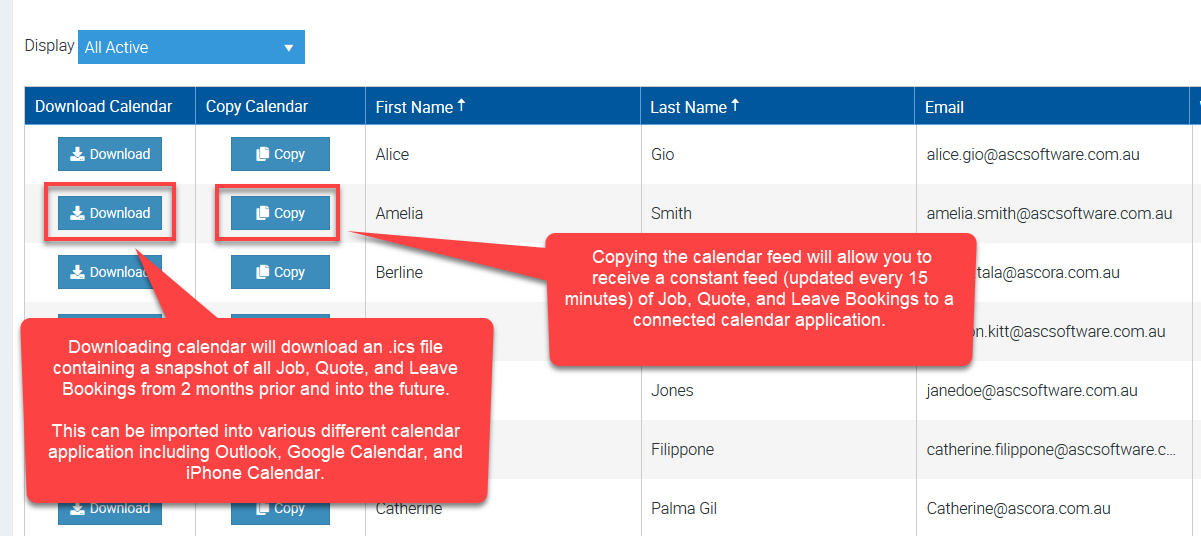
- Google Calendar updates every 24 hours, while other calendars (like Apple and Outlook) refresh approximately every 15 minutes.
To set up external calendar syncing, follow the steps below
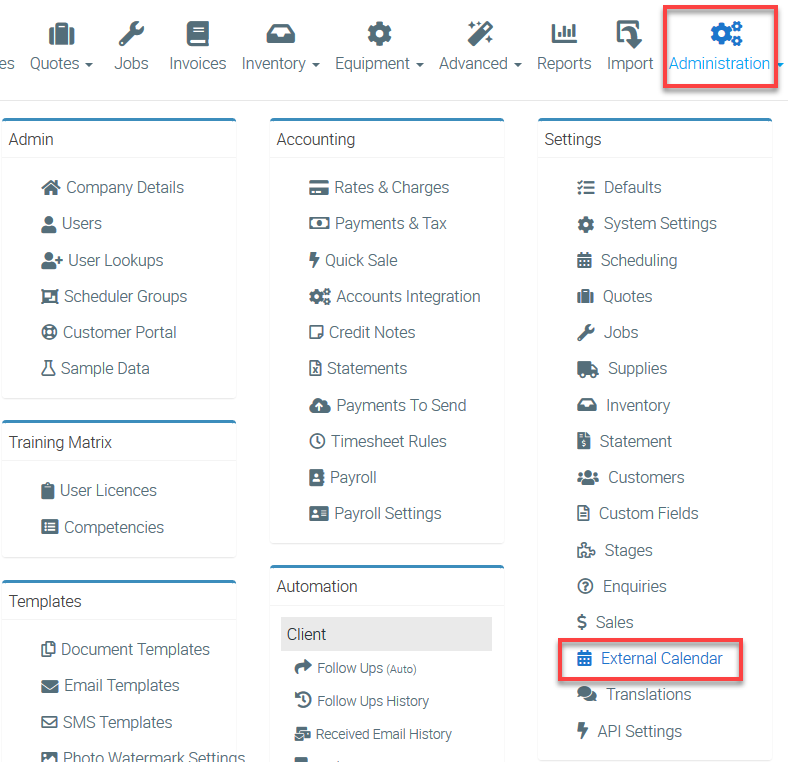
1. To connect your external calendar, go to Administration → External Calendars.
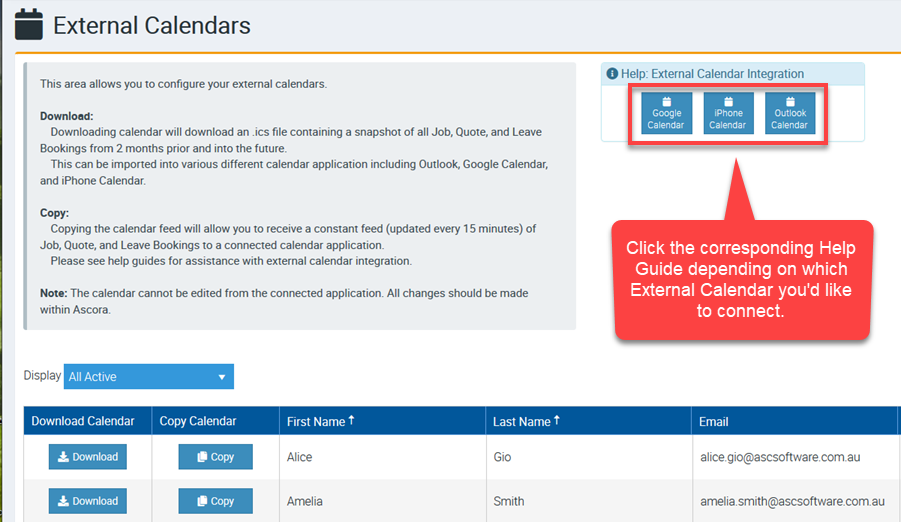
2. Depending on which external calendar you are using, please access the corresponding Help Guide and complete some configurations.
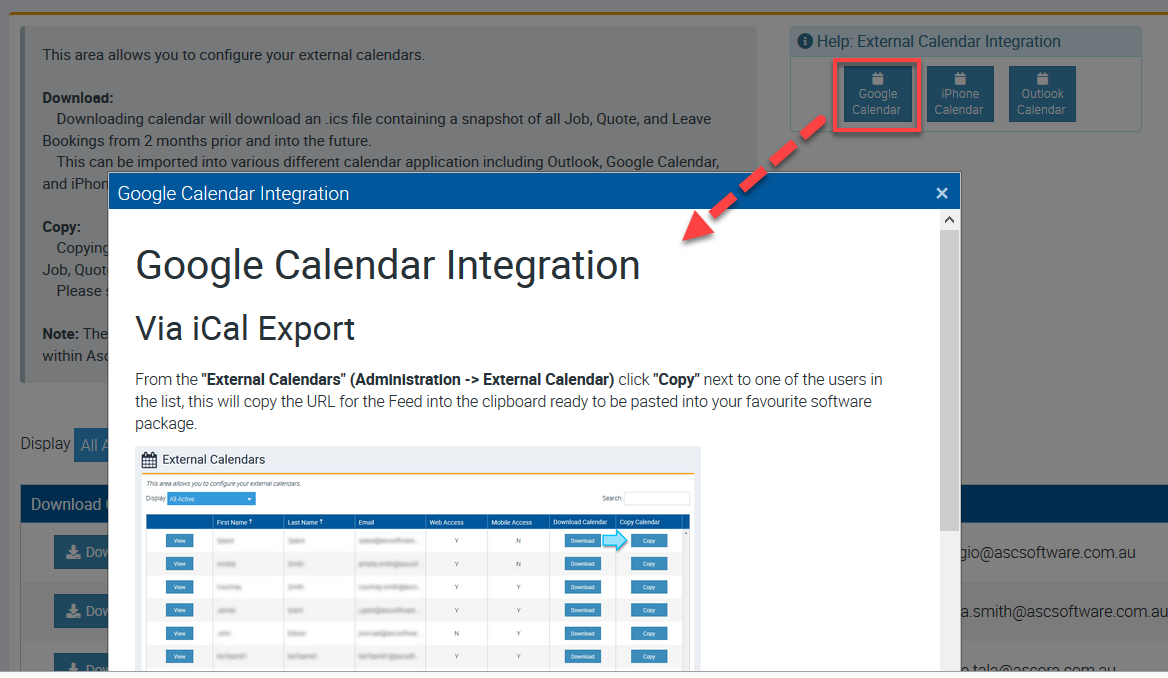
3. For example, if you are using Google Calendar and you want your job or quote bookings displayed in that external calendar, click Google Calendar from one of the three boxes as indicated below.
This will give you the detailed steps to complete the integration.
Download and Copy Buttons
Got a question?
Submit an Idea 💡 Go to Ideas Portal