The Customer Job History feature in the Ascora Android app allows you to view past jobs associated with a specific customer. While job history builds up as jobs are completed, it's important to note that uninstalling and reinstalling the app can clear previously stored job history on the mobile device. However, you can easily retrieve older job history using the Retrieve Client History function within the app.
This tool is especially useful when you need to access past job details while on-site, ensuring you have the full context of previous work done for a customer. If the retrieved history still appears incomplete, the full job history can always be accessed through the Ascora web platform by your office administration team.
Follow the steps below to retrieve customer job history directly from your Android app.
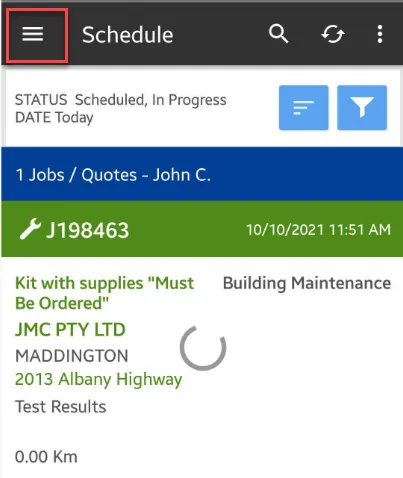
1. Log into your Ascora App and press on the Menu located on the upper left part of the screen.
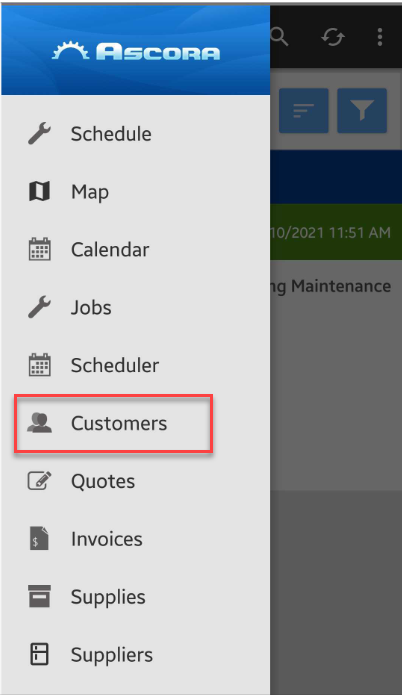
2. Select Customers.
3. Search for the customer name with job history you wanted to retrieve.
In this example we search ACME and select the one with address as 110 Chester Pass Road.

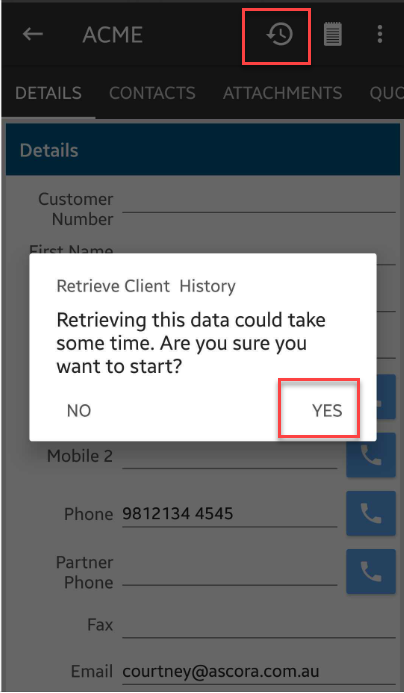
4. Tap on Retrieve Client History icon and select Yes.
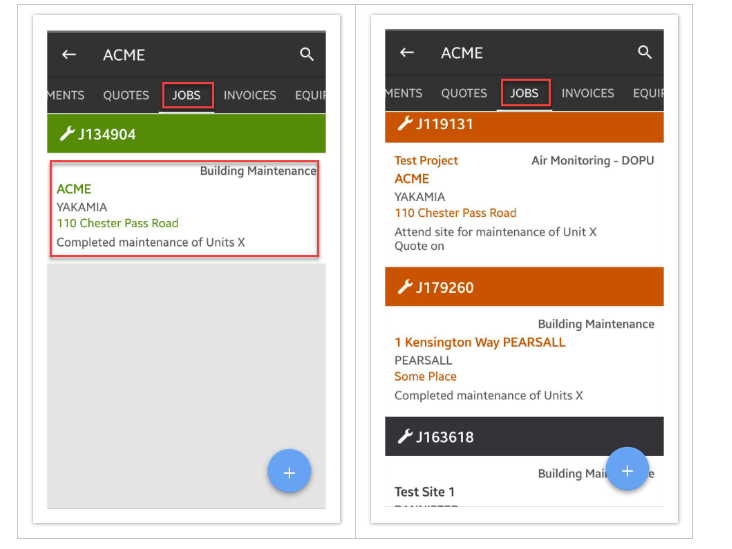
5. Depending on the amount of data being retrieved, it could take a few seconds or a couple of minutes and once completed, you can navigate to Jobs tab to see the retrieved data.
Image on the left is Jobs tab showing only one job for customer ACME and image on the right is Jobs tab showing more jobs displayed after retrieving Client History.
Got a question?
Submit an Idea 💡 Go to Ideas Portal