The Ascora Android app allows you to access, complete, and test custom forms directly from your mobile device. This ensures that job-specific documentation is accurate, up-to-date, and seamlessly integrated with the web platform. Whether you're filling out a form for a job in progress or testing updates made to a custom form, the app provides a simple and efficient way to manage your forms on the go.
It’s important to always synchronize your mobile app before working with custom forms to ensure you’re using the most current version. Follow the steps below to access and complete a custom form from the Android app.
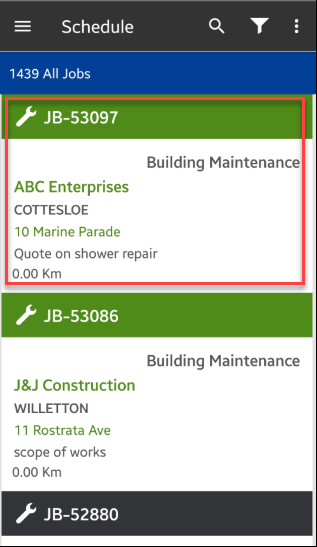
1. Access your job from the mobile app or use the search icon to locate a specific job where you want your custom form to be linked.
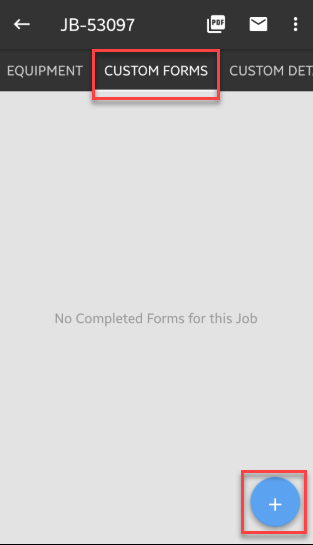
2. Navigate to Custom Forms tab and tap the + button.
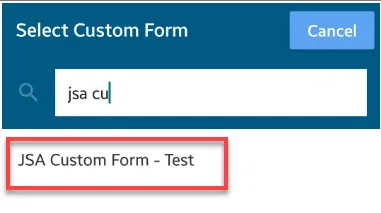
3. Search and select the custom form that you need to test and in this example, it's called JSA Custom Form - Test.
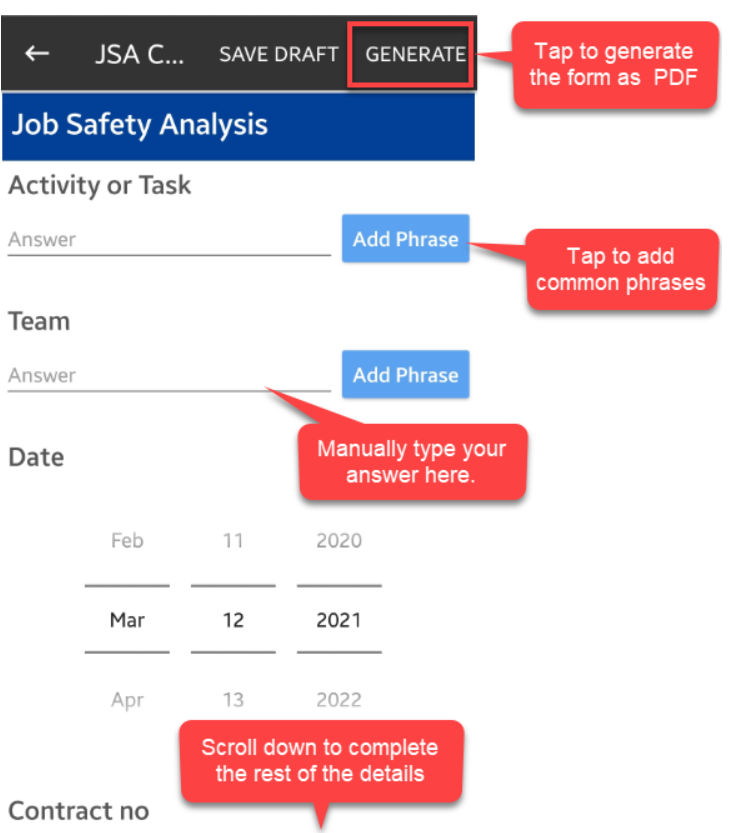
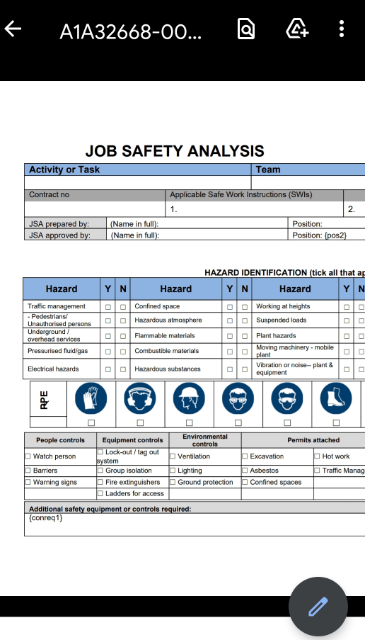
4. Once the custom form is displayed, enter the necessary details and once done, tap GENERATE and it will create the form as PDF.
5. A PDF file is generated containing the information we've entered.
Got a question?
Submit an Idea 💡 Go to Ideas Portal