Ascora provides specialized Custom Fields for managing Equipment data efficiently. These fields can be created at two distinct levels, depending on whether you need to store general equipment details or job-specific data:
1️⃣ Equipment Level
✔ Stores permanent details about a piece of equipment.
✔ Appears on all jobs linked to that equipment.
✔ Useful for recording specifications, serial numbers, or operating levels.
2️⃣ Quote/Job Equipment Level
✔ Captures information for a specific job visit.
✔ Useful for tracking readings, test results, or service outcomes.
✔ Ideal for recording pass/fail checks or maintenance conditions.
To enhance organization, you can assign Custom Fields to specific Equipment Types, ensuring that only relevant fields appear based on the type of equipment being worked on. This structured approach helps technicians, admin teams, and decision-makers access the right data when they need it.
The guide below walks you through how to create, manage, and filter Custom Fields for Equipment within Ascora.
📽 Watch the video guide ⤵
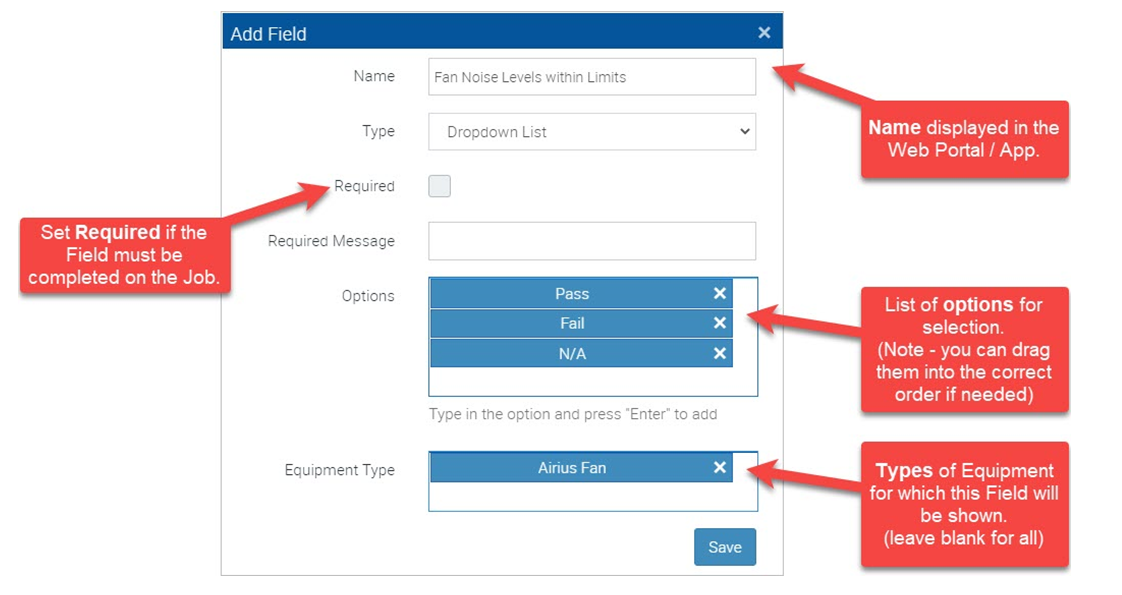
You can restrict the Types of Equipment for which a Custom Field applies by specifying one or more Equipment Types. If no Equipment Type has been specified then the Custom Field will be displayed for all Equipment Types.
When working with the Custom Fields for Equipment/Job Equipment you can filter the screen to show only those fields that apply to a particular Equipment Type.
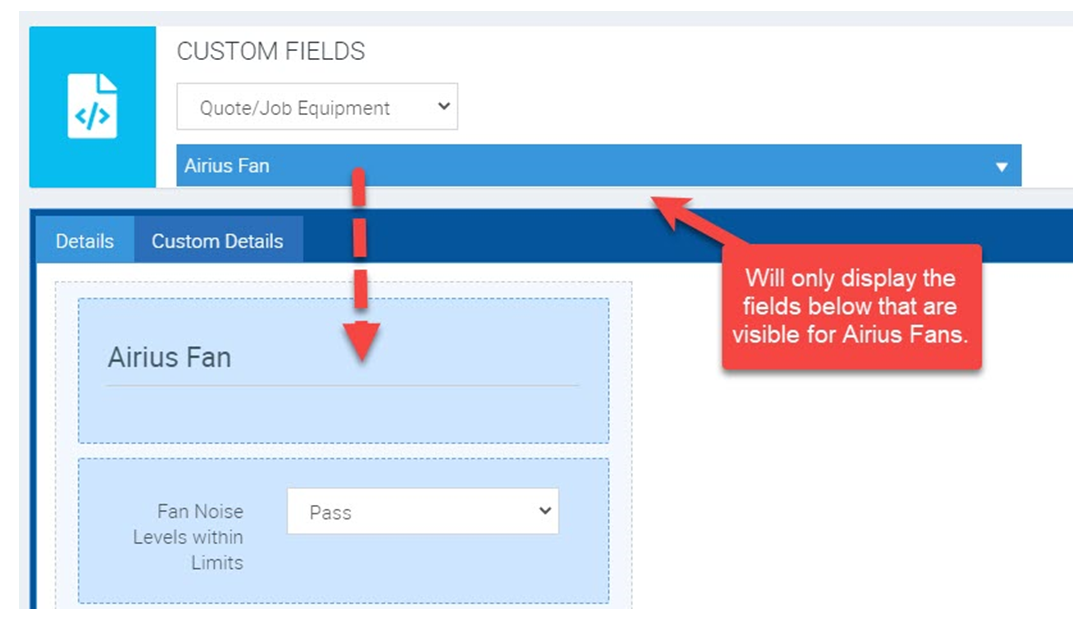
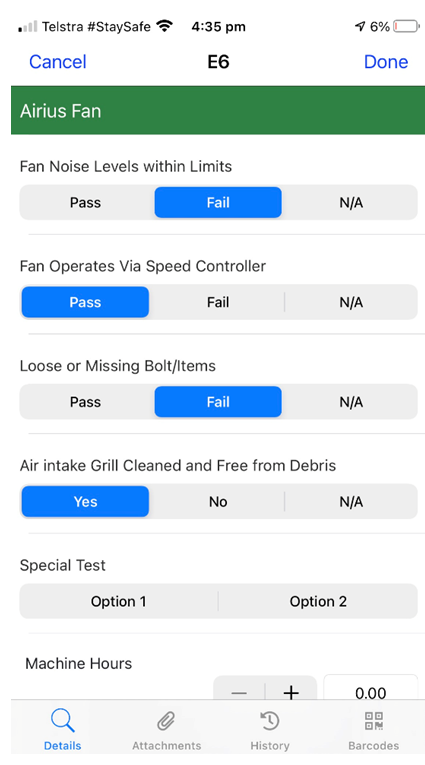
In the example above we are only showing the Custom Fields that would be displayed when the Equipment Type is “Airius Fan”. This is then exactly how these are displayed on the web or mobile apps.
Got a question?
Submit an Idea 💡 Go to Ideas Portal