In Ascora, accurately capturing labour charges is essential for creating transparent and professional quotes. Labour charges can be customized based on roles, hours worked, and whether the charges are billable to the customer. By following this guide, you’ll learn how to add detailed labour charges directly to a quote, ensuring your customers have a clear understanding of the work being quoted and its associated costs.
Additionally, you’ll find options for customizing labour roles and rates within your settings for more flexibility. Use this guide to streamline your quoting process and maintain consistency in your labour pricing.
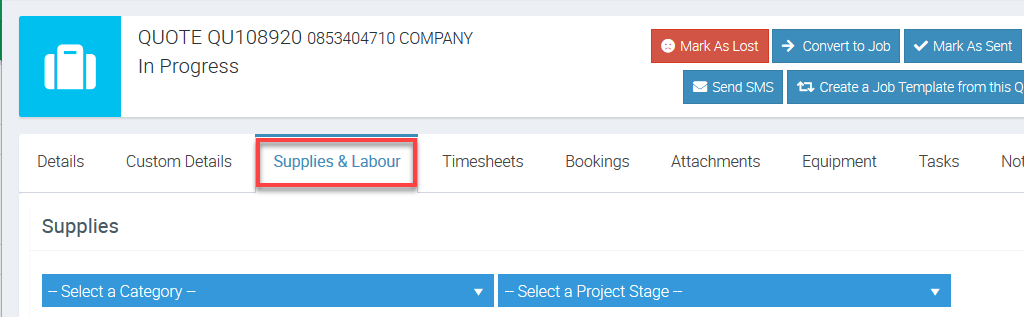
1. On the Quote Card, choose the Supplies Tab and then scroll down the screen to the Labour section.
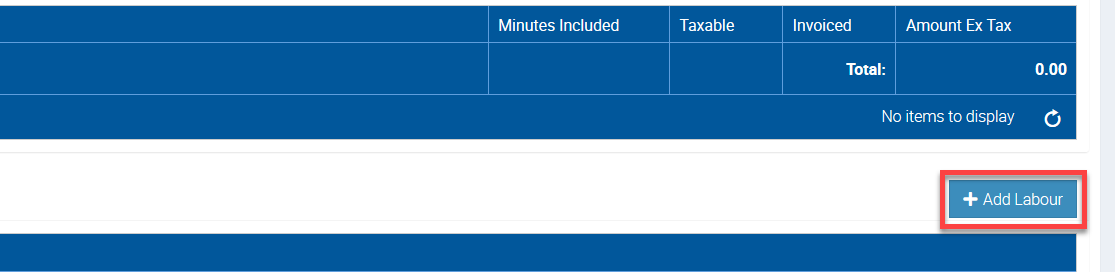
2. Click the +Add Labour button.
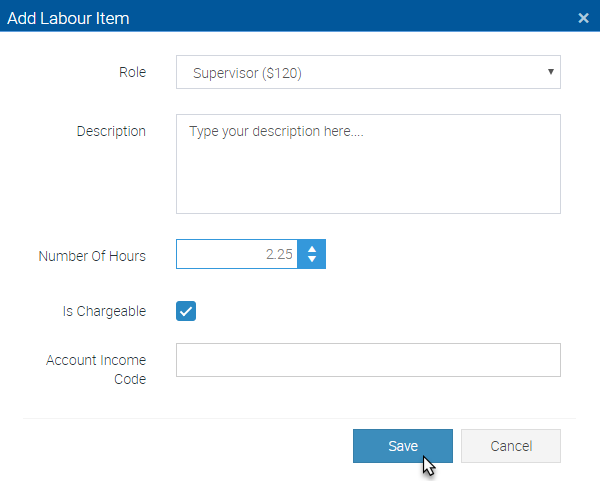
3. The Add Labour Item pop-up window will display.
- Select a Role from the dropdown menu
- Enter a description for the Labour charge
- Enter the quoted number of labour hours
- Check or un-check the toggle box to identify the Labour charges as chargeable to the customer or not
- Click the Save button when you are ready
Got a question?
Submit an Idea 💡 Go to Ideas Portal