This guide explains how to configure labour roles and rates in Ascora, which directly impact the cost calculations on your Quotes and Jobs. By setting up accurate pay rates and estimated costs for each role, you can ensure that your quotations reflect profitability correctly and that job costing is precise. Follow the step-by-step instructions below to add new labour roles, update technician pay rates, and understand how different rate types are calculated.
📽 Watch the video guide ⤵
When working with Quotes and Jobs, the labour details and calculations are based on what you set in the Labour Roles and Rates section.
1. To set up Labour Roles and Charges, go to Administration -> Rates & Charges -> Labour Roles & Rates -> click Add.
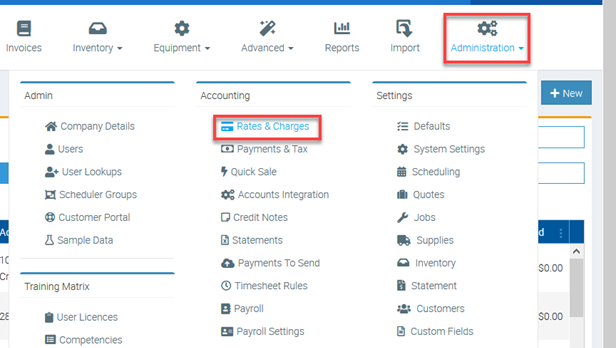
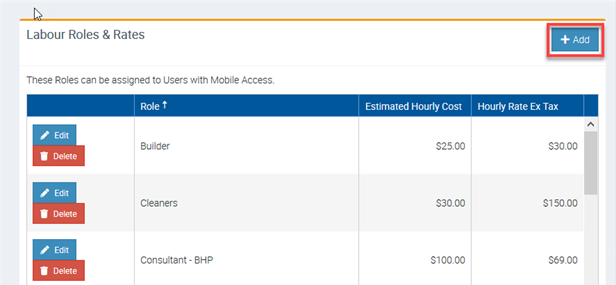
2. Add the necessary details and once complete, click Save.
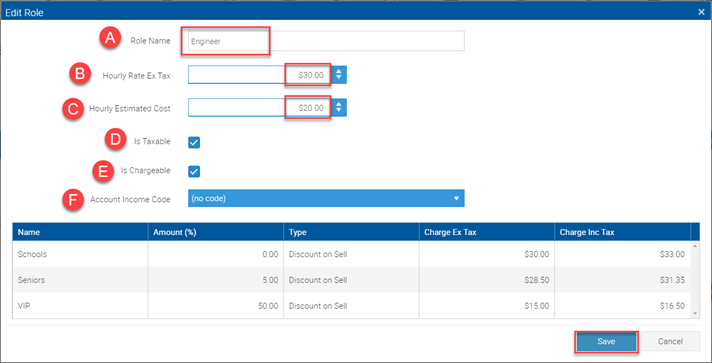
A – Enter the Role Name
B – Enter the Hourly Rate Ex Tax and this is what will be charged to your customer which is shown in Job Labour details.
C – Enter the Hourly Estimated Cost for the role – this is how much a person in this role generally costs.
D – Tick if you need it taxable and untick if tax does not apply
E – Tick if Chargeable and untick if not chargeable.
F – Set up an account income code that will override the default code set up in Administration -> Accounts Integration. If you don’t set up an account code in this area, the default account code set up in Account Integration area will be used.
- The Hourly Estimated Cost is used when calculating the profitability on your Quotations. This has no impact on Job Profitability which is determined by the Pay Rates and Employment costs of the related Users.
- If a Role is marked as Non-Chargeable it will NOT add to the value of the Quotation or Job.
- Account Income Codes should only be set on Labour in special cases. Generally it is enough to have this based on the Job Type or a general Default value.
How to set up Rates per Technician/Staff
When you hire staff, depending on the role and experience level, you need to set up the corresponding pay rates for each User which flows to the cost of their time on Jobs captured from their timesheets.
1. Go to Administration -> Users -> click View for the particular User.
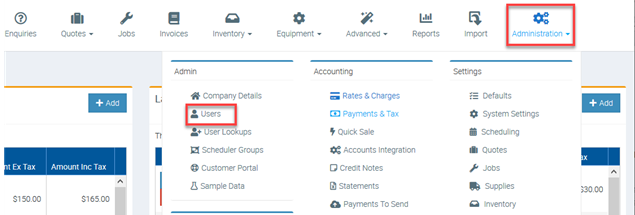

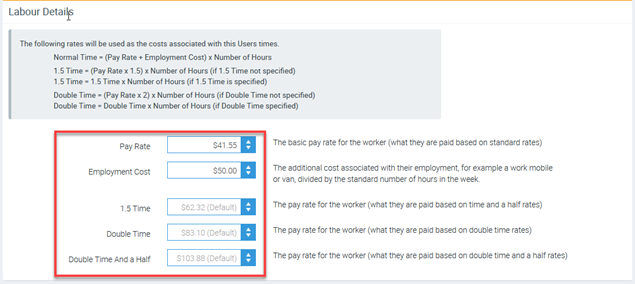
2. In Labour Details enter the pay rate, employment cost and the rate for the 1.5 Time, Double Time and Double Time and a Half rates.
Rate Types and Calculation
The following rates will be used as the costs associated with the user’s time.
| Rate Types | Calculation |
|---|---|
| Normal | Pay Rate + Employment Cost x Number of Hours |
| Time and a Half | 1.5 Time Rate x Number of Hours |
| Double Time | Double Time Rate x Number of Hours |
| Double Time and a Half | Double Time and a Half Rate x Number of Hours |
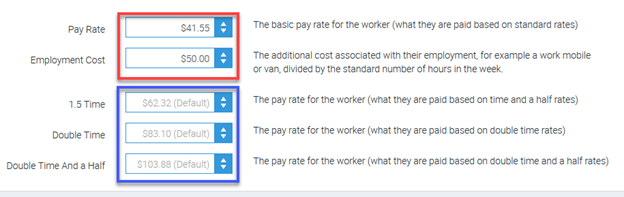
In the following example, user Courtney Smith has an hourly normal rate of $91.55 (Pay Rate $41.55 + Employment Rate $50.00).
- If user is paid Time and a Half rate then the hourly rate is $62.32
- If user is paid Double Time rate then the hourly rate is $83.10
- If user is paid Double Time and a Half rate then hourly rate is $103.88

Timesheet Cost Calculation Example
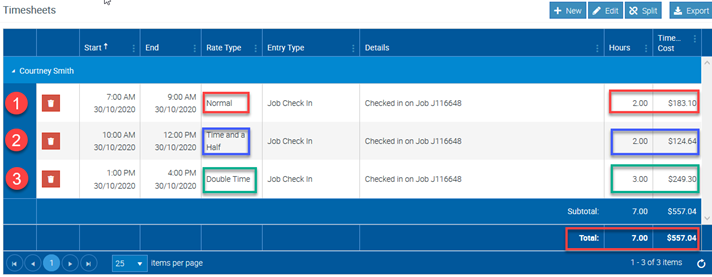
In the following Timesheet example, user has three check in entries and has different costs associated with each entry:
- 2 hours at normal rate = $91.55 x 2 = $183.10
- 2 hours at Time and a Half rate = $62.32 x 2 = $124.64
- 3 hours at Double Time rate = $83.10 x 3 = $249.30
Adding Labour Details to Quotes
When adding labour to Quotes, the rates applied are based on what has been set in Administration -> Rates & Charges -> Labour Roles & Rates.
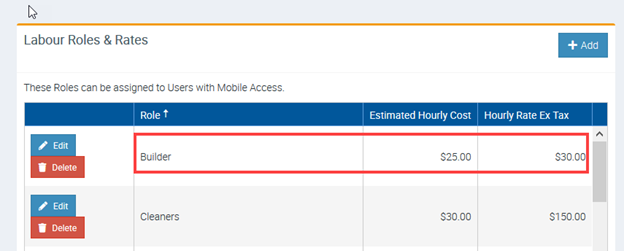
In the following examples, we selected Builder role with an hourly rate of $30.00.
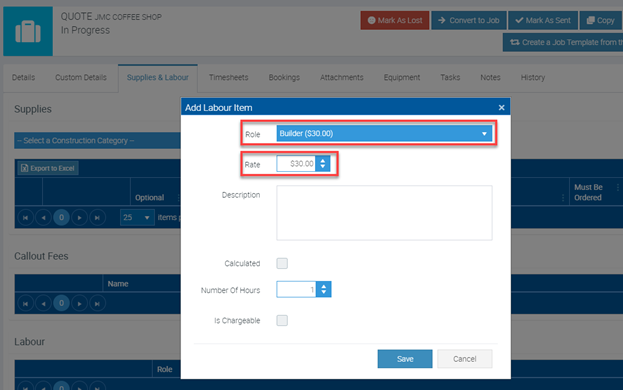
The Builder role was created with an Hourly Rate Ex Tax of $30.00 under Rate & Charges.
Got a question?
Submit an Idea 💡 Go to Ideas Portal