When importing supplies or supply prices into Ascora using the Ascora Supply Import Template, it’s crucial to remove any formula-based numerical data. Formulas can cause import errors or unintended changes in pricing, which may impact your supply records.
By pasting data as values, you ensure:
✔ Stable and accurate pricing updates without recalculations.
✔ No dependency on external Excel formulas, reducing errors.
✔ Clean and error-free imports that align with Ascora’s formatting requirements.
This guide will walk you through:
- Identifying and selecting formula-based cells in your import template.
- Copying and pasting data as values to remove all formulas.
- Verifying data integrity before proceeding with the import.
By following these steps, you can confidently import your updated supply data into Ascora without worrying about formula errors or inconsistencies.
When you're using the Ascora Supply Import Template (see ⤴️ Importing Supply Price List ) to import your supplies or supply prices, it is important to ensure that you remove any formula based numerical data.
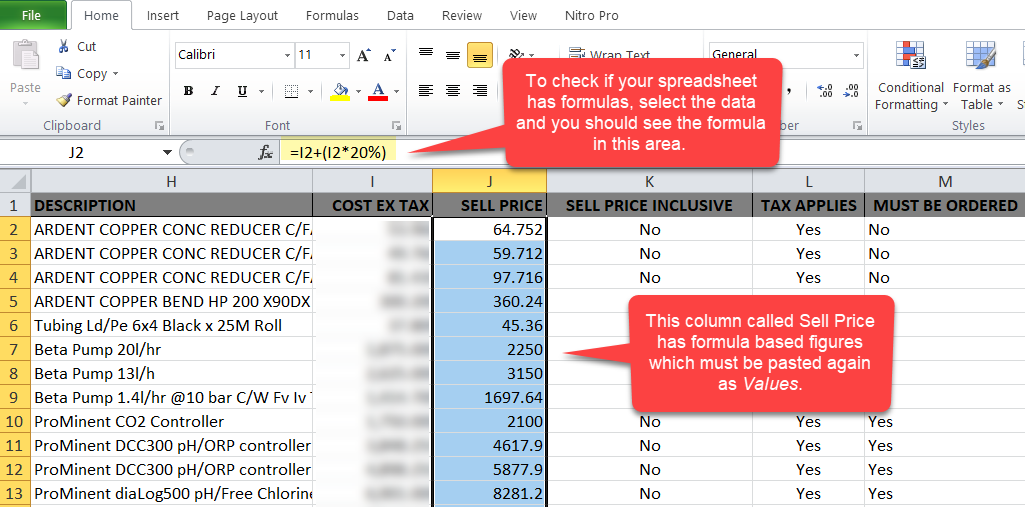
In this example, we are removing the formulas in column J by pasting the data as values.
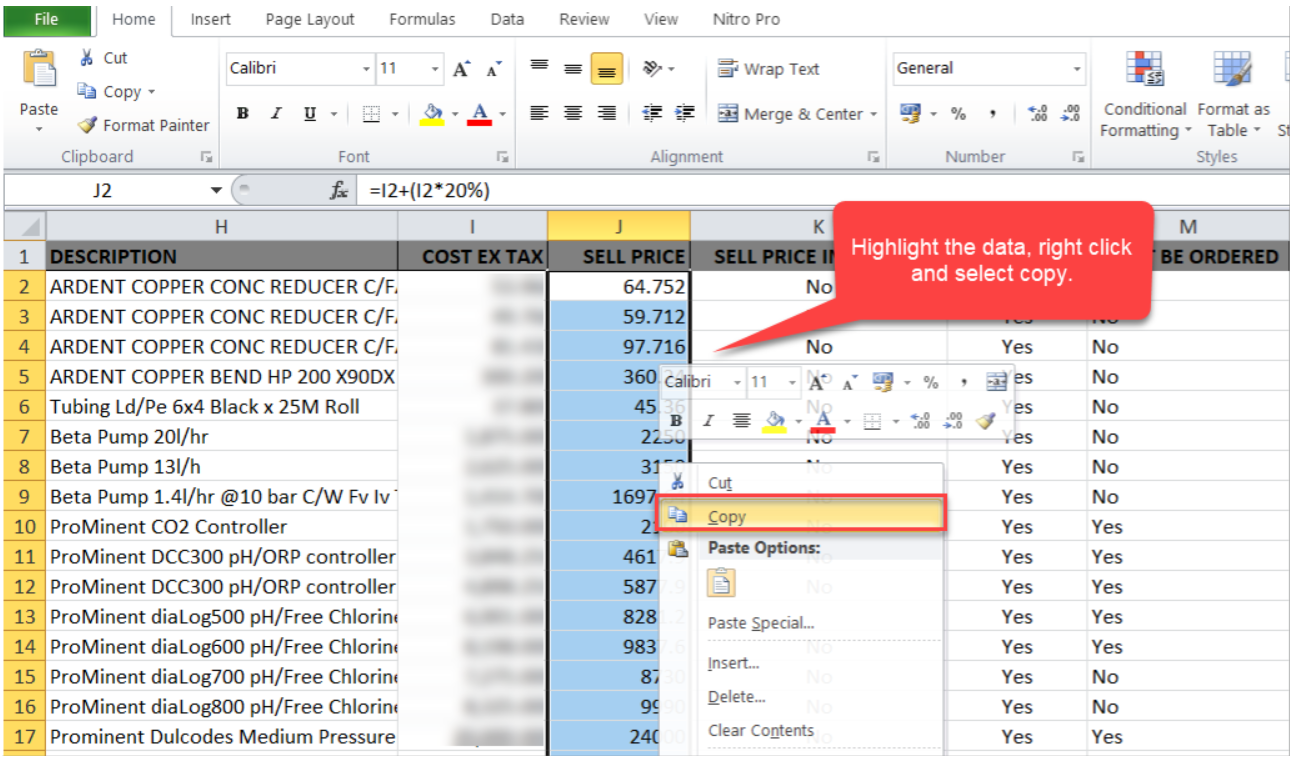
1. Start by selecting the data then right click and select copy.
2. Click Paste menu and select the first option below Paste Values which is indicated by the numbers 123.
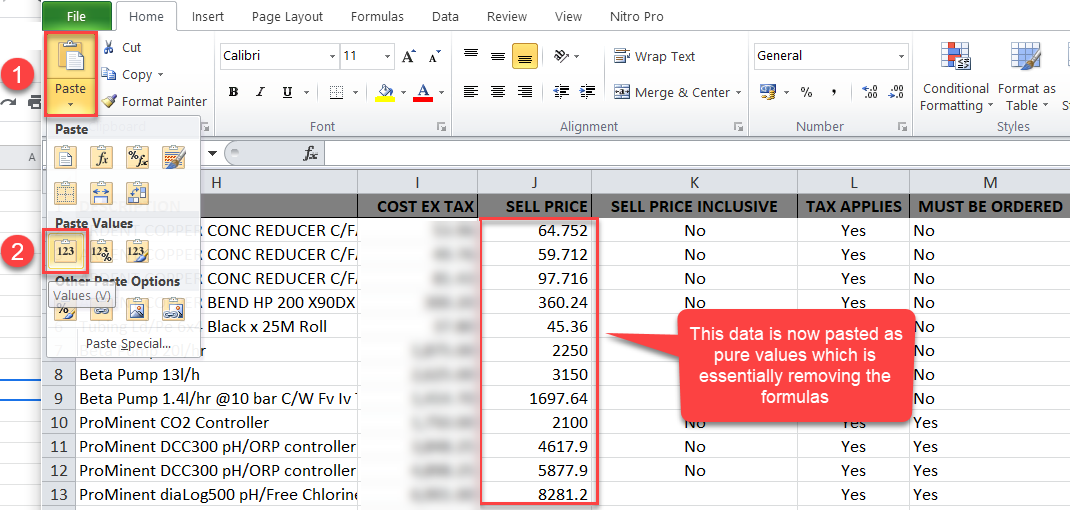
Your data is now pasted as values and you can repeat the steps for the rest of the columns with formulas.
Got a question?
Submit an Idea 💡 Go to Ideas Portal