The Statement Settings section in Ascora allows you to customize how overdue invoices and statements are displayed, ensuring your clients receive clear and relevant payment information. This guide walks you through the available settings and how to adjust them to suit your business needs.
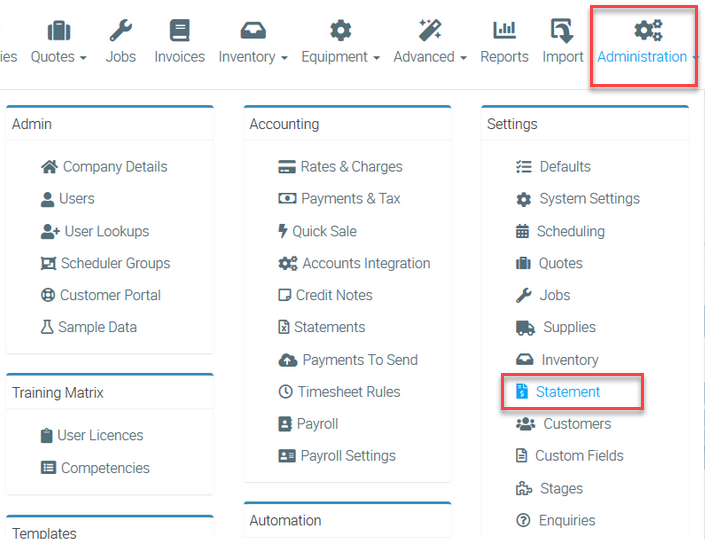
1. When using the Statement feature in Ascora, you are able to set a couple of settings by going to Administration → Statement.
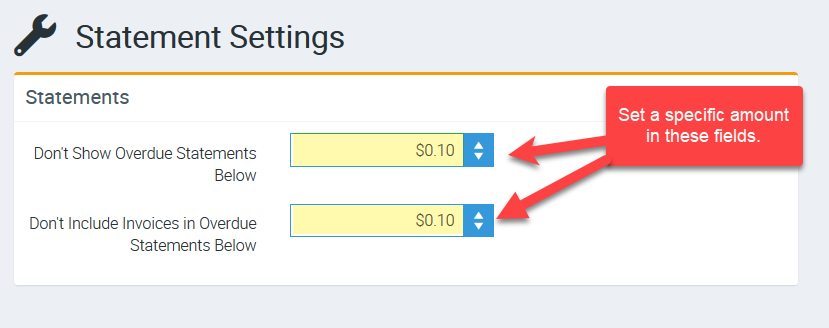
2. Under Statement Settings, you can set specific amounts in the following fields.
- Don't Show Overdue Statements Below an X amount.
- Don't Include Invoices in Overdue Statements Below an X amount.
ℹ Note: You can also add or change your statement reference fields. To learn more about it, please acess 🧾 How to Change Statement Reference Fields user guide.
Got a question?
Submit an Idea 💡 Go to Ideas Portal