Adding labour charges from your iPad ensures that job costs are accurately recorded in real time, making it easier to track billable hours and labour roles. Whether you're managing a team or logging your own time, this feature allows you to select users, adjust durations, and modify rates as needed. The following steps will guide you through adding labour charges to jobs or quotes, helping to maintain precise records and streamline invoicing.
1. From the main screen or from the job screen, tap the job number to display the details.

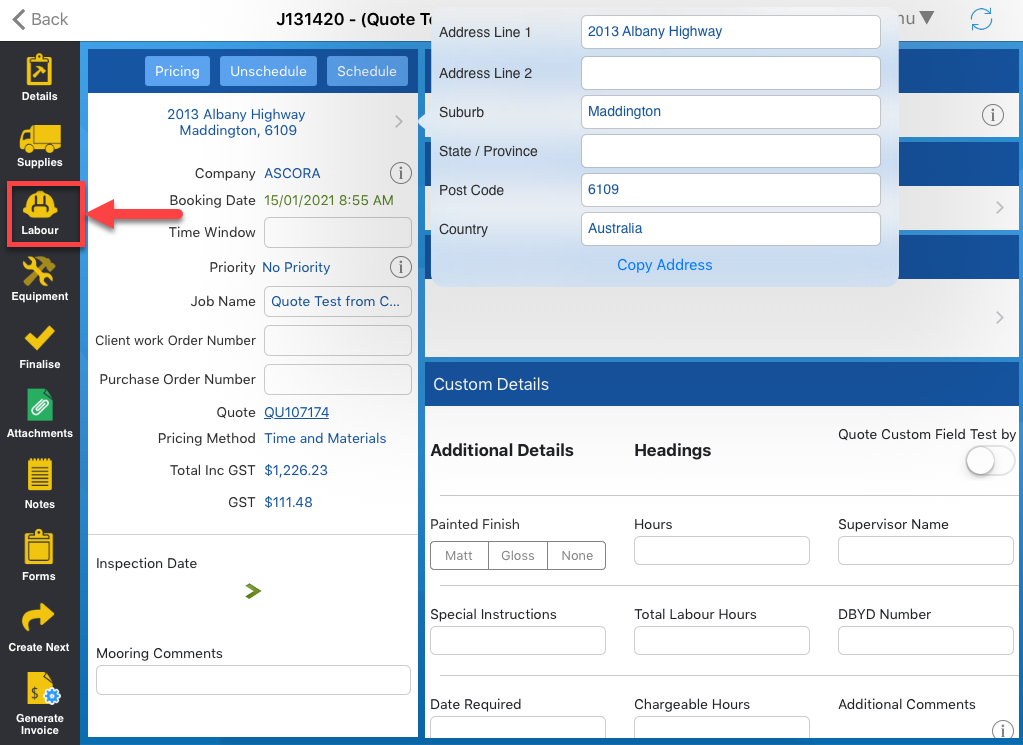
2. Tap Labour located on the left side of the iPad screen.
3. Tap Add Labour button.

4. From this screen, select the User and the Labour Role. You can also manually adjust the duration and rates if needed.
Once ready to proceed, click Save.

Got a question?
Submit an Idea 💡 Go to Ideas Portal