Including optional supplies in your quotes is a great way to provide customers with additional choices while maintaining a clear and professional presentation. Optional items allow you to offer flexibility for customers who may want to add or omit specific materials or supplies, without impacting the overall quote structure.
This guide will walk you through the process of adding optional supplies to a quote, tagging them appropriately, and configuring your quote templates to display these items seamlessly. With proper setup, your quotes will reflect optional supplies in a dedicated section, ensuring customers have a transparent view of their choices.
Follow the steps below to add optional supplies, configure your quote template, and test your setup for accurate and efficient quoting.
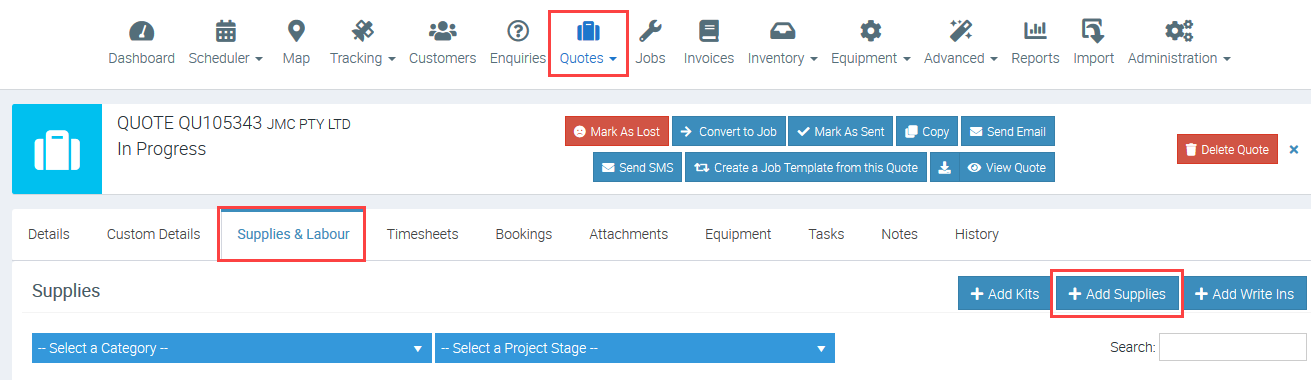
1. Go to Quotes tab and access the quote that you need an optional supply added to and click + Add Supplies.
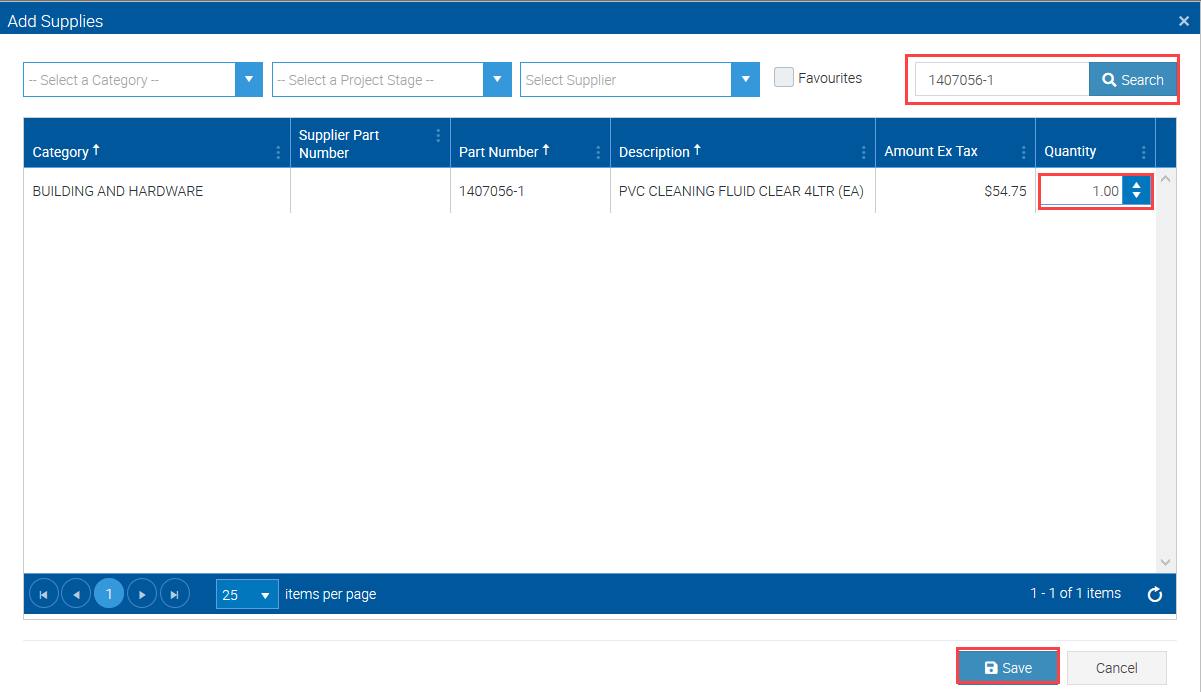
2. Search the supply item then enter the required quantity and click Save.
3. Your supply item is now shown under Supplies area and under column called "Optional", the default answer is No and simply click it to change to Yes.
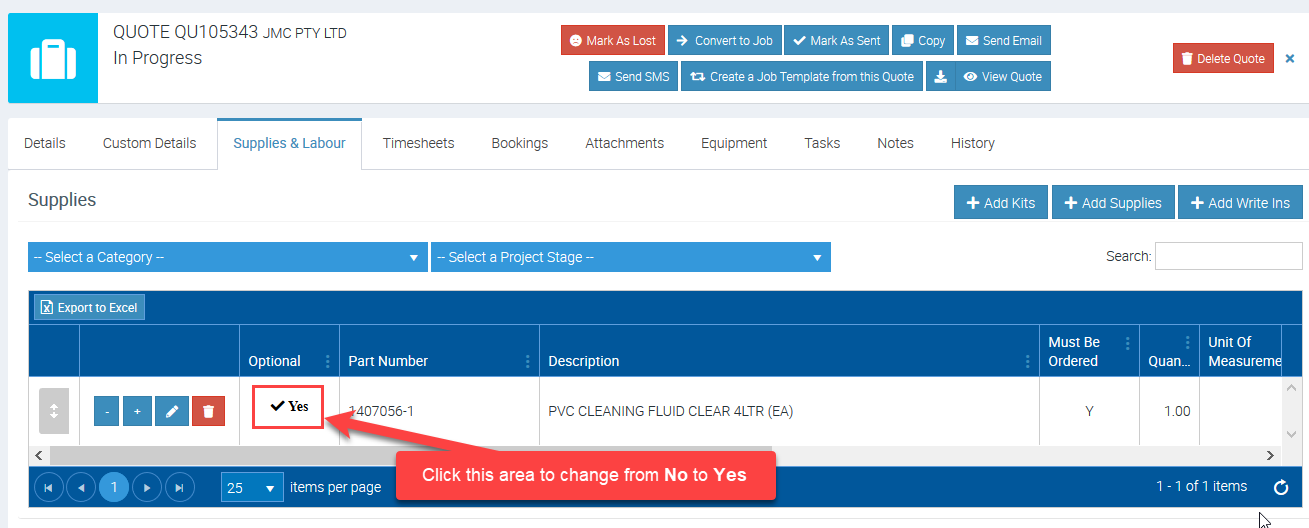
Supply item is now set as optional and if you have other supplies to tag as optional, simply repeat step number 3.
Configuring Quote Template
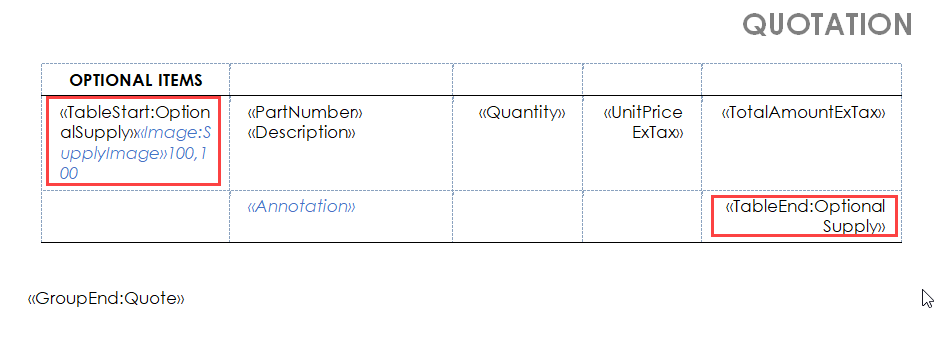
Access your quote template in Administration → Document Templates and make sure to add a table for Optional Items.
In the following example, we have a quote template that picks up optional supply details such as supply image, part number, description, quantity, unit price, and total amount.
Generating Quote Template
Once you've already added an optional supply item and configured your quote document template, access your quote and run a test to see if details are populating successfully.
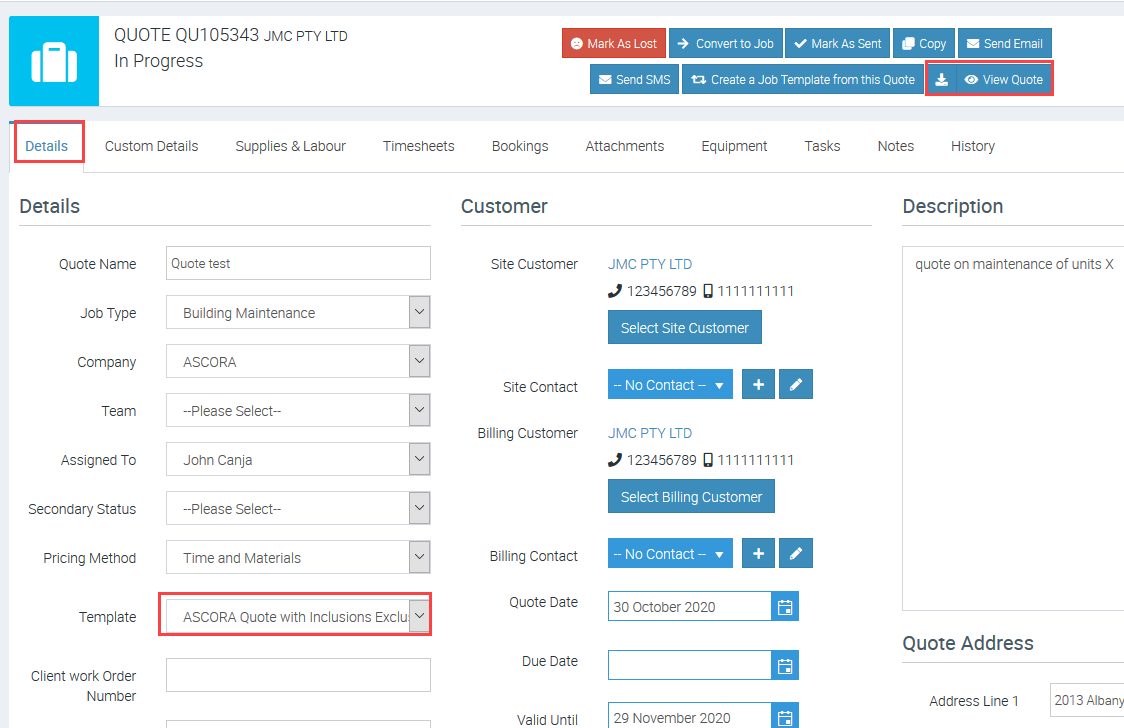
1. Go back to Quotes tab and access the quote that you've just edited. Click Details and select the corresponding Quote Template and click View Quote.
. Quote document should now show the optional supply item that we've added earlier which is PVC Cleaning Fluid Clear with amount $54.75.

Got a question?
Submit an Idea 💡 Go to Ideas Portal