If your customer operates across multiple locations—such as different branches, warehouses, or project sites—you can easily manage all these locations within a single umbrella customer card in Ascora. This approach allows you to group related sites under one main customer (e.g., XYZ Pty Ltd), yet still create jobs, invoices, and other records specifically tied to each individual site. As a result, you can maintain a clear overview of all the work completed for the main customer without losing visibility into each site’s unique details.
In this guide, you’ll learn how to:
- Create new site entries under an existing customer.
- Distinguish site records using the company name or address fields.
- Quickly initiate jobs for a site or look up a site in the Customer List.
By organizing multiple sites under a single customer, you’ll streamline job creation, reporting, and invoicing across all locations while keeping your database clean and user-friendly.
- Open the Customer List
- Click on the Customers icon in the top menu to display all existing customers.
- Locate and select the umbrella (main) customer that needs additional sites.

- Access the Sites Tab
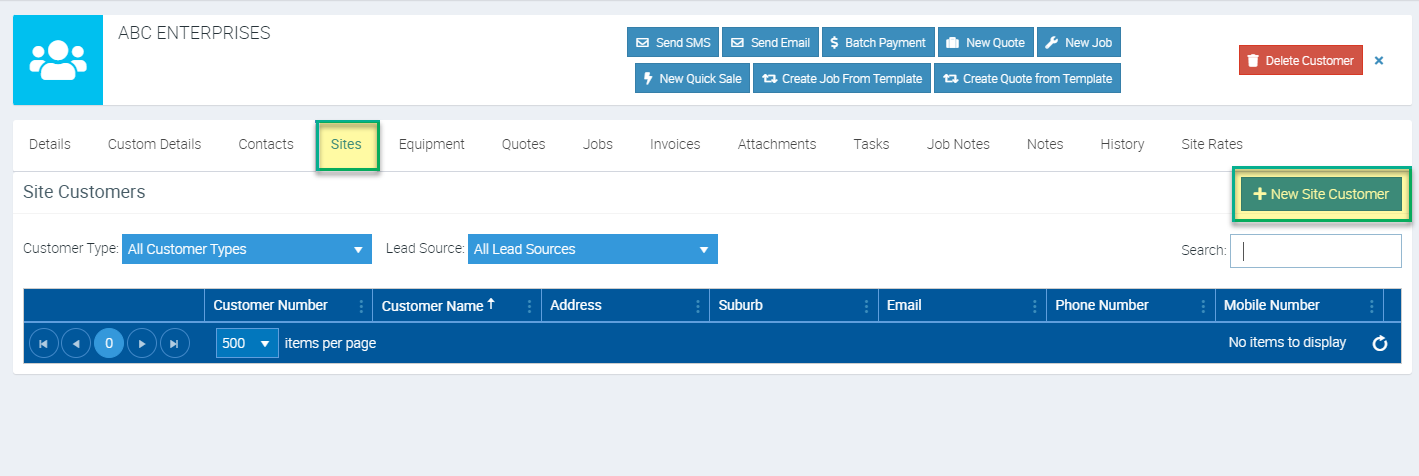
- In the Customer Card, switch to the Sites tab.
- Click + New Site Customer to begin adding a new site
- Enter Site Details
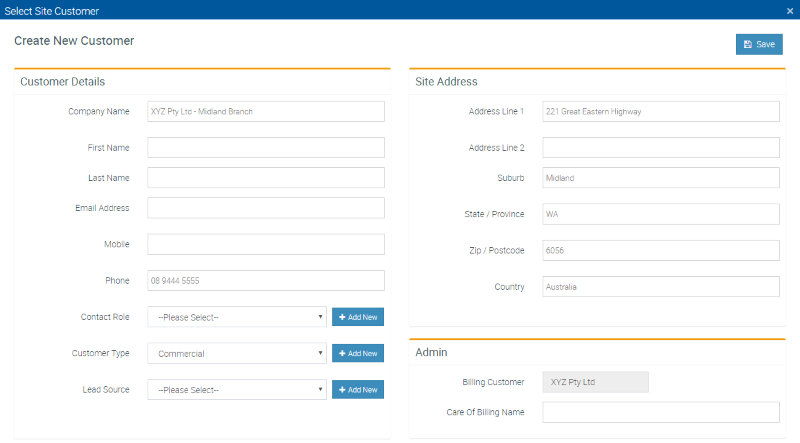
- Company Name: Use a clear identifier to distinguish this location (e.g., “Warehouse,” “East Branch”).
- Address Fields: Include the precise address in Line 1 to make it easy for field staff to locate.
- Contacts (Optional): Add site-specific contacts if necessary.
- Review and Save
- After entering all relevant site information, click Save.
- The new site record will appear under the Sites tab for that umbrella customer.
- Create Jobs or Search for the Site
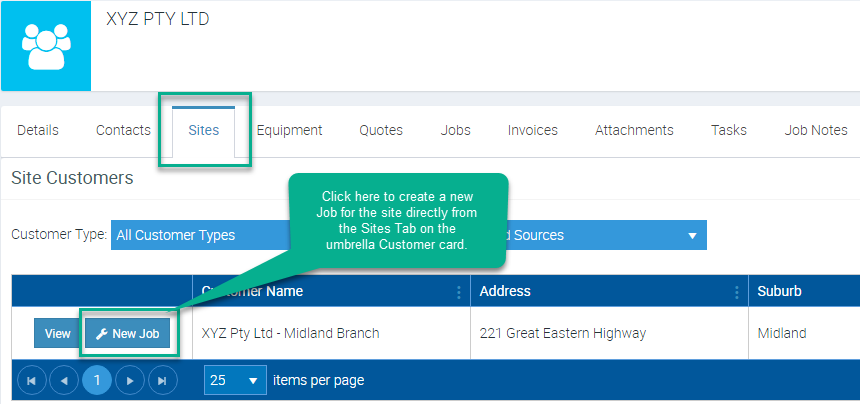
- From the Sites tab, click + New Job next to the site to schedule work directly at that location.
- Alternatively, you can find this site in the Customer List and treat it like a stand-alone customer (e.g., for job creation, quoting, or invoicing).
Example of Multiple Sites
Below, “ABC Enterprises” has two different branches. Each site’s unique information is stored under the main customer record, allowing you to track work and invoices for each location while maintaining an overarching view of the entire business.
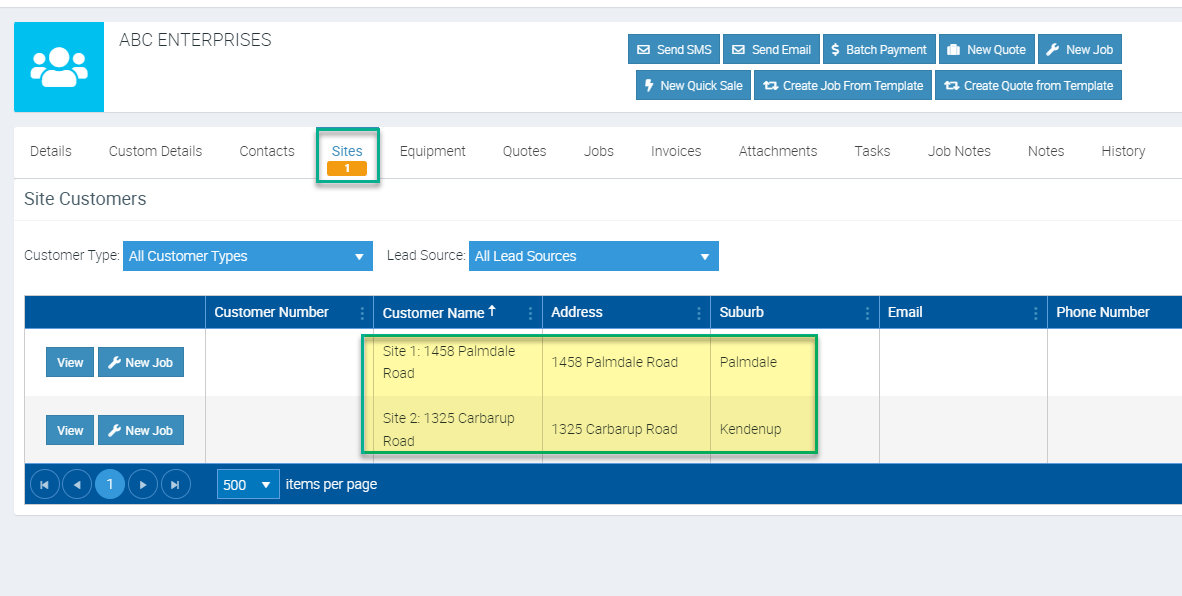
By organizing locations in this way, you can streamline both billing and project management, ensuring each site’s data remains clearly associated with its parent customer while retaining a detailed history of work completed.
Got a question?
Submit an Idea 💡 Go to Ideas Portal