Automated follow-ups for overdue invoices simplify the process of managing outstanding payments. This guide explains how to configure and customize follow-ups for invoices that are past due, using either email or SMS templates. By setting the reminder to trigger a specified number of days after the invoice due date, you can ensure timely notifications to your customers—helping to reduce manual tracking and improve collection efficiency. Follow the steps below to set up your automated overdue invoice follow-up process in Ascora.
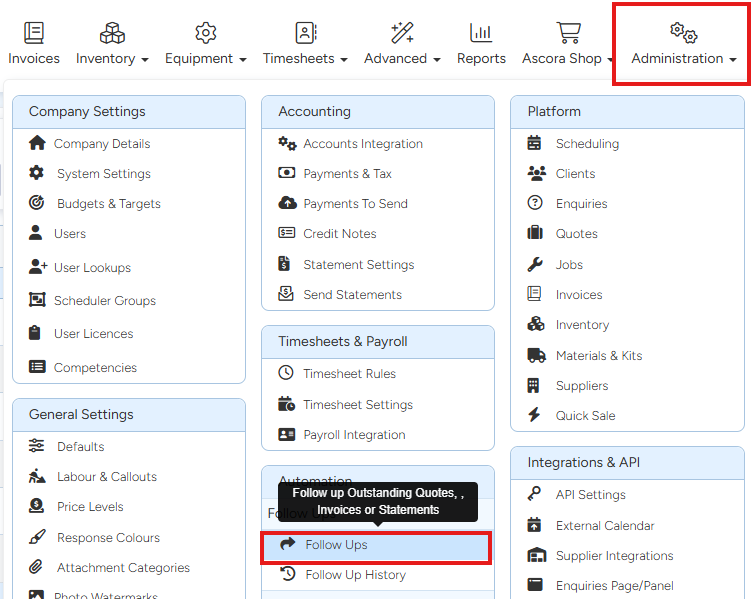
1. Go to Administration → Follow Ups
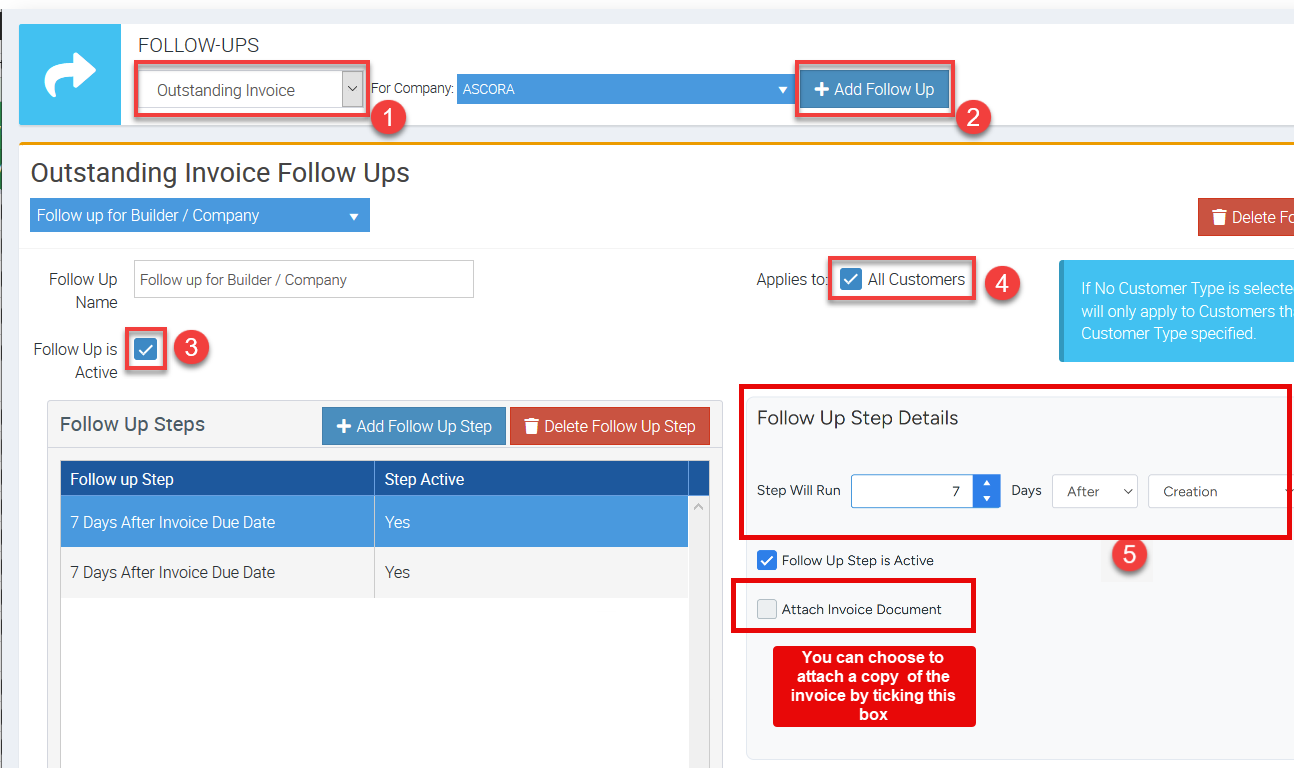
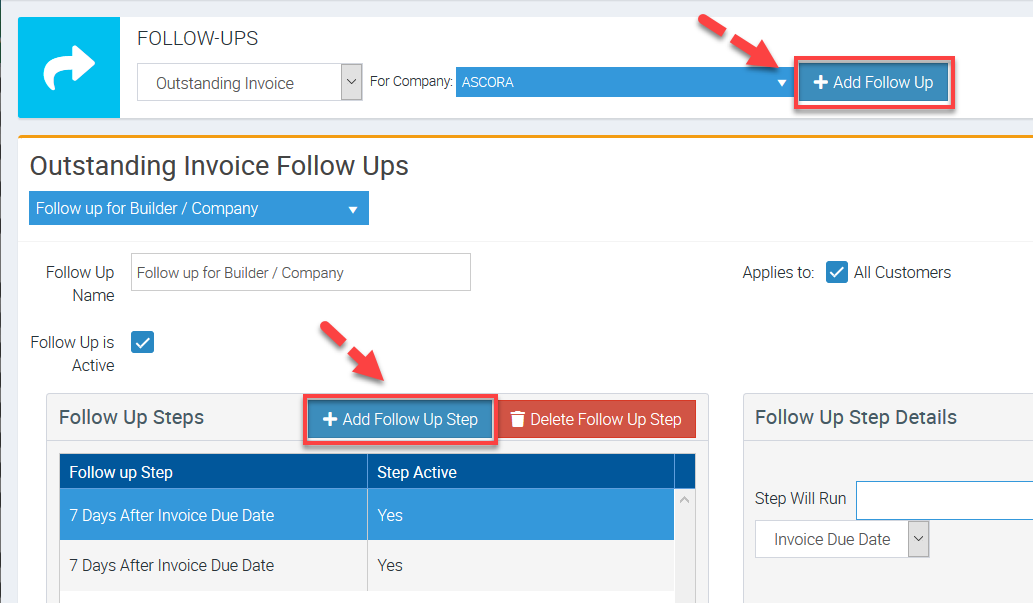
2. Select Outstanding Invoice from the drop down list and click + Add Follow Up then tick the box beside Follow Up is Active and select your specific customer or select All Customers.
Next is to set up the details under Follow Up Step Details
- Here you can set up an X number of days after Invoice Due Date.
Ensure to follow the following sequence.
3. You can select Email Template or SMS Template for your automated quote follow-up.

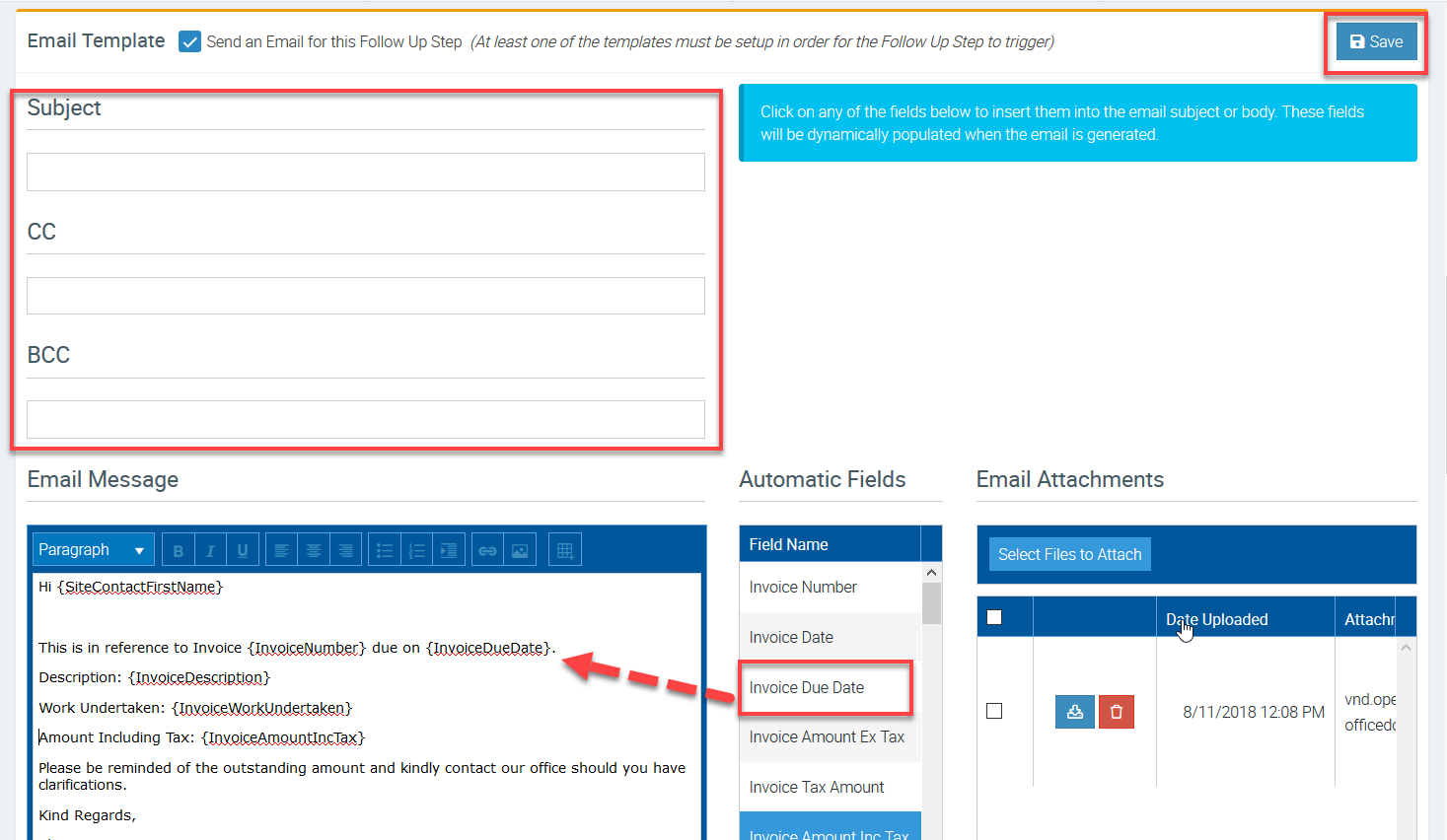
4. When you select Email Template, enter the necessary details such as subject, email message.
In this example, we added a few automatic fields and one of them is Invoice Due Date as indicated below.
Once ready to proceed, click Save.
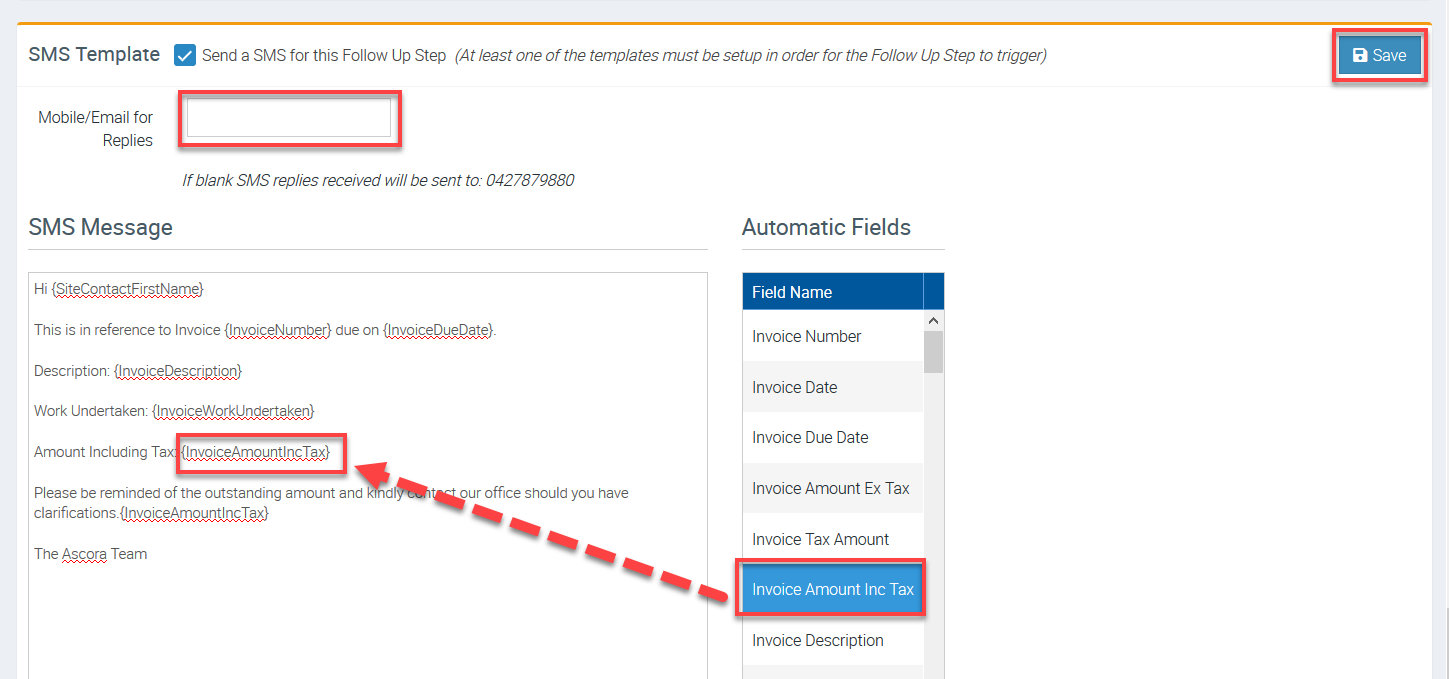
5. When you select SMS Template, enter the necessary details such as mobile number or email address to receive replies, SMS message.
In this example, we added a few automatic fields and one of them is Invoice Amount Inc Tax as indicated below.
Once ready to proceed, click Save.
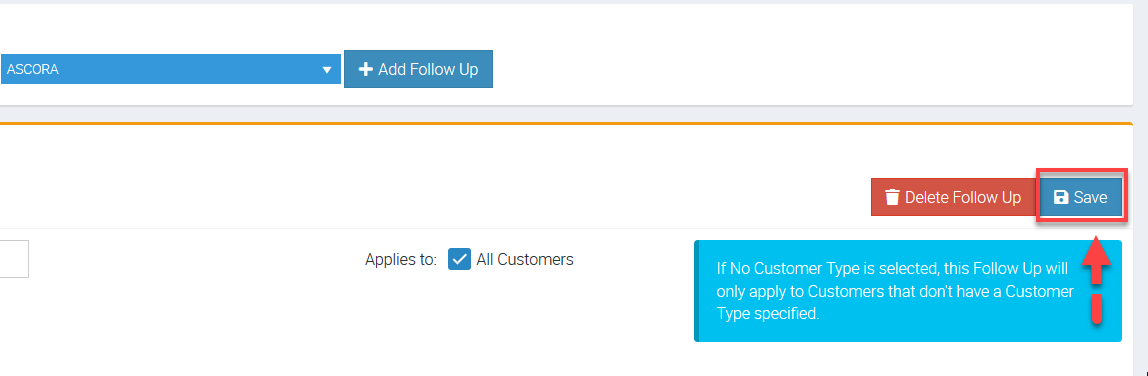
7. After entering all necessary information and to proceed with the set up, click Save button located beside Delete Follow Up button.
ℹ We've now completed the steps in creating automated quote follow up.
Got a question?
Submit an Idea 💡 Go to Ideas Portal