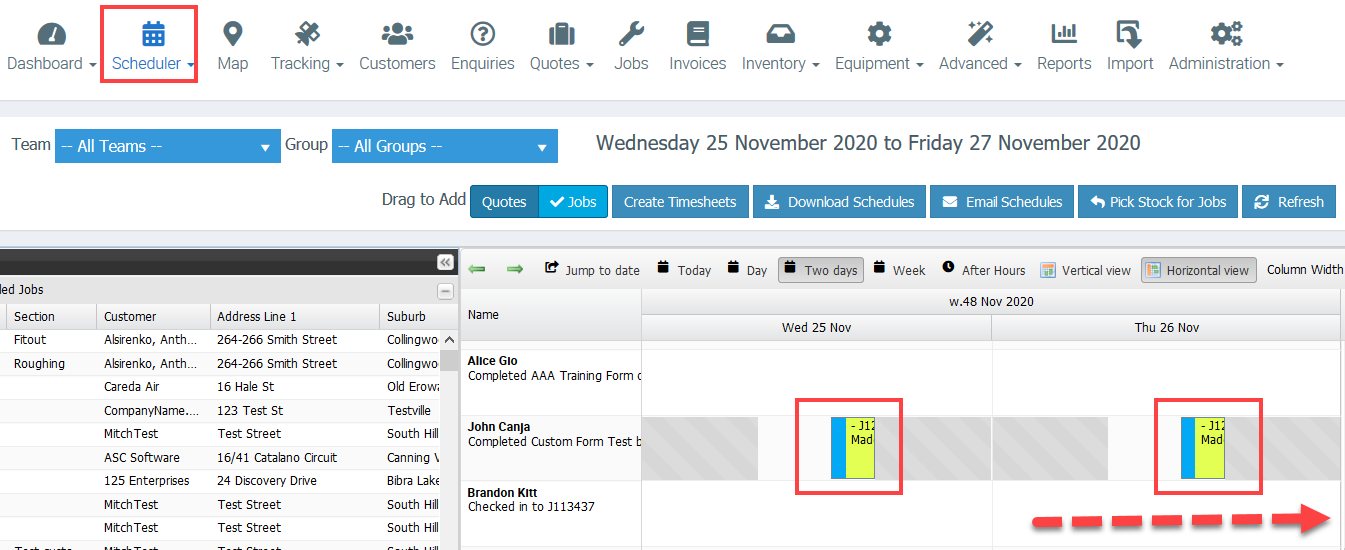
Efficiently manage jobs that need to be performed on consecutive or specific days using Ascora’s repeating job booking feature. This tool allows you to configure a job to repeat for a designated number of days, ensuring seamless scheduling and reducing manual effort. Once set, the repeating jobs appear on the Scheduler, helping you plan and allocate resources effectively.
Why Use Repeating Bookings?
- Consistency: Automatically schedule recurring tasks without creating separate bookings for each day.
- Flexibility: Easily customize the number of repetitions, time frames, and specific details for each job.
- Simplified Updates: Make changes or cancellations directly from the Job Booking tab, which instantly reflects on the Scheduler.
This feature is ideal for businesses managing ongoing projects, regular maintenance, or multi-day jobs, providing greater control and clarity over your schedule.
Explore the steps below to set up repeating bookings and optimize your scheduling workflow.
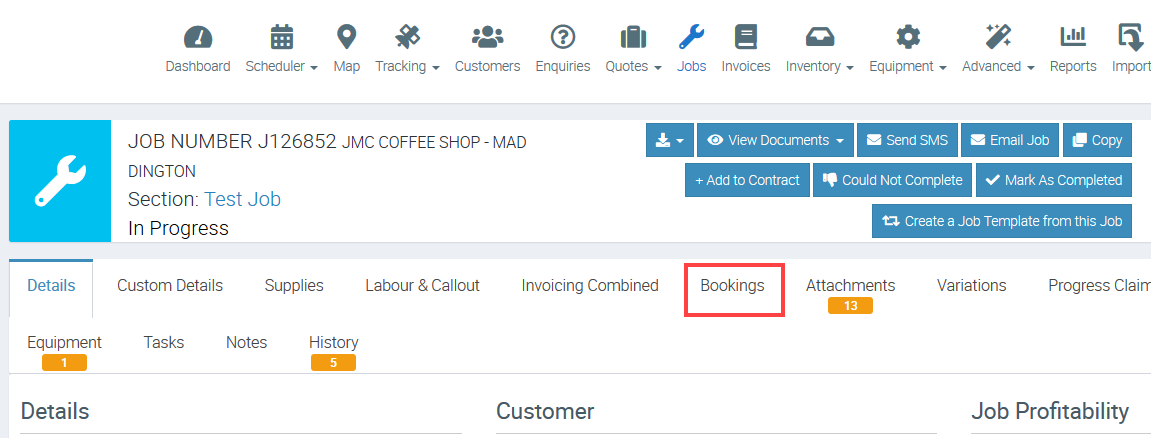
1. Access the Job screen and open the job where you need to add repeat bookings and click Bookings.
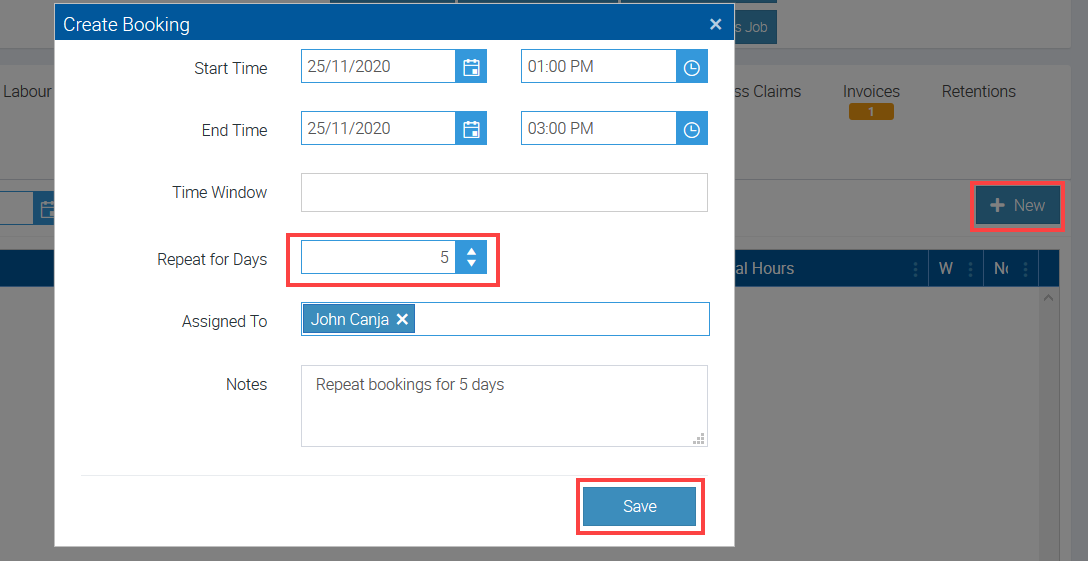
2. Click New and enter the necessary details such as Start Time and End Time, number of repetition and once done, click Save.
In the following example, we are creating a booking that repeats for 5 days with a time frame of 01:00 PM - 3:00 PM.
3. Access Scheduler and you can see the the same repeating as what has been set up.