Accurate timesheet tracking and seamless payroll management are essential for optimizing workforce efficiency and controlling labor costs. Ascora’s latest enhancements offer a powerful suite of tools designed to automate key processes, improve compliance, and provide deeper insights into job profitability and employee utilization.
With features like automatic penalty labor rates, job-specific rate overrides, and timesheet rules, businesses can eliminate manual calculations and ensure precise payroll processing. Enhanced payroll summaries and utilization reports provide real-time insights into workforce productivity, helping you make data-driven decisions.
Additionally, user allowances, timesheet locking, and improved permission controls ensure compliance and prevent unauthorized edits, while seamless integration with payroll systems like Xero and MYOB simplifies financial reconciliation.
Whether you need to track billable hours, enforce overtime rules, or configure payroll settings based on your company’s policies, these latest improvements empower your business to operate more efficiently while reducing administrative overhead.
Explore how Ascora’s advanced timesheet and payroll features can streamline operations, boost profitability, and give you greater control over labor costs.
Enhanced Payroll Summary
The Payroll screen now displays the summary of times broken down by the rates in the payroll period (if connected to Xero the Timeframe displayed would be determined by the Xero Pay Period).
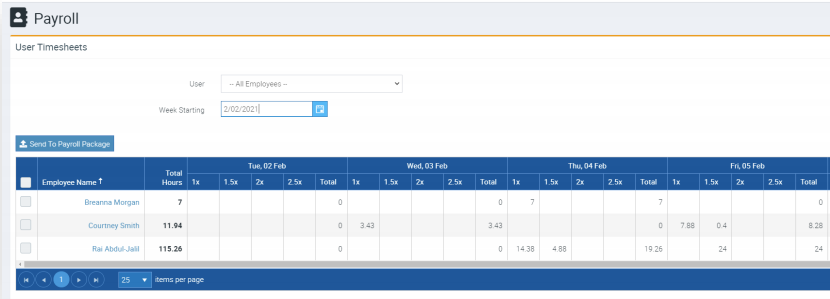
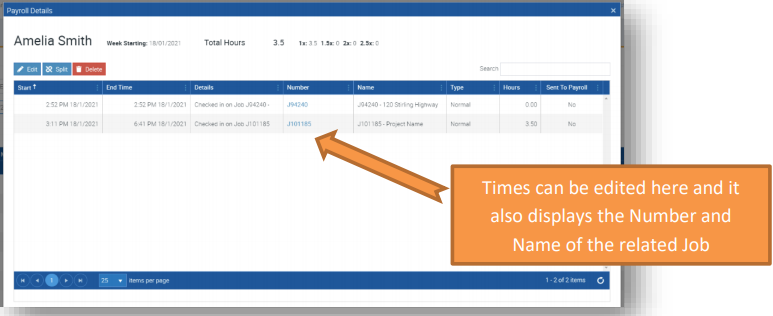
Selecting a User will display the itemised breakdown of their times:
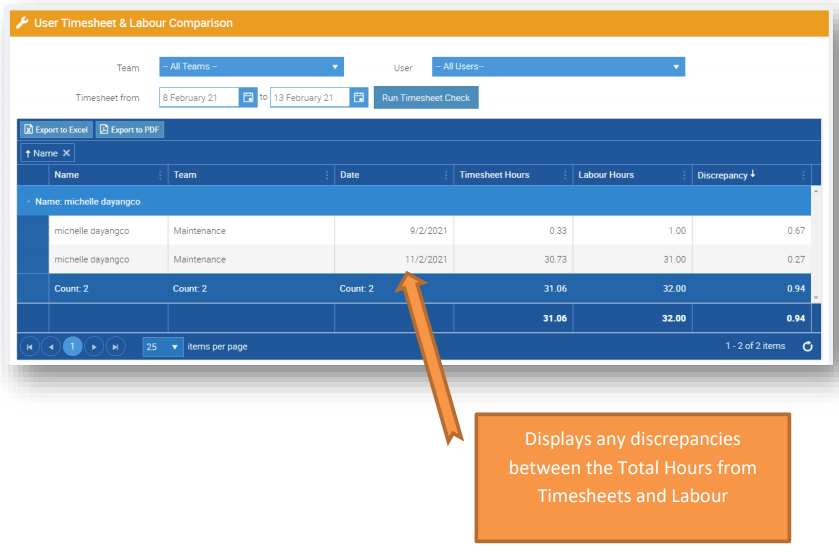
Timesheet vs Labour Comparison Report
A new report available in the Reporting area, this will display any discrepancies between the hours worked (timesheet hours) and labour hours.
Timesheet Utilisation & Job Profitability Reports
New reports that display the billable hours by technician and profitability per hour worked. These reports give you an even greater insight into the performance of your mobile workforce.
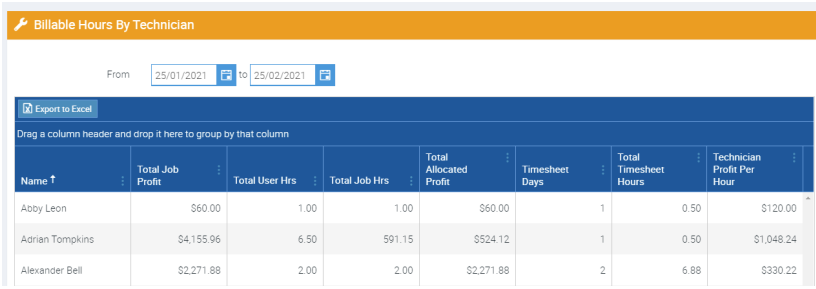
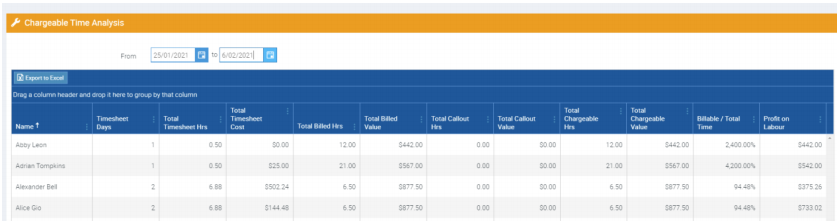
Displays the hours worked, Labour value and timesheet costs for the specified period and compares the billable percentage and profit generated from labour.
User Allowances
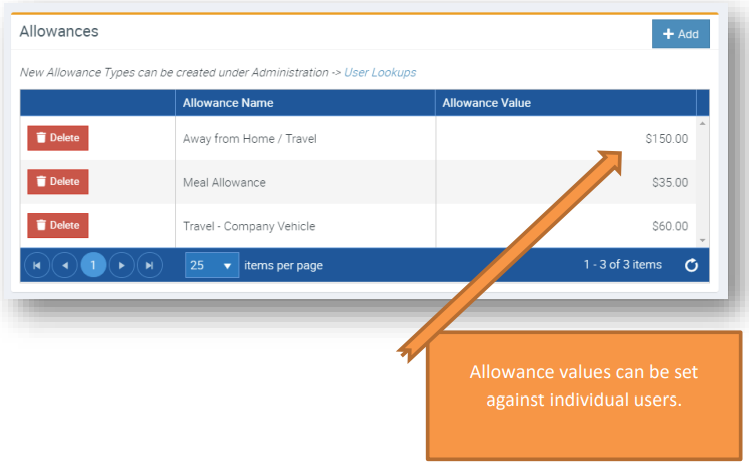
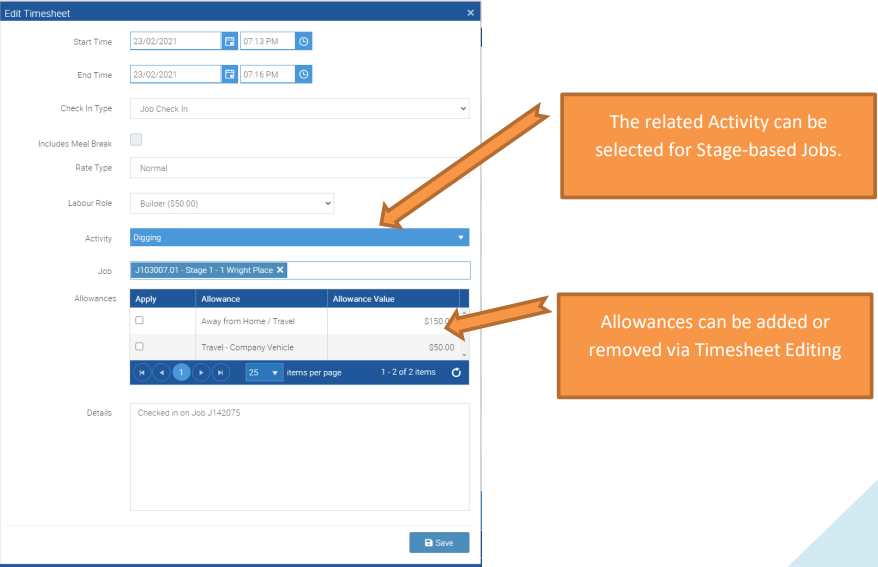
Allowances can now be defined and allocated to Users. Individual rates can be set against the Allowances on a User by User basis. Allowances can be added to timesheet records both from the web and out in the field.
Automatic Penalty Labour Rates
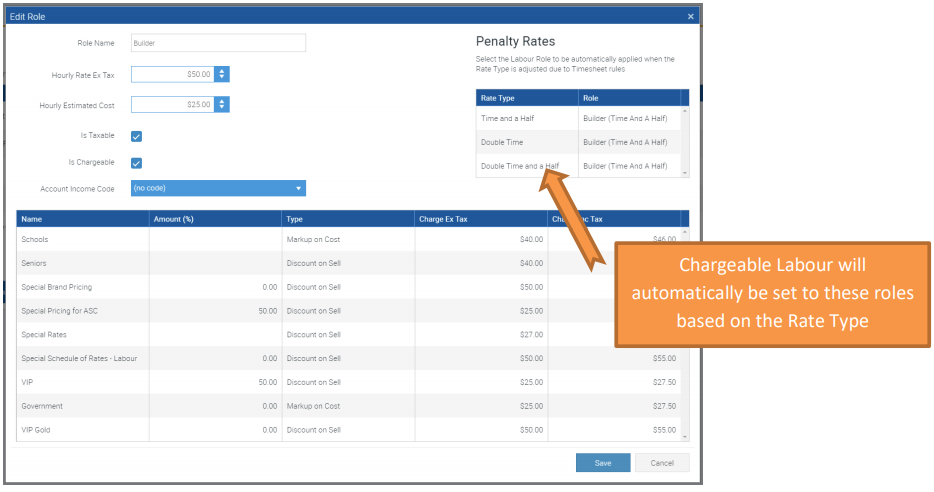
Timesheet Rules can be applied to entries from the team out in the field – converting a timesheet into the related normal, 1.5, 2, 2.5 times timesheet entries and costs. Now the adjustments to the charged Labour can also occur automatically based on the Penalty Rates set under the Labour Role.
Job Specific Rates
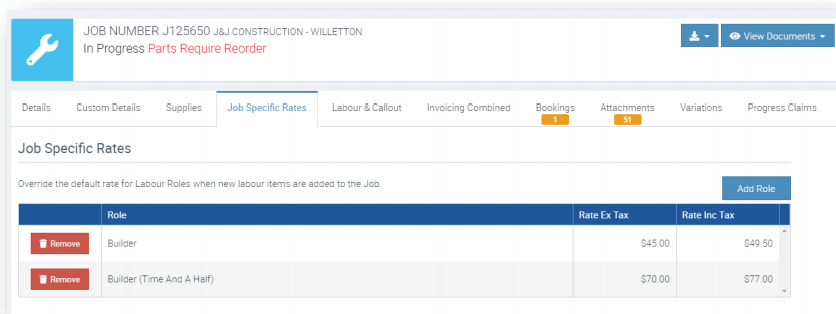
Now if you have a larger project in which the rates have been set based on that particular projects agreement, you can now also set these up in Ascora to automatically apply. Simply add any Job Specific Rate onto the related Job and this will act as an override for the hourly rate charged for that Job!
Timesheet Configuration
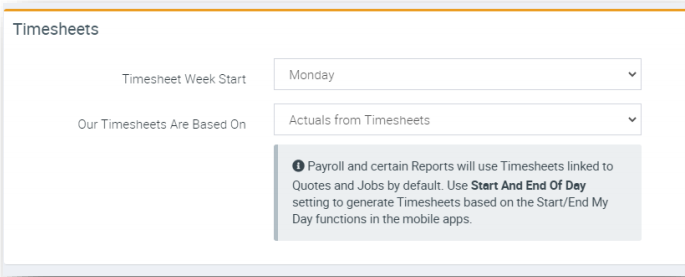
Adjustments to the Timesheet configuration now allow you to define the start day of week for the payroll period – now when your mobile team views their timesheets the week range displayed will be based on the start of week specified. Additionally you can set if their timesheets are recorded from start to end of day or based on the sum of all individual timesheet records:
Related Features
1. Timesheet Locking – Ability to lock all timesheet entries prior to a particular date and time to eliminate any accidental edits!
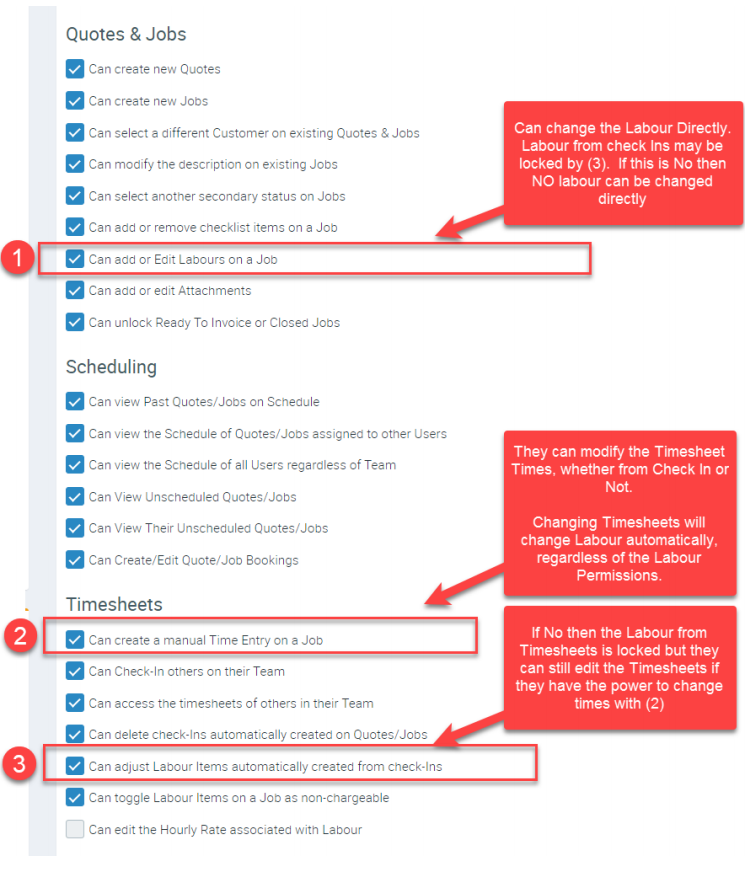
2. Labour Edit / Timesheet Edit Permissions – Adjustments to the Labour and Timesheet based permissions in the mobile apps. (See explanation below). The new permissions are clearer and also allow you to configure the timesheets to prevent edits to Labour directly (so Labour must equal the Timesheets entered) if desired!
3. Timesheet Rules – Ability to set automatic rules for day and hours worked to convert the timesheet entry from normal time to time and a half, double time and double time and a half.
Timesheet & Labour Permission Streamlining
Got a question?
Submit an Idea 💡 Go to Ideas Portal