Ascora offers two primary methods for recording timesheets, allowing businesses to choose the most suitable approach for their operations:
- Actual Timesheets – Automatically recorded when users check in and out of jobs or quotes via the mobile app, providing precise tracking of work hours.
- Start and End of Day Entries – Captures total work hours from the moment a user taps Start My Day until they tap Finish My Day, deducting a standard lunch break if configured.
This flexibility ensures businesses can track time in a way that aligns with their operational needs, whether focusing on granular job-level tracking or a broader daily overview.
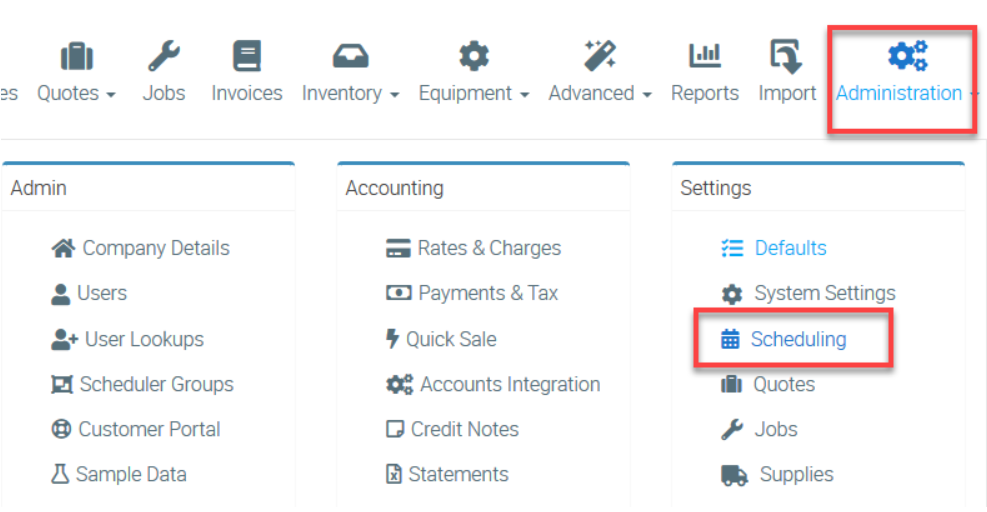
Administrators can configure these settings under Administration → Scheduling, where they can also define the Timesheet Week Start and standard break times for automated deductions. By setting up timesheets correctly, businesses can enhance payroll accuracy, improve labor tracking, and streamline workforce reporting.
1. To select your setting, go to Administration → Scheduling.
2. Scroll down and look for Timesheets area in the left panel.
In the field called Our Timesheets Are Based On, select either Actuals from Timesheets or Start and End of Day Less Standard Lunch.
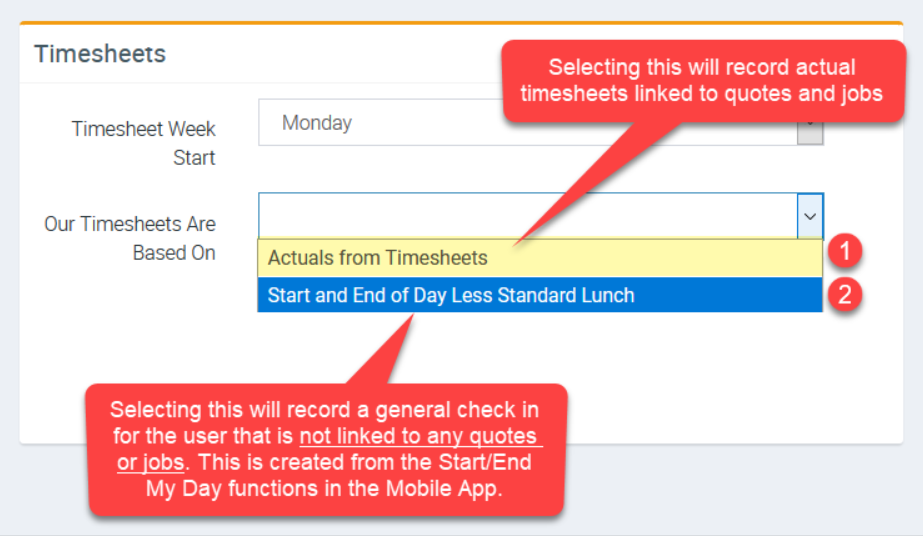
Comparison between Actuals from Timesheets and Start and End of Day Entries
| Actuals from Timesheets | Start and End of Day Less Standard Lunch |
|---|---|
| • Use this if you want your timesheets to be always linked to quotes and jobs. • This is recorded every time a mobile user checks in and checks out of a quote or job from the Mobile App This flows through reporting by accessing Reports → Timesheet Editing → then select Job, Quote, and General Entries | • Use this if you want special timesheets that are based on check ins created from the Start/End My Day functions in the mobile apps but not linked to any quotes or jobs. This flows through reporting by accessing Reports → Timesheet Editing → then select Start My Day - End My Day Entries. |
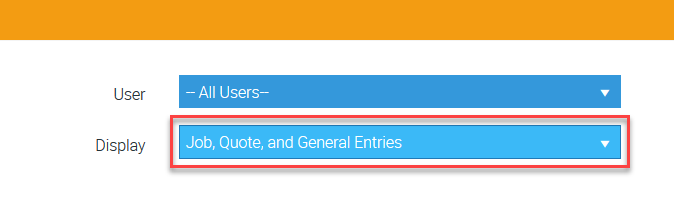
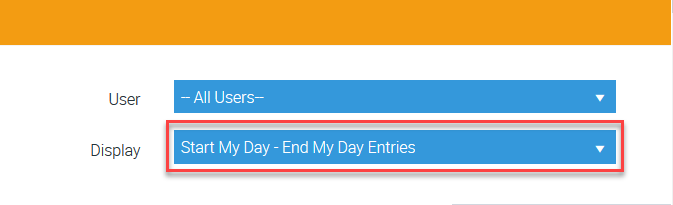
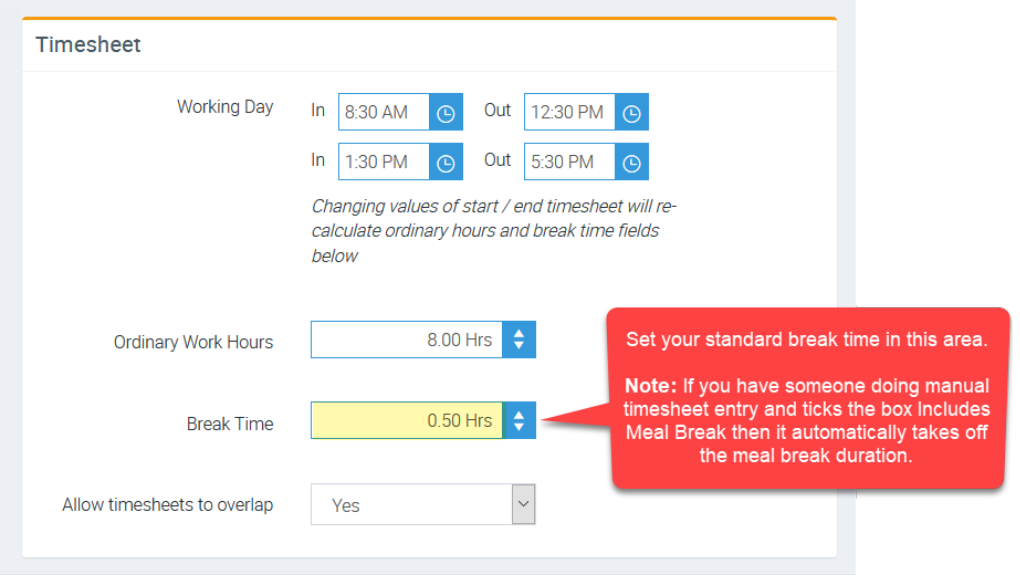
To set your standard break time, go to Administration → Defaults → Timesheet → Break Time.
Got a question?
Submit an Idea 💡 Go to Ideas Portal