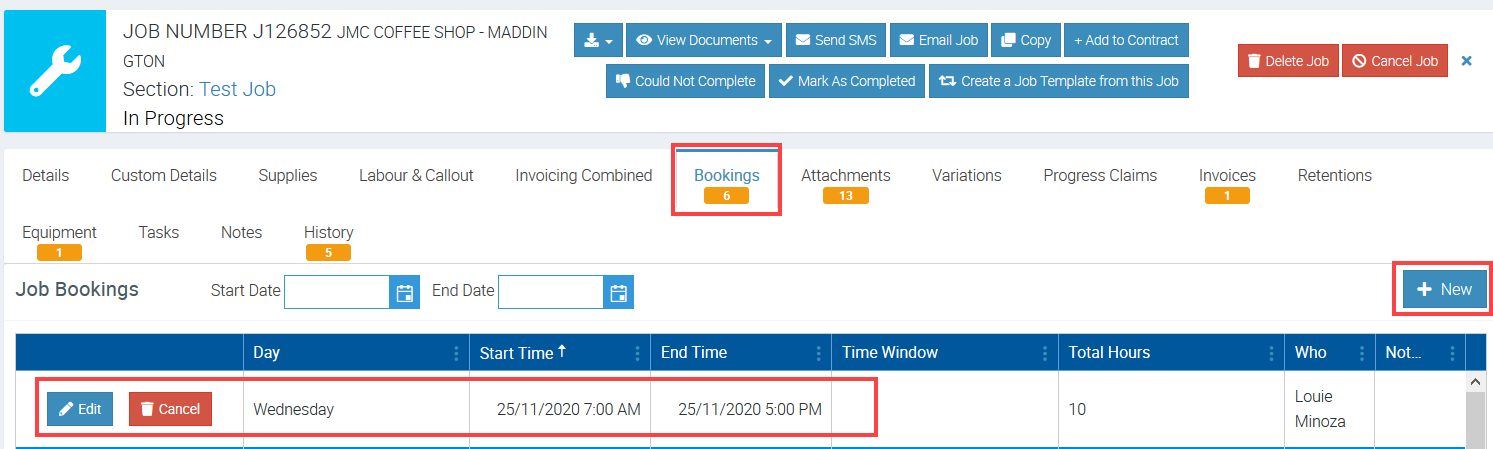
Ascora's Scheduler empowers you to create multiple bookings for a single job, ensuring your business can accommodate reattends, split shifts, or additional appointments. Whether you're managing complex projects or responding to evolving client needs, this feature streamlines your scheduling process and improves team efficiency.
With the ability to assign multiple bookings directly from the Scheduler or at the Job level, you can:
- Seamlessly allocate tasks across multiple team members or days.
- Ensure visibility and consistency by syncing bookings between the Scheduler and Job details.
- Easily edit or update bookings as required to adapt to changing circumstances.
This guide will walk you through enabling and managing additional bookings, offering flexibility to tailor your operations and provide exceptional client service. By leveraging Ascora’s tools, you can maintain clarity, reduce double-booking risks, and keep your schedule running smoothly.
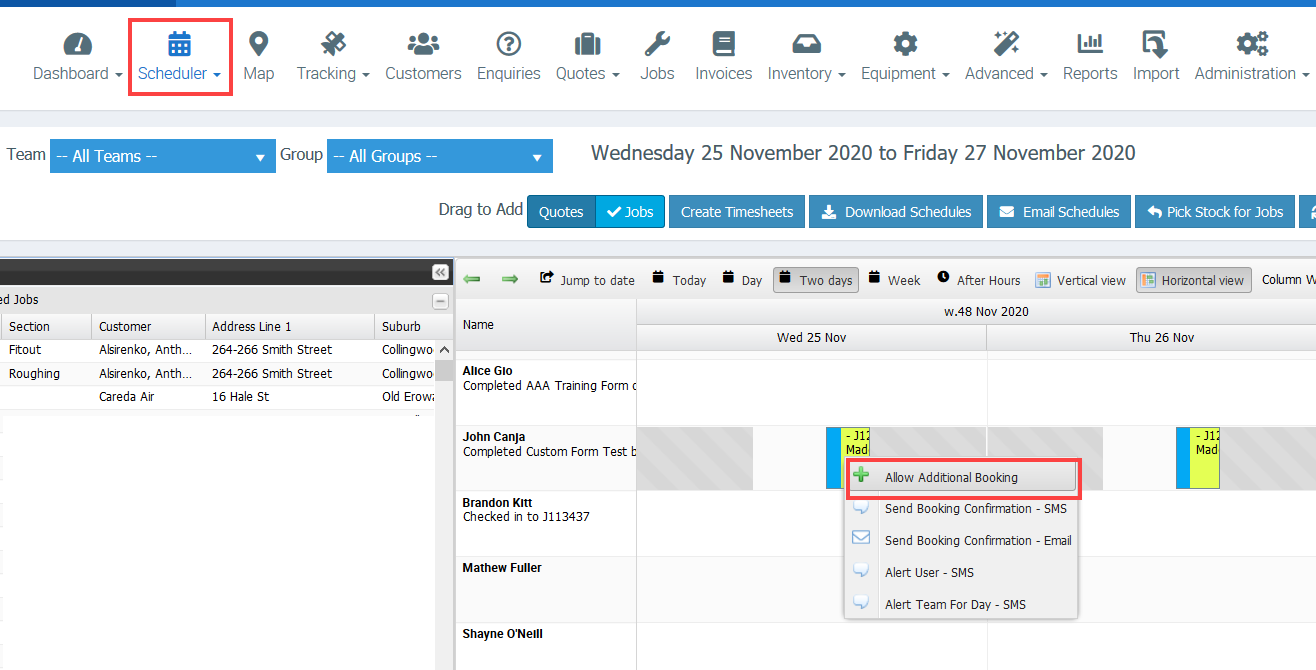
1. Go to Scheduler and right click on the job and select Allow Additional Booking.
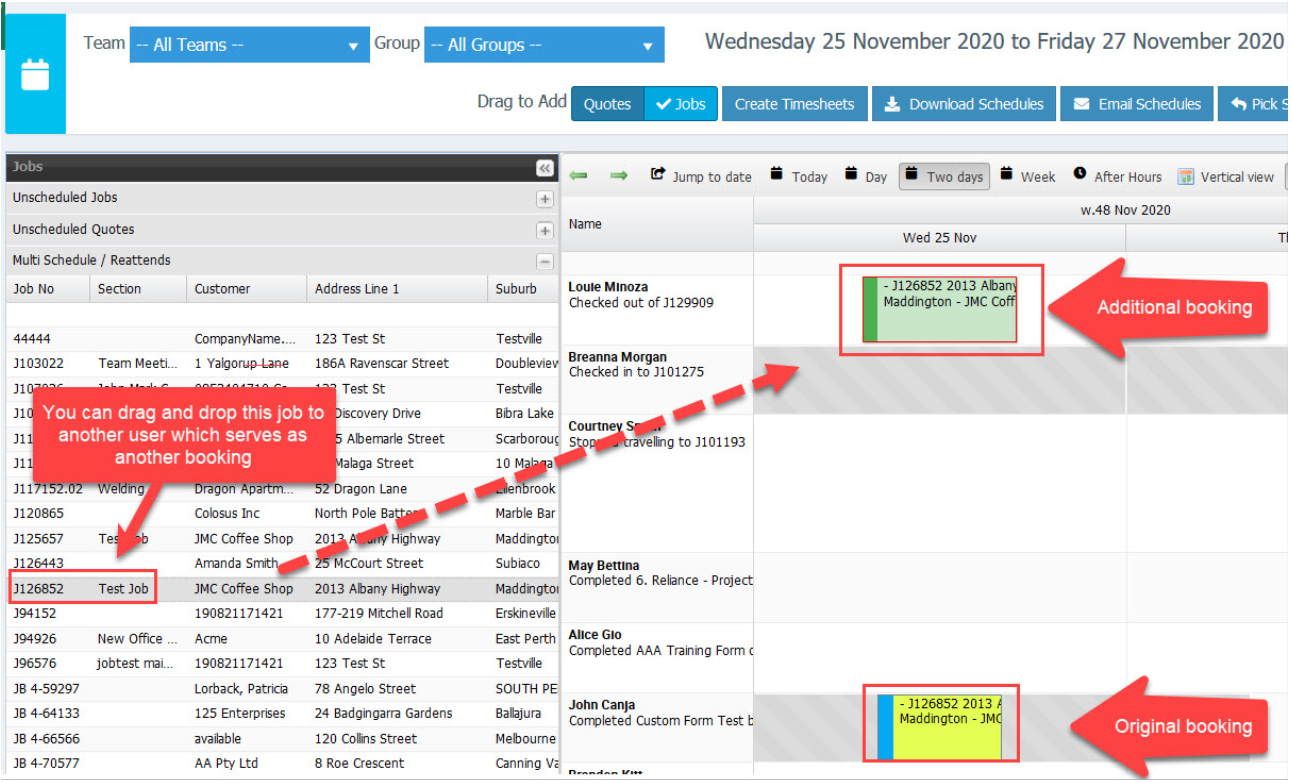
2. Click Multi Scheduler/Reattends located on the left side of the Scheduler screen.

3. Drag and drop the job to the area beside the staff name to whom you'll assign another booking.
In this example, we created another booking for JobJ126852 and assigned it to another user.
When you add another booking from the Scheduler, it also automatically adds the booking details on the Job level which you can edit if necessary.