Kits in Ascora consist of multiple supply items bundled together for streamlined pricing and job costing. When supplier prices change, it’s important to understand how these updates affect your kits—especially when the pricing method is set to "Sell Price of Components" or "Markup on Cost".
With these pricing methods, any changes to the cost of individual supplies will automatically adjust the total kit price. This ensures that your margins remain intact and that job costing remains accurate without requiring manual updates.
This guide demonstrates how price updates impact kit pricing, ensuring that your financials stay aligned with supplier costs and that your quotes and invoices always reflect the most up-to-date pricing structure.
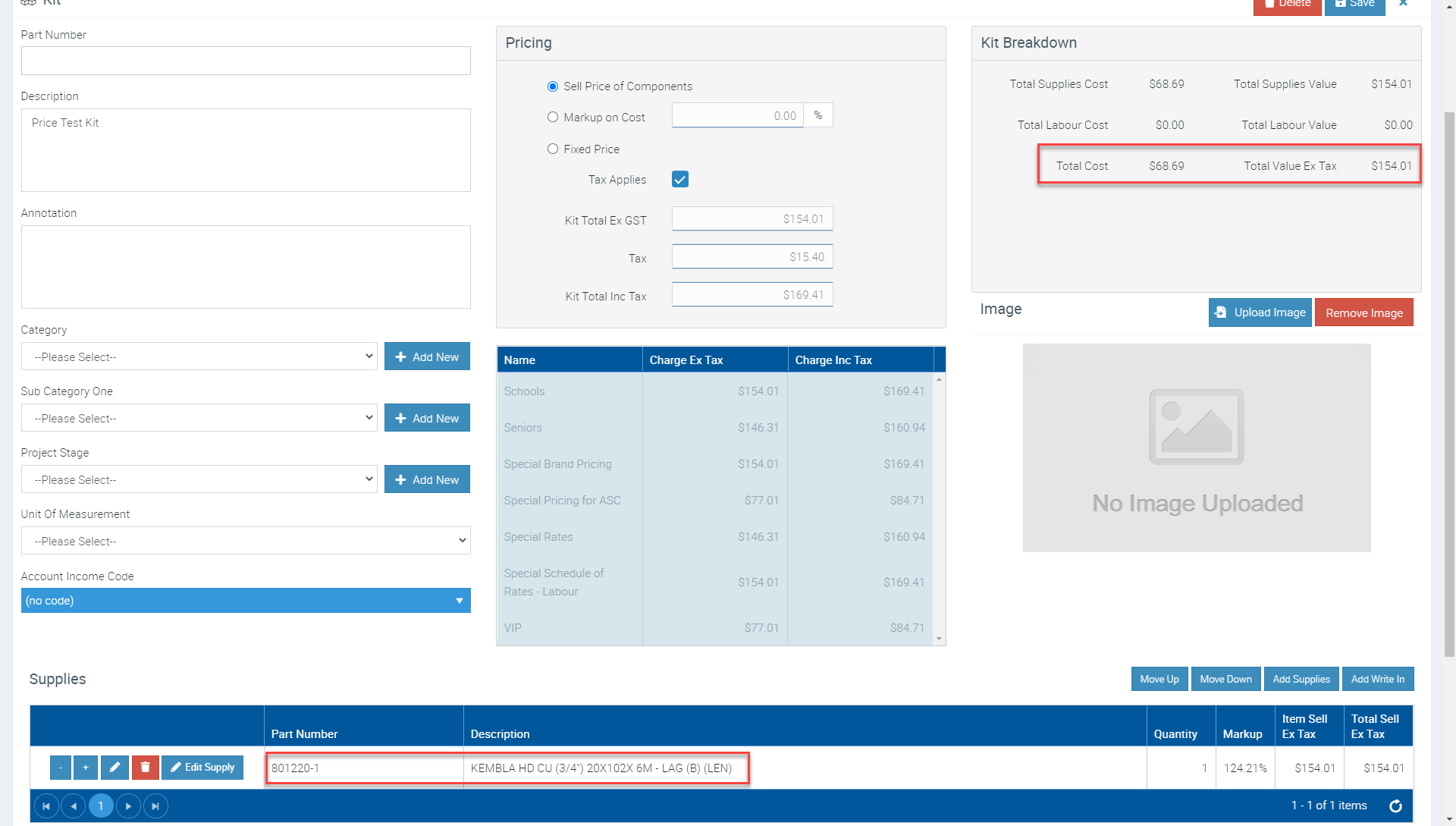
Here's the original Kit used prior to a Supplier Price Update:
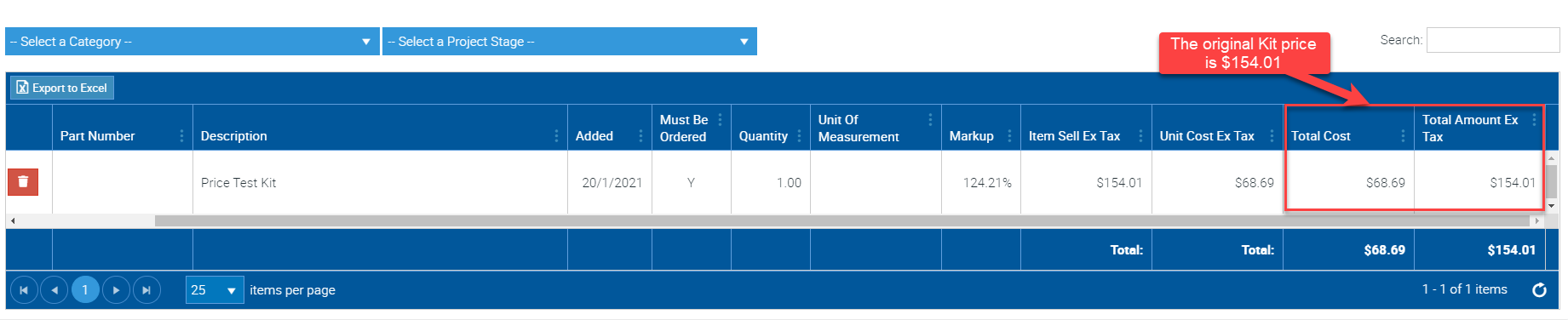
When added to a Job the Kit Price is $154.01 with a cost of $68.69. Here's an example of the Kit added onto a Job:
We'll prepare a Supplier Price Import File and import this according to the Untitled:
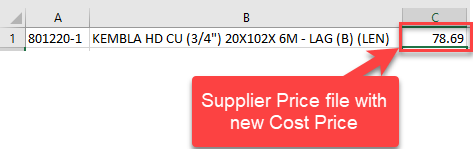
After the import we would expect the cost of our Kit to increase from $68.69 to $78.69 and the Kit Price to increase to maintain the Markup (as this was the option selected when importing the Supplier Price File)
Adding another Kit to the same Job we can see the Pricing on the Kit has increased accordingly:

Got a question?
Submit an Idea 💡 Go to Ideas Portal