Effective inventory management is essential for maintaining operational efficiency, reducing waste, and ensuring that supplies are always available when needed. By enabling Inventory Tracking in Ascora, you gain greater control over stock movements, allowing for accurate tracking of materials used on jobs, real-time updates on stock levels, and seamless inventory adjustments.
Once enabled, Ascora will automatically track supplies as they are received, transferred between locations, or used on jobs. This eliminates the need for manual stock adjustments and ensures that your business maintains an up-to-date view of inventory across multiple locations, including warehouses and service vehicles.
Additionally, tracking inventory helps prevent over-ordering, reduces stock discrepancies, and provides more accurate financial reporting. With better visibility into stock availability, your team can work more efficiently, reducing time spent searching for supplies and improving overall job completion rates.
This guide will walk you through the simple process of enabling Inventory Tracking in Ascora so you can start managing your stock with confidence.
📽 Watch the video guide ⤵
ℹ Inventory Tracking is not enabled by default but you can enable it by going to Administration → Defaults.

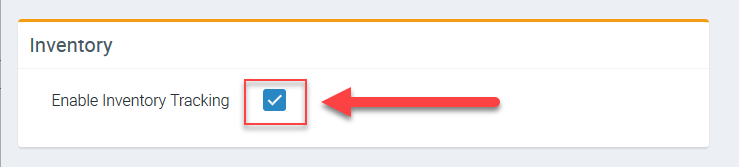
1. On the left panel, scroll down and look for the field called Enable Inventory Tracking and tick the box beside it.
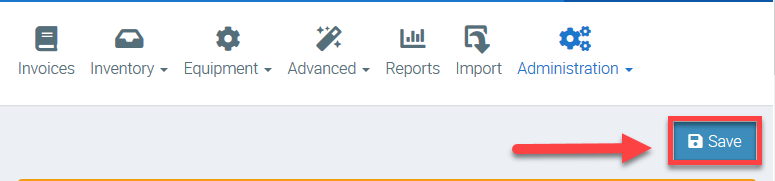
2. Once enabled, click Save button located at the upper right part of the screen.
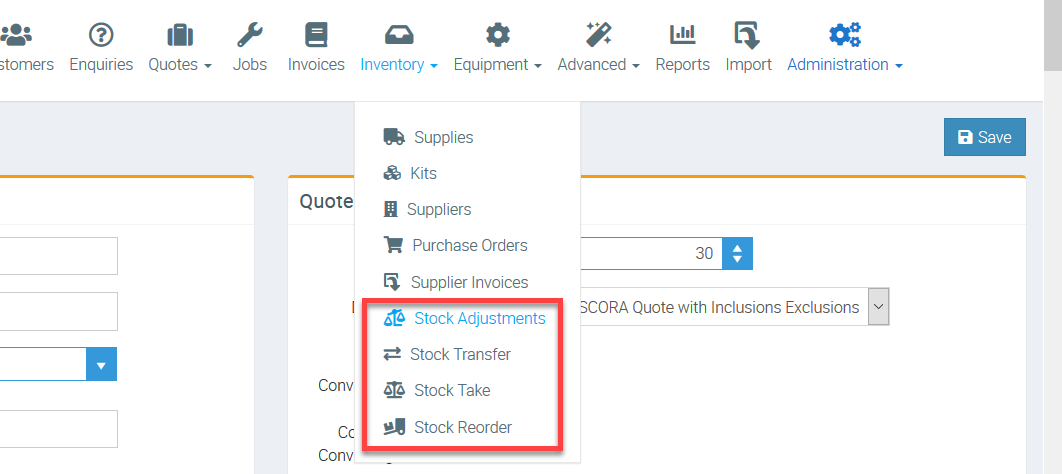
3. When you click Inventory from the menu, you should now see the rest of the options related to inventory tracking as indicated in the image below.
Got a question?
Submit an Idea 💡 Go to Ideas Portal