Keeping track of purchase orders is essential for managing supplies and ensuring smooth job completion. In the Ascora iOS app, you can easily access all purchase orders, filter them by user or status, and make necessary updates directly from your device. This guide will walk you through how to locate, review, and modify purchase orders efficiently, ensuring your team stays organized and on top of supply management.
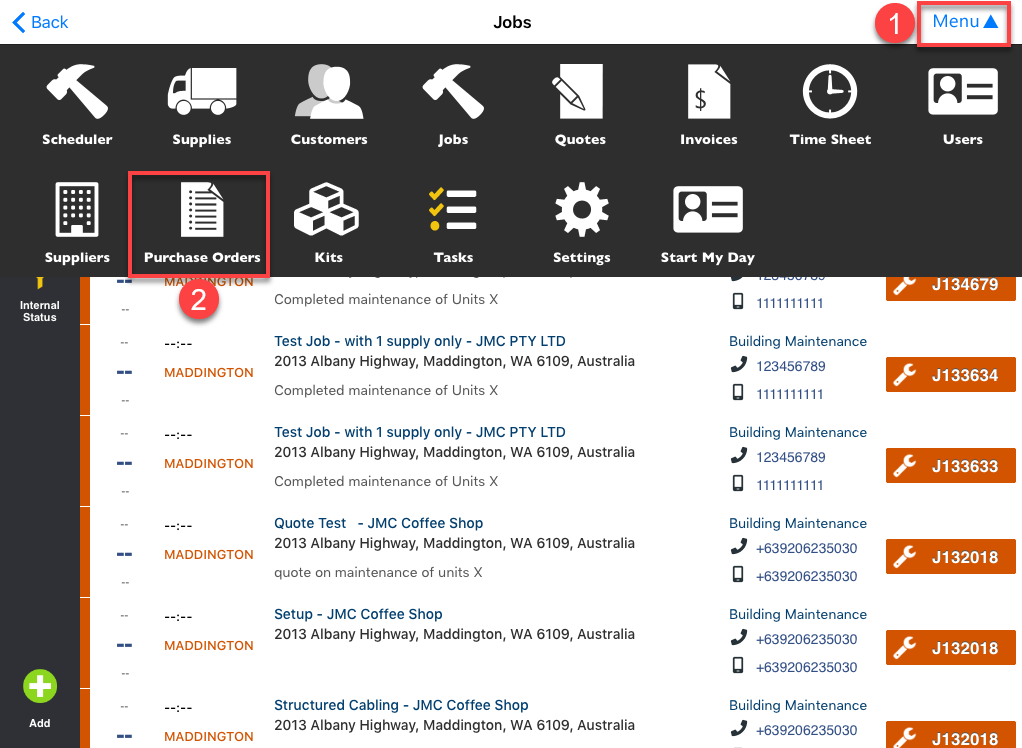
1. Tap Menu and select Purchase Orders.
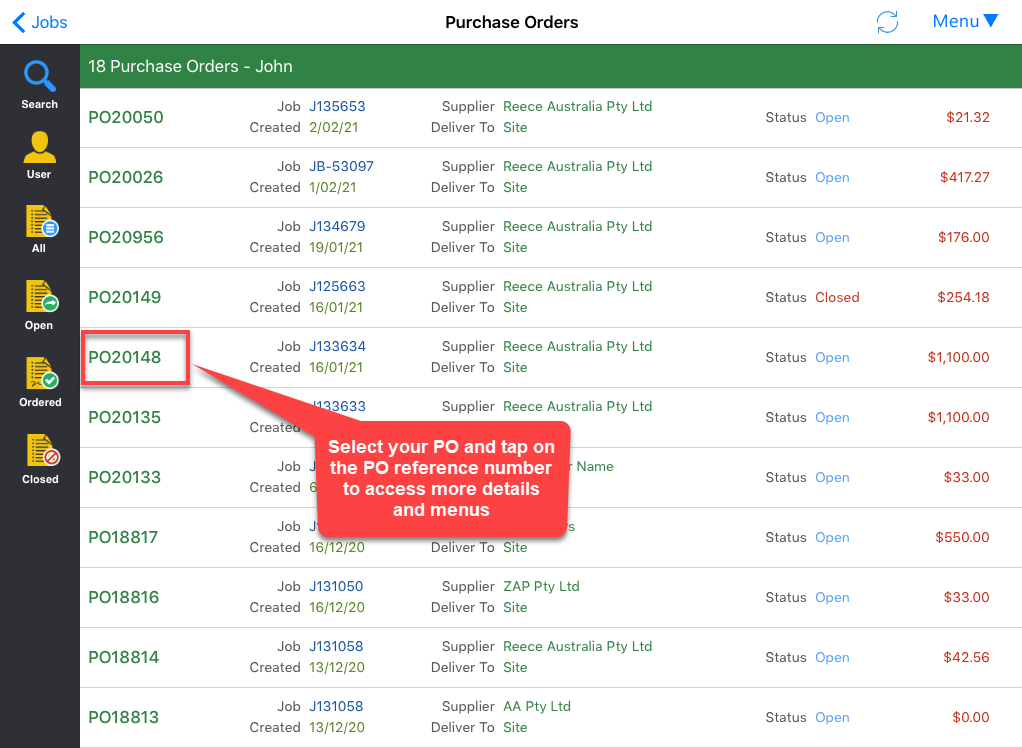
2. A list of purchase orders will be displayed which you can filter by user, or by PO status by tapping the corresponding buttons on the left side of the screen.
To access the PO details and menus, simply tap on the PO reference number and you can make the same adjustments such as changing the delivery option and status, putting instructions and notes, and adjusting quantity ordered and quantity received.
Got a question?
Submit an Idea 💡 Go to Ideas Portal