Ensuring that equipment is safe, functional, and compliant is critical for maintaining service quality and reducing operational risks. With Ascora’s Pass/Fail testing feature, businesses can efficiently track equipment performance, document test results, and take corrective action when needed—all within the system.
Whether you're performing compliance checks on-site or remotely via the Ascora web and mobile app, this feature provides a structured approach to managing inspections. Technicians can instantly update test statuses, add notes, and attach supporting documentation, ensuring that every piece of equipment is accounted for and properly maintained.
By using Ascora’s Pass/Fail testing, your business can enhance compliance, streamline service workflows, and maintain an accurate equipment history, helping you reduce downtime, improve safety, and deliver exceptional service to your customers.
You are able to do Equipment Pass or Fail tests both from Ascora web and from the Mobile App.
Pass/Fail Test from Ascora Web
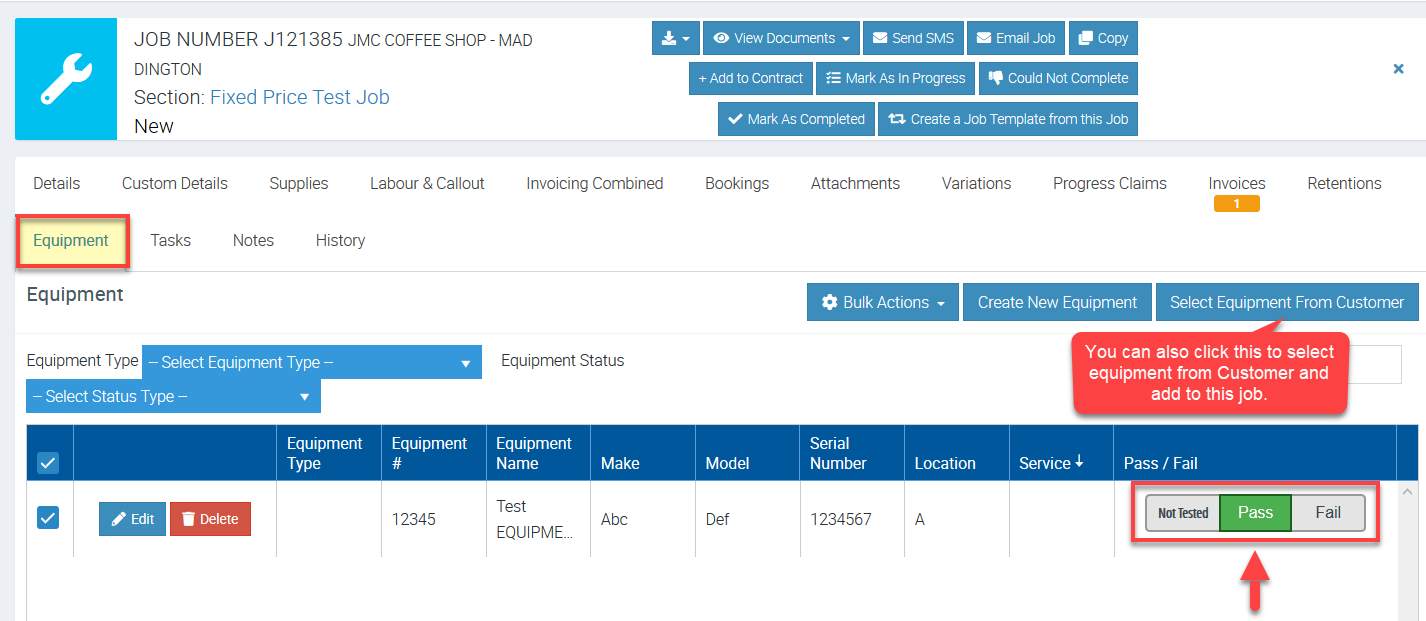
Go to Jobs menu and access one of your jobs and click Equipment tab. You will see a list of equipment linked to that job or customer and the default is "Not Tested" but you can set it to either Pass or Fail.
Pass/Fail Test from the Android Mobile App
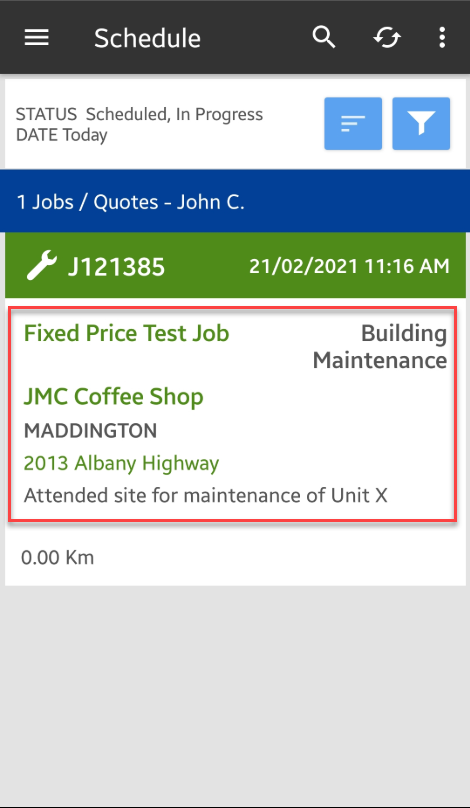
1. Access the job details screen from your Mobile App either by searching for the Job number or by going to Jobs menu.
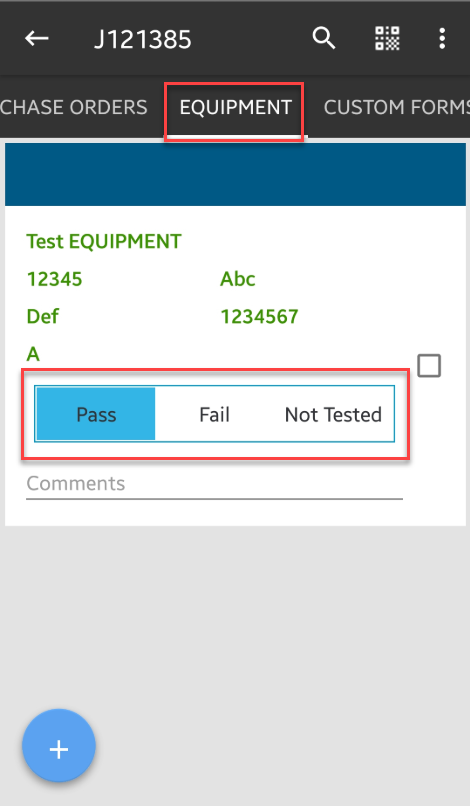
2. Go to Equipment tab and you can immediately see the pass and fail or not tested buttons.
Accessing more Equipment Details
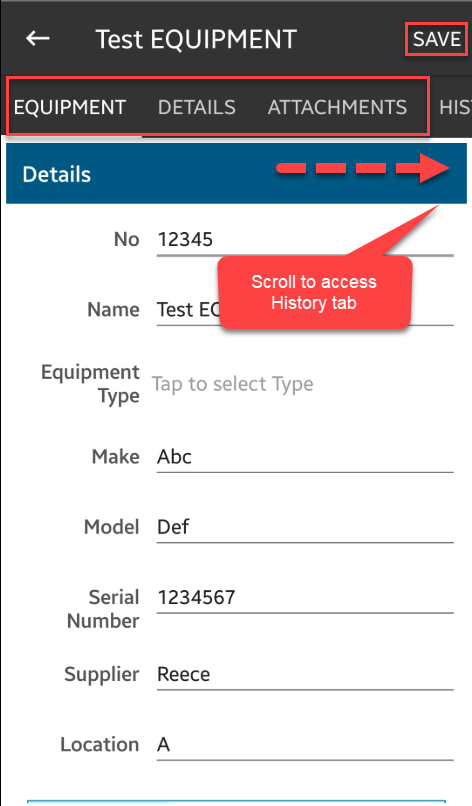
1. You can also tap on the Equipment Name and then tap on the Pencil icon to access more details and menus.
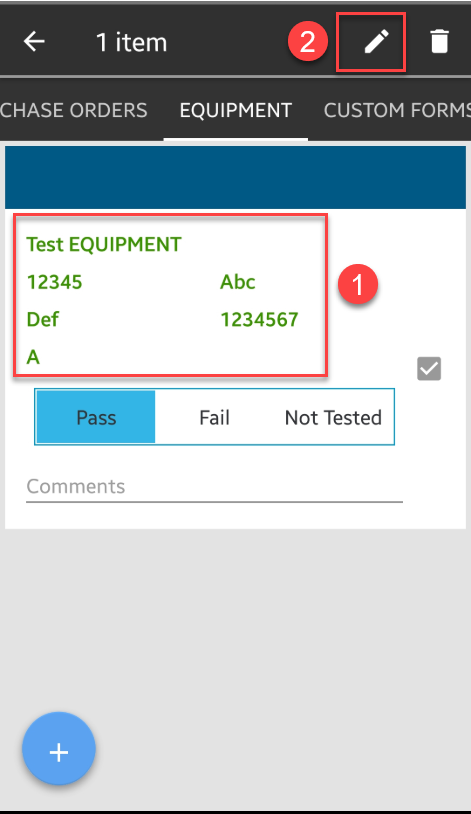
2. You can access the Equipment and Details screen, as well as Attachments and History.
You can add or amend some details if necessary and then tap Save to proceed.
Got a question?
Submit an Idea 💡 Go to Ideas Portal