The Company Details section in Ascora allows you to set up and manage key business information, ensuring consistency across your invoices, quotes, and other documents. Keeping this information up to date helps maintain professional branding and compliance with invoicing requirements.
📽 Watch the video guide ⤵
- From the Ascora Dashboard, navigate to Administration → Company Details.
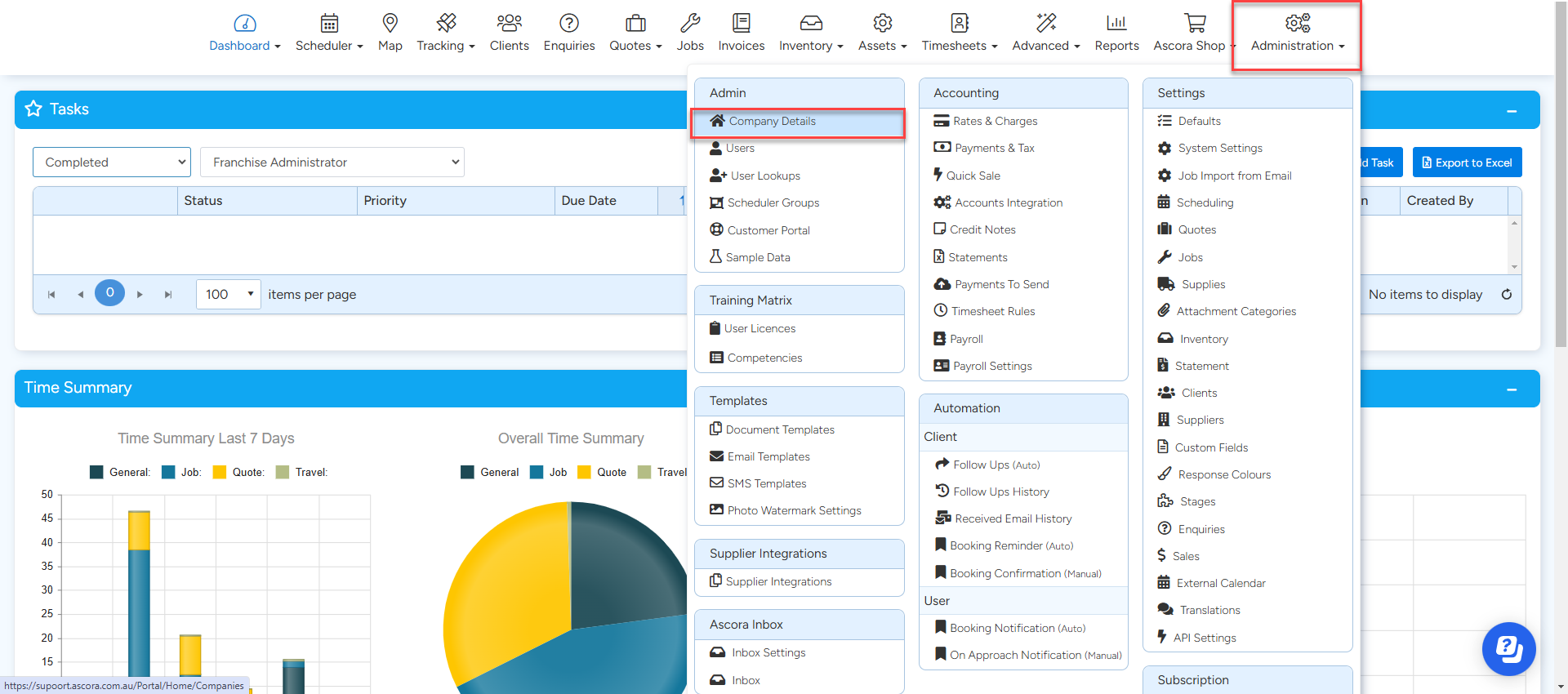
- This will open the Company Details page, where you can update and customize various aspects of your business settings, including:
- Company Details – Business name, contact details, and ABN.
- Registration Details – Legal registration information.
- Addresses – Business, billing, and shipping addresses.
- Invoicing Details – Payment terms, tax settings, and invoice preferences.
- Logos & Branding – Upload company logos for professional-looking documents.
- Terms & Conditions – Set default terms for quotes, invoices, and contracts.
- Invoice Header – Customize the header that appears on invoices.

Got a question?
Submit an Idea 💡 Go to Ideas Portal