Supplier credits play a crucial role in maintaining accurate financial records and optimizing cash flow. Whether you're handling returned materials, incorrect charges, or supplier refunds, Ascora simplifies the process with seamless integration into your accounting system.
Why Supplier Credit Management Matters:
✅ Accurate Financial Tracking – Ensure that all supplier returns are documented without affecting job costs.
✅ Streamlined Accounting Integration – Automatically sync credits with your accounting platform, reducing manual data entry.
✅ Improved Cash Flow – Monitor supplier credits effectively and apply them to future purchases or refunds.
✅ Audit-Ready Documentation – Maintain clear, traceable records for financial reporting and compliance.
How Ascora Helps You Stay in Control:
🔹 Create Supplier Credits with Ease – Enter negative quantities directly in Ascora to reflect returned goods or adjusted invoices.
🔹 Instant Visibility – View and manage all supplier credits in one place for better financial oversight.
🔹 Eliminate Errors – Reduce the risk of misallocated credits and ensure your business is reimbursed correctly.
By leveraging Ascora’s Supplier Credit Management, you can increase operational efficiency, maintain financial accuracy, and improve supplier relationships while keeping your accounting records clean and organized.
Overview
Credits are received for items that have been returned to Suppliers.
Credits in Ascora can be created by manually entering a Supplier Invoice with a negative quantity or via the Automatic Supplier Invoice Import. This will be pushed through to your Accounting Package as a Credit.
Manually Creating a Supplier Credit
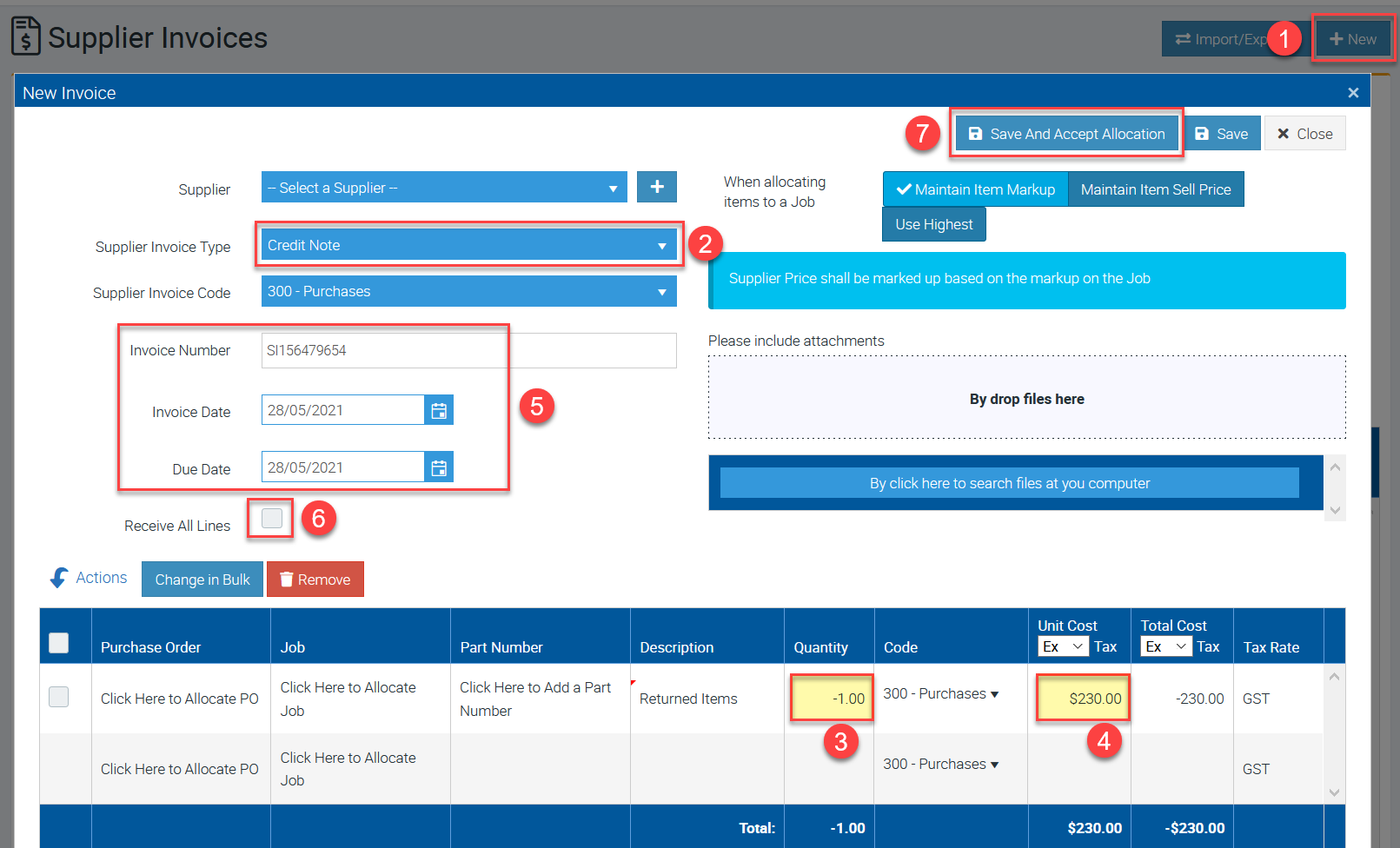
1. On the Supplier Invoices List click New.
2. Select Credit Note as Supplier Invoice Type.
3. Enter a negative quantity
4. Enter the amount in the column Unit Cost Ex Tax and it will automatically show as a negative amount in the column Total Cost Ex Tax.
5. Enter the Invoice Number, select Invoice Date and Due Date.
6. Tick the box beside "Receive All Lines."
7. Click Save and Accept Allocation.
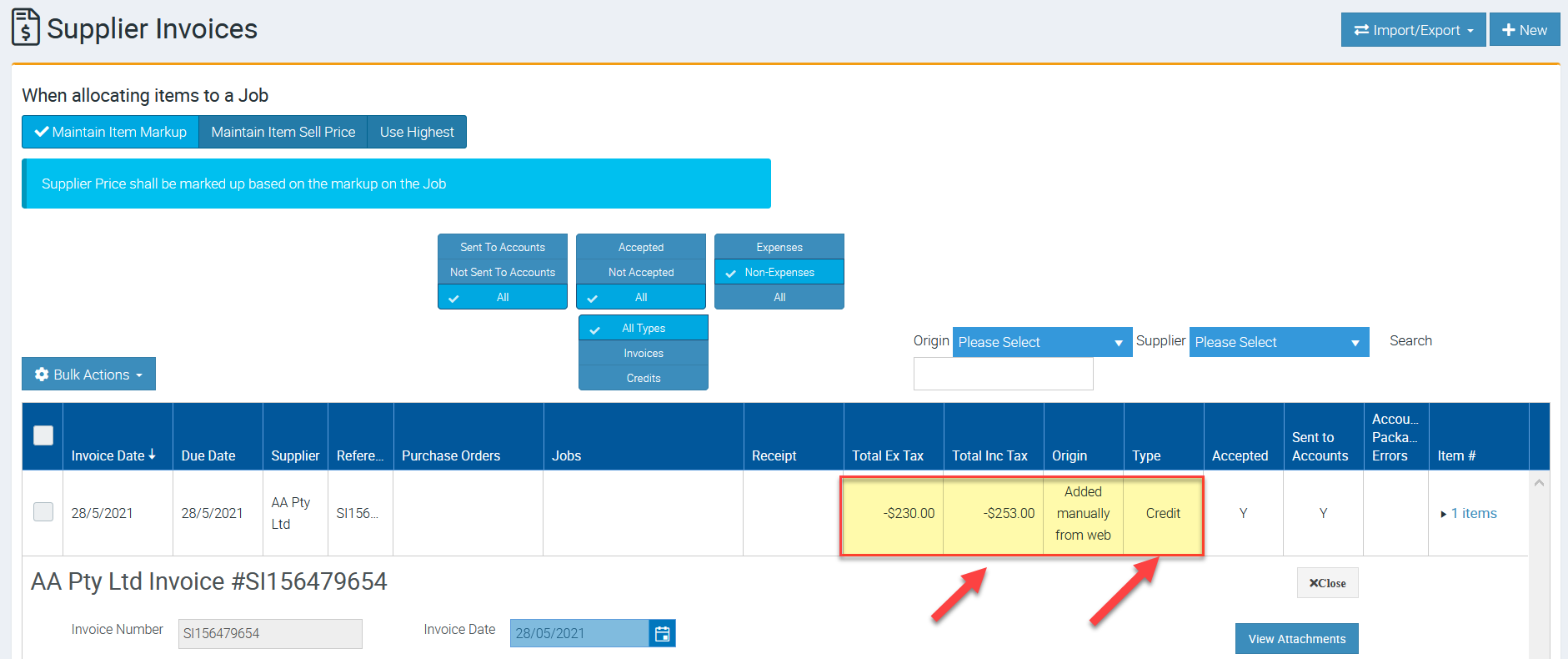
The supplier Credit will appear with the negative amount indicating it's a credit as shown in the image below.
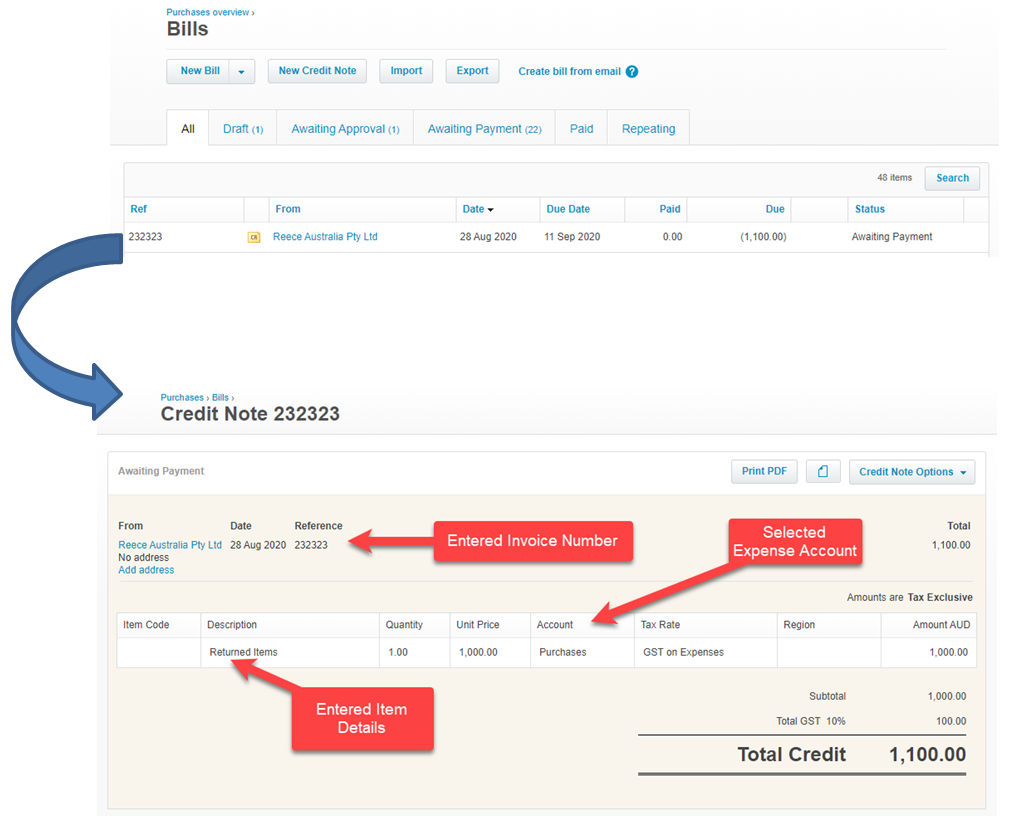
Behind the scenes this will be pushed to your Accounting Package as a Supplier Credit.
As an example, here’s the Supplier Credit from above in Xero.
Got a question?
Submit an Idea 💡 Go to Ideas Portal