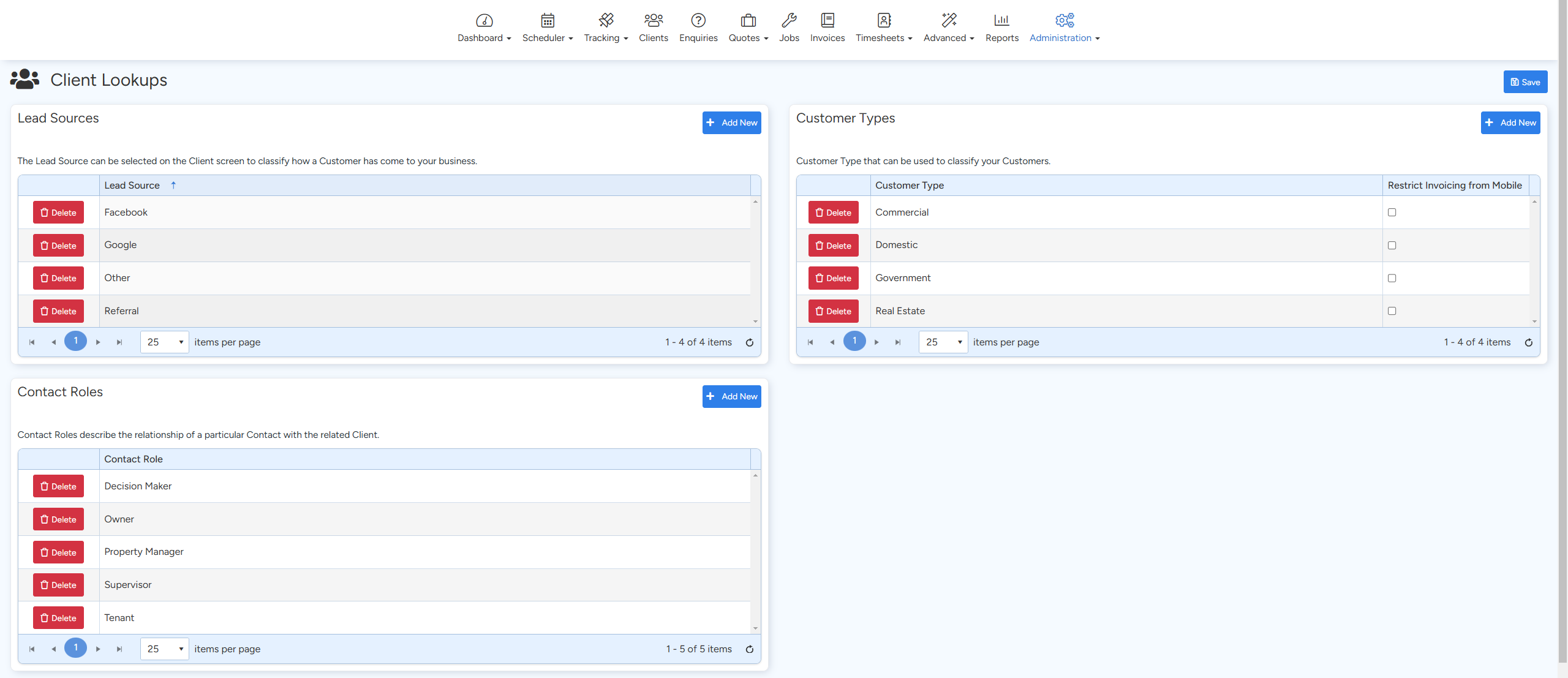
The Clients section in Ascora (located under Administration → Clients allows you to configure how customers and their contacts are classified within your system. By setting up lead sources, customer types, and contact roles, you can better track where your customers come from, categorize them effectively, and define their relationships within your business.
Setting Up Lead Sources
Lead sources help track how a customer discovered your business, providing valuable insights for marketing and business growth.
How to Add a Lead Source:
- Navigate to Administration → Clients.
- Click + Add New Lead Source.
- Enter the name of the lead source (e.g., Website, Referral, Social Media).
- Click Save.
Once set up, lead sources can be selected on the Client screen when adding or editing a customer.
Configuring Customer Types
Customer types help segment your clients based on predefined categories, making it easier to manage different customer groups.
How to Add a Customer Type:
- Go to Administration → Clients.
- Click + Add New Customer Type.
- Enter a name for the customer type (e.g., Residential, Commercial, Government).
- Click Save.
Once added, customer types can be assigned when creating or updating a client record to better organize your database.
Managing Contact Roles
Contact roles define the relationship of a specific contact within a company or organization. This ensures accurate communication and hierarchy management.
How to Add a Contact Role:
- Navigate to Administration → Clients.
- Click + Add New Contact Role.
- Enter the role name (e.g., Owner, Manager, Accounts Payable, Site Supervisor).
- Click Save.
When adding a new contact under a client, you can assign them a role to clarify their function within the business.
Best Practices
✅ Keep lead sources clear and concise to make reporting easier.
✅ Use meaningful customer type names to streamline filtering and segmentation.
✅ Assign accurate contact roles to ensure the right people receive important communications.
Got a question?
Submit an Idea 💡 Go to Ideas Portal