Clearing data on the Ascora Android Mobile App is useful when switching between user accounts, troubleshooting issues, or managing shared company devices. This process resets the app without uninstalling it, ensuring a clean slate for the next login.
⚠ Important: Always synchronize your data before clearing the app to avoid losing any unsaved information, such as job updates, timesheets, or attachments.
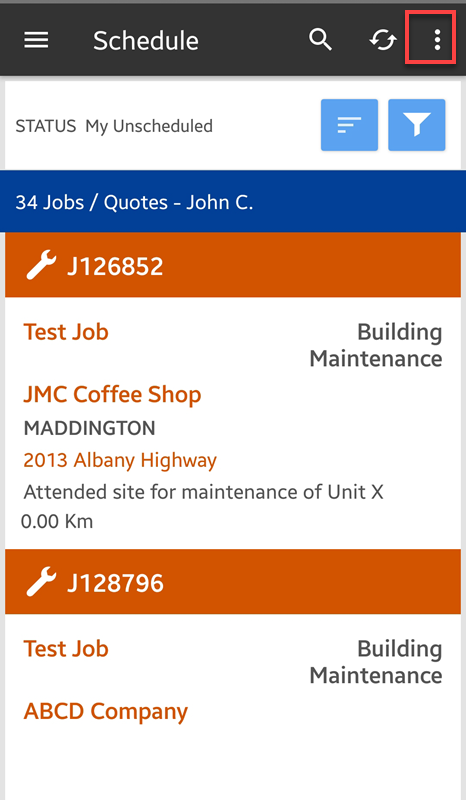
1. Tap on the 3 dots located on the upper right side of the mobile app screen.
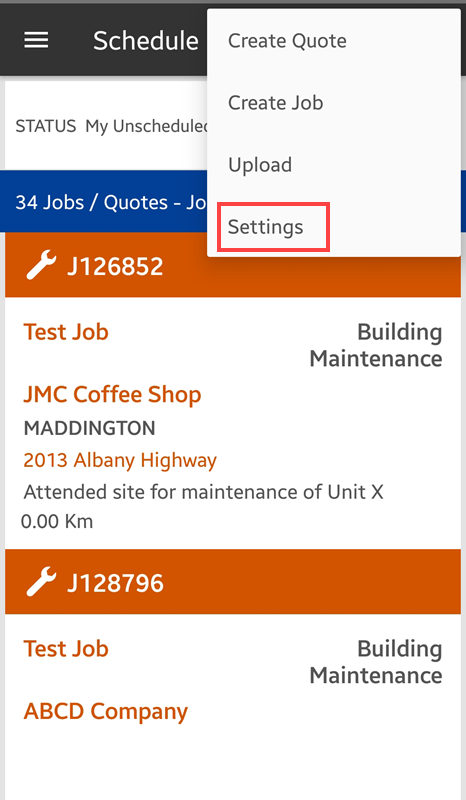
2. Tap Settings from the menu.
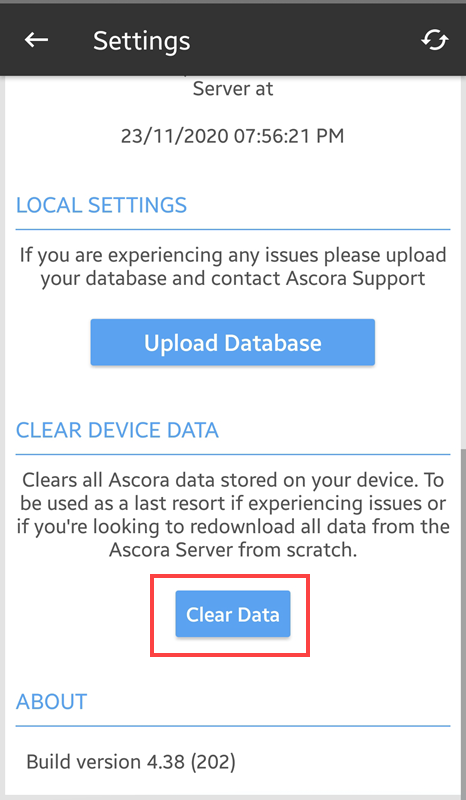
3. Scroll up to reveal the rest of the settings and under CLEAR DEVICE DATA tap Clear Data.
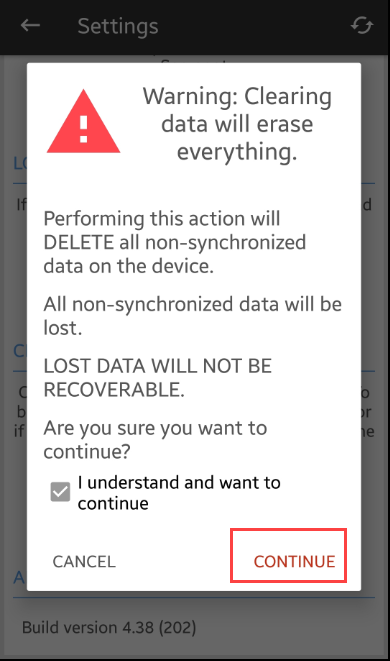
4. You will see the following screen with warning message so make sure that you have already completed synchronisation before proceeding.
To proceed, tap Continue.
Got a question?
Submit an Idea 💡 Go to Ideas Portal