Uploading your iPhone or iPad database allows Ascora’s support team to assist with troubleshooting, data integrity checks, or performance-related issues. This process ensures that your latest data is securely shared with Ascora for review. If you’re experiencing syncing issues, missing records, or need technical support, follow the steps below to upload your database. Once the upload is complete, contact Ascora support for further assistance.
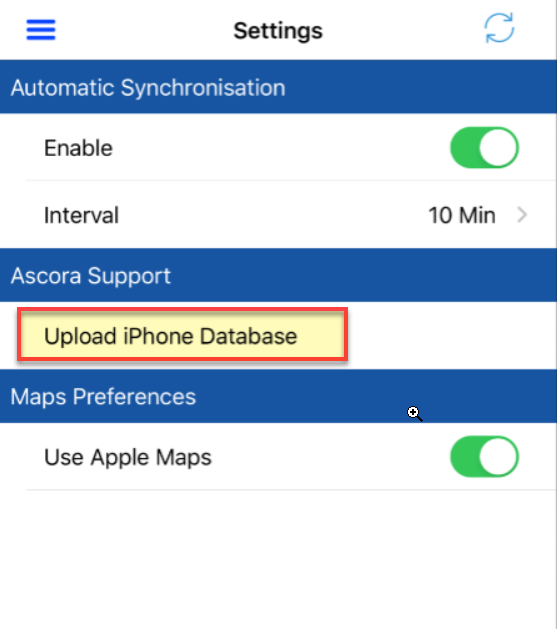
1. Tap the Menu icon located on the upper left part of the screen and select Settings.

2. Tap on Upload iPhone Database.
3. Tap on Start Uploading.
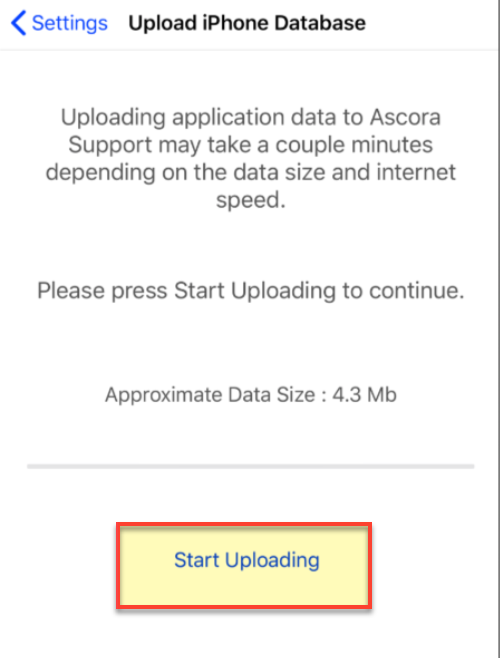
4. Database will begin to upload and wait for it to complete.
5. Contact Ascora after uploading the database for further assistance.
Got a question?
Submit an Idea 💡 Go to Ideas Portal