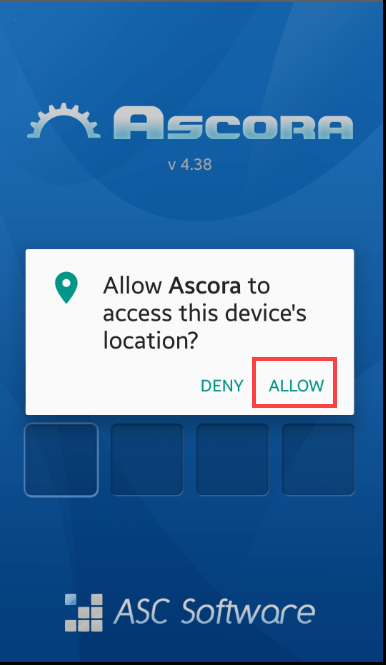
When setting up Ascora App for the first time, a notification appears to allow or deny access to location. It is important to allow access so that functionalities that require location services such as map and navigation as well as automatic check in will work as expected.
After downloading the Android App, ensure to press "Allow" when you see the following notification.
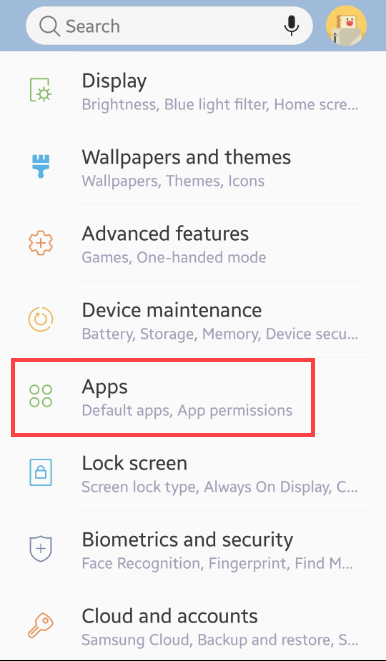
1. To check if Location is enabled, access your mobile phone settings and tap Apps.
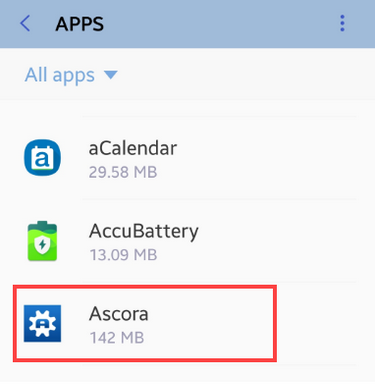
2. Look for Ascora App and tap it to display some settings.
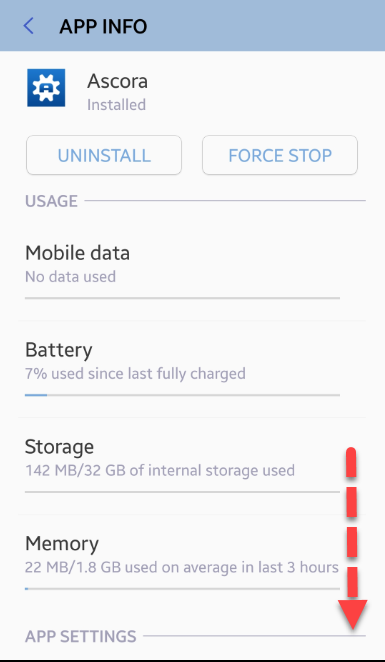
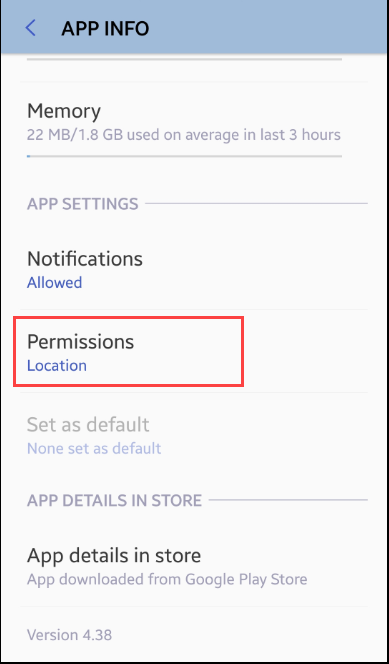
3. The following screen appears and just swipe up to reveal a few more information and setting.
4. Tap Permissions but if location is enabled, you will immediately see it as per example below.
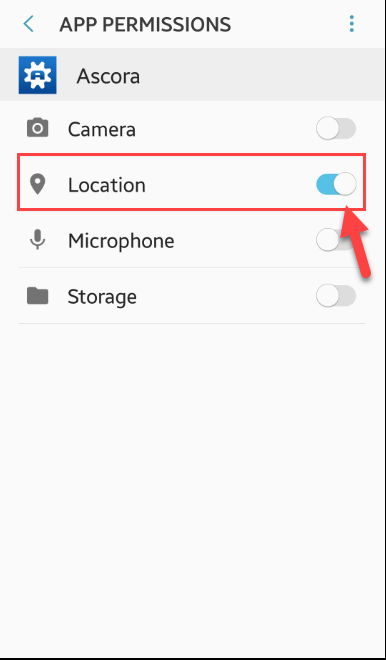
5. Location permission can be enabled from the following screen.
Got a question?
Submit an Idea 💡 Go to Ideas Portal